Cinematic narrative quality with synchronized audio-visuals
Seedance 1.5 Pro
Audio
Cinematic narrative quality with synchronized audio-visuals
Seedance 2.0
Audio
Cinema-grade multi-modal video with native audio
Seedance 2.0 Fast
Audio
Fast, cost-effective multi-modal video generation
Seedance 1.0 Pro Fast
New
High-speed, Pro-level visuals
Seedance 1.0 Pro
New
Multi-shot narrative, smooth motion
Vidu Q2 Pro
Audio
Frame-level refinement, cinematic depth and detail
Image
Upload a photo or drop it here
Support Format: jpg, jpeg, png, webp
Prompt
Video Length
5s
Resolution
480P
720P
Generate Audio
Generate List
Loading...
Convert Image to Video Online with AI
Create cinematic-quality videos from photos online with Mango AI image to video generator. Upload an image, add a prompt, and let the AI turn your photo into a stunning video with smooth, realistic motion. Animate static images into vivid, moving scenes with AI in no time!
As Simple as 1-2-3
No filming, editing, or technical skills required. Spark your ideas into motion by simply providing a photo and typing a short prompt. Watch the image to video AI tool weave magic, generating a video that is dynamic, engaging, and uniquely yours. Step into the future of video creation with Mango AI and turn a photo into a compelling visual story with unprecedented ease.
Cinema-Grade Motion in Every Frame
Breathe life into any photo with depth and realism. Our AI image to video generator employs sophisticated AI models trained to analyze your image and prompt accurately. The result is a video that feels alive, natural, and immersive. Whether it's gentle cloud movement, a flowing river, or a character turning to smile, the transition from photo to video is cinematic and believable.
Full Creative Control at Your Fingertips
Tailor every detail to your vision. Our AI video generator from images provides advanced customization to meet your project needs. Add audio overlays to match the mood, set your video length and resolution (up to 1080p) for deeper storytelling, and adjust motion intensity for subtle or dramatic effects. This flexibility ensures you get exactly the video you imagined — no more manual editing.
Endless Possibilities With Photo to Video AI
It's a creative haven where AI technology meets limitless imagination. Marketers create eye-catching ads from product photos. Companies convert logo images to professional video intros. Educators animate historical images or scientific diagrams. Storytellers and artists visualize scenes and concepts. With Mango AI image to video generator, your static images are now your most dynamic asset.
How to Convert Image to Video with Mango AI
1. Provide a Photo and a Prompt
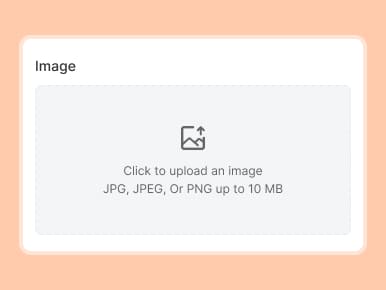
Upload any image in JPG, JPEG, PNG, or WebP formats. Enter a text prompt describing motion or scene direction. Your inputs guide the AI for seamless photo to video transformation.
2. Adjust Video Settings
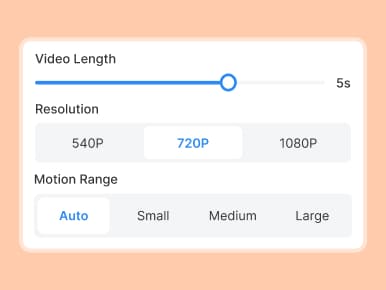
Set your video length (1-10 seconds), choose resolution (540p, 720p, or 1080p), and select motion range from Auto, Small, Medium, and Large—for a result tailored to your vision.
3. Generate the Video
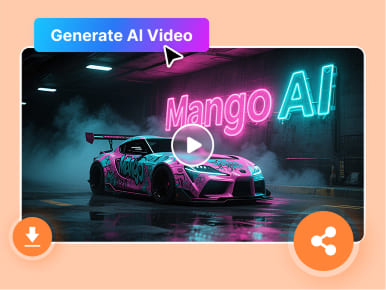
Click the "Create AI Video" button. In minutes, the AI image to video generator renders a high-quality, shareable, and engaging video that matches your creative intent perfectly.
FAQs About Image to Video AI Creation
What is Mango AI image to video generator?
Mango AI image to video generator is a cutting-edge tool that leverages sophisticated AI models to infuse still photos with fluid, believable motion. It brings plain images to life, creating visually appealing videos without requiring any advanced technical skills.
What kind of images work best with the photo to video AI tool?
For optimal results, use high-quality, clear images with a well-defined subject. Our AI image to video generator works with JPG, JPEG, PNG, and WebP formats. Images with good lighting, contrast, and minimal clutter allow the AI to better interpret and create smooth, realistic motion from your photo.
How should I write the prompt to get realistic motion and scene effects?
Be specific. Describe the subject, environment, action, lighting, atmosphere, and other aspects you imagine. The clearer the prompt, the better the AI can interpret and generate accurate motion.
Can I customize the videos created by the AI video generator from images?
Yes. Mango AI offers flexible customizations, such as video length from 1 to 10 seconds, output resolution up to 1080p, and the motion intensity (Auto, Small, Medium, or Large). You can also enable the audio feature to let the AI add fitting soundtracks to your videos for a more immersive experience.
What types of content can I create with the AI images to video maker?
With Mango AI's photo to video online tool, craft diverse content like animated product demos, attention-grabbing ads, social media reels, educational visuals, or revived family memories. Its versatility supports you in marketing, entertainment, educational, and personal projects, bringing your ideas to life with realistic animations.