
Your dog has no idea it is about to go viral. Upload one photo to an AI dog dance tool and you can have it bouncing to a TikTok beat in under a minute, with no filming, no treats, and no waiting around for the perfect moment.
The harder part is picking a tool, because dozens launched over the past year and they do not all work the same way. Some copy moves from a reference clip you supply, others hand you a library of ready-made templates, and a few build the whole routine from a text prompt.
This roundup covers 15 AI dog dance video makers, what each one asks of you, and what you get back. If you want a broader view of the category first, our free AI dance video generator guide is a good companion read.
Popular Ways to Use an AI Dancing Dog Video
Before you start comparing tools, it helps to know what the AI dog dance clip is actually for. A three-second meme loop and a 20-second choreographed routine call for very different features, and the cheapest tool is rarely the right one for both.
- Short-form posts: vertical 9:16 clips built for TikTok, Instagram Reels, and YouTube Shorts, where the hook lands in the first two seconds.
- Group chat reactions: a looping GIF of your dog busting a move, sent instead of a text reply.
- Birthday and holiday greetings: a personalized dog dancing video is more memorable than a card.
- Pet account content: one photo turned into several posts, so you can keep a posting schedule without new footage.
- Brand and shop campaigns: pet stores and local businesses use dancing pet clips as light, shareable ad creative.
- Memorial tributes: seeing an old photo move again is why a lot of people try these tools in the first place.
Top 15 AI Dog Dance Video Makers for Every Style
1. Mango AI Pet Dance Generator
As an AI dog dance video maker, Mango AI Pet Dance Generator takes the motion transfer route, which gives you the most say over what happens in your AI dog dance video. You upload a clear, front-facing photo of your pet, then upload a reference dance video showing the moves you want copied. The AI maps that choreography onto your dog while keeping its fur, markings, and face recognizable. Drop in a street dance clip and your dog becomes a breakdancer. Feed it a K-pop routine and you get an idol. Film yourself dancing in the kitchen and your dog will mirror your own signature moves.
Because it runs on the Mango AI 2.0 model, it handles human, cartoon, and animal subjects from the same workflow, so the same account covers dogs, cats, rabbits, and anything else in your camera roll. Everything happens in the browser with nothing to install, and the process is three steps: pet photo, reference video, generate.
- Motion transfer from any reference clip, so you are not stuck with preset moves
- Keeps your dog’s face, fur pattern, and body shape consistent through the clip
- One-click Mango AI Picture to Dance effect when you would rather skip sourcing a reference video
- Pairs with Mango AI Talking Animals if you want your dog to speak as well as dance
- Fully online and ready to export for TikTok, Reels, and Shorts
2. insMind
insMind is the pick for anyone who likes choosing their own engine. Instead of locking you into one model, it lets you generate the same AI dancing dog clip through Seedance 2.0, Kling 3.0, Google Veo 3.1, and other supported video models, then compare which handles fur and motion best. You can start from a dog photo or from a text prompt alone, and the prompt field accepts direction on dance style, mood, background, and camera movement.
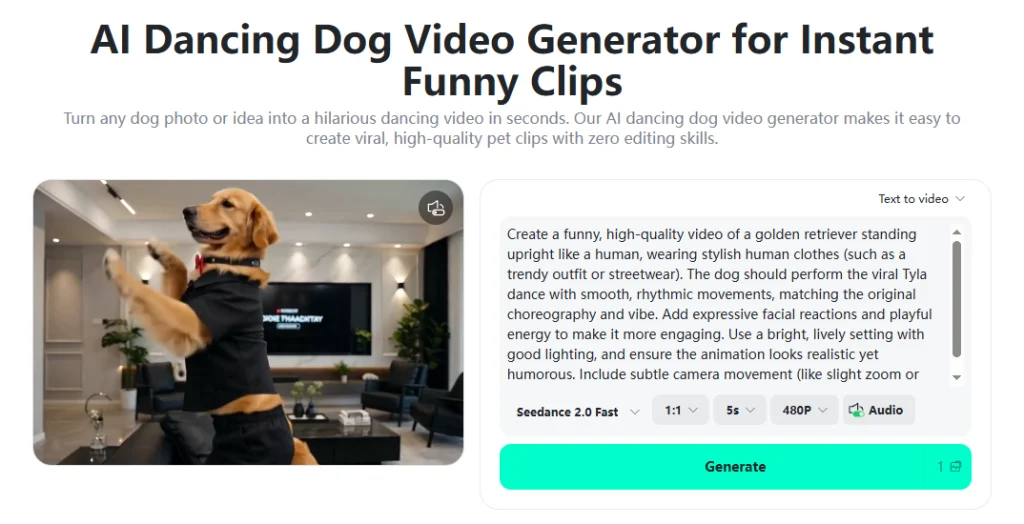
- Switch between multiple premium video models from one interface
- Accepts either an uploaded dog photo or a pure text prompt
- Prompt control over dance style, mood, background, and camera motion
- Templates and example prompts for people who would rather not write their own
3. PetGroove
PetGroove keeps the workflow down to four taps: upload a photo, pick a dance style, generate, download. There are no models to choose and no prompts to write, which makes it a reasonable first stop if you have never used a pet dance AI tool before. It accepts headshots as well as full-body shots, and it is built for dogs, cats, and other animals rather than people.
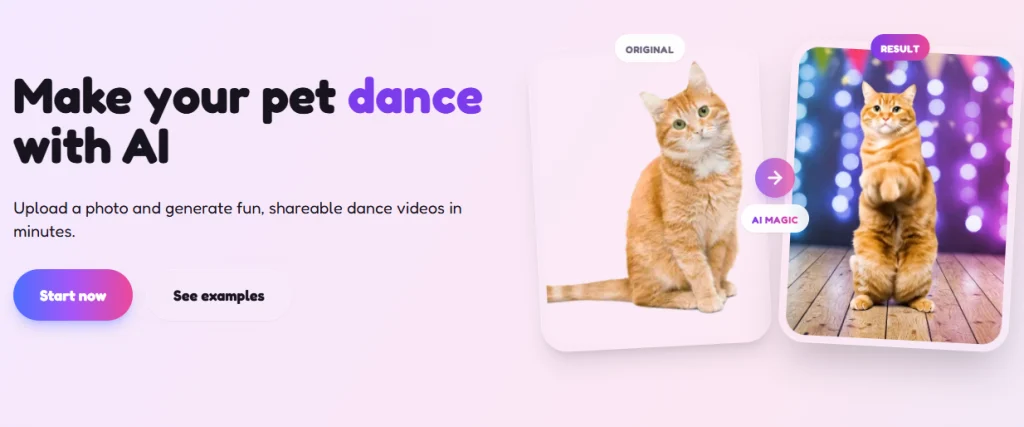
- Four-step flow with no prompt writing or model selection
- Style library drawn from trending TikTok and Instagram dance moves
- Works with a clear photo or a simple pet headshot
- Sign-in required before you can generate your first video
4. AI Baby Dance
AI Baby Dance runs a separate pet-specific generator alongside its human one, and the split matters: quadruped anatomy behaves nothing like a person’s, so the pet templates are tuned for it. Templates run from six to 22 seconds, you can render at 720p or 1080p, and there is a character orientation setting for video or image framing. The nicest touch is the Dance Image Editor, which uncrops and cleans up a photo before you animate it.
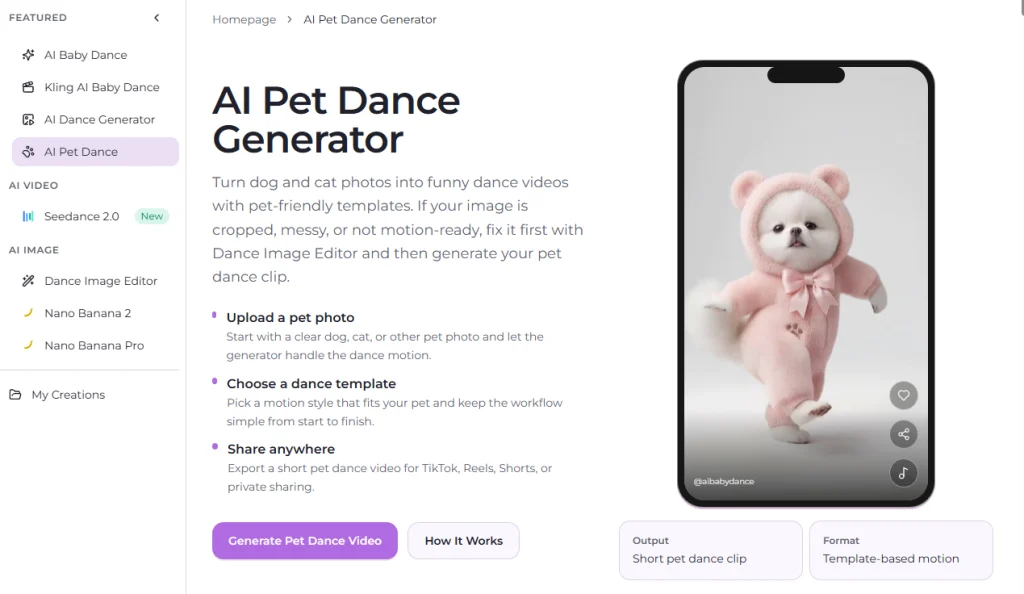
- Pet-only templates separated from the general human dance generator
- Accepts JPG, PNG, and WebP files up to 10MB
- Choice of 720p or 1080p output and template lengths from six to 22 seconds
- Built-in image editor for fixing cropped or cluttered pet photos first
- Credits are refunded automatically when a generation fails
5. Pet.Video
Pet.Video organizes everything around scenarios, and Dog Dance is one of them. Its standout feature is character saving: store your dog’s photo once and every future AI dog dance video keeps the same look, which is what you want if you are building a series rather than a one-off. You also pick a quality tier before generating, so a rough idea costs 16 credits as a quick draft while a polished export costs 45. Default output is a five second 9:16 clip with audio on, and the same character carries over to dancing cat video ideas if you have more than one pet.
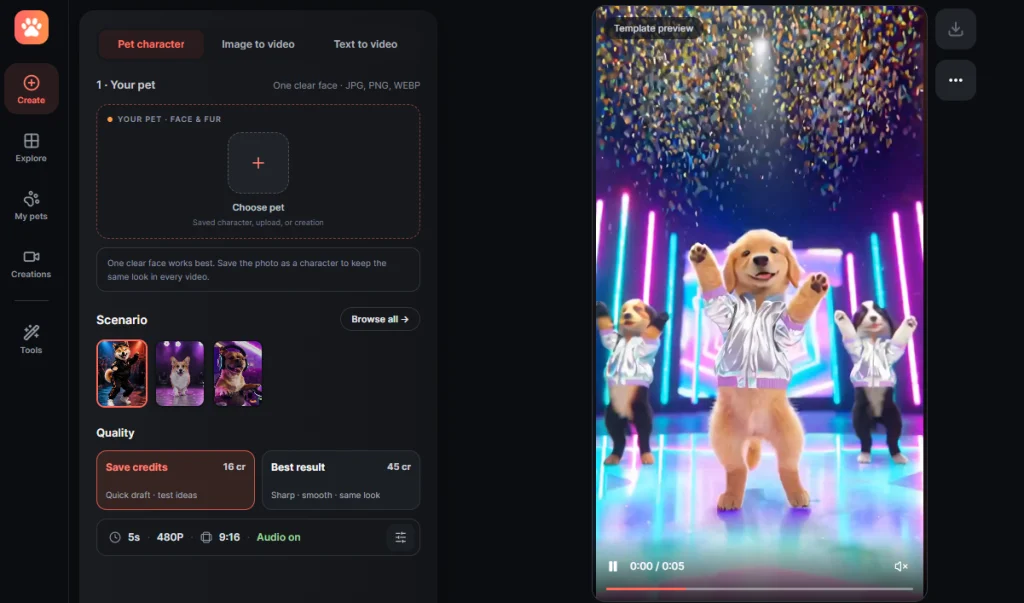
- Save your dog as a reusable character for a consistent look across clips
- Two-tier pricing: 16 credits for a draft, 45 for the best result
- Five second vertical 9:16 output with audio enabled by default
- Template previews so you can see the motion before spending credits
6. Kapwing
Kapwing built its AI dog dance generator on Kling Motion Control and Kling 2.6, so it sits in the motion transfer camp: one dog image plus one dance video under 10 seconds. The reference has to be an actual video file rather than a GIF, though Kapwing includes a GIF-to-video converter for exactly that problem. Where it pulls ahead is what happens after generation, since the clip lands in a full editor.
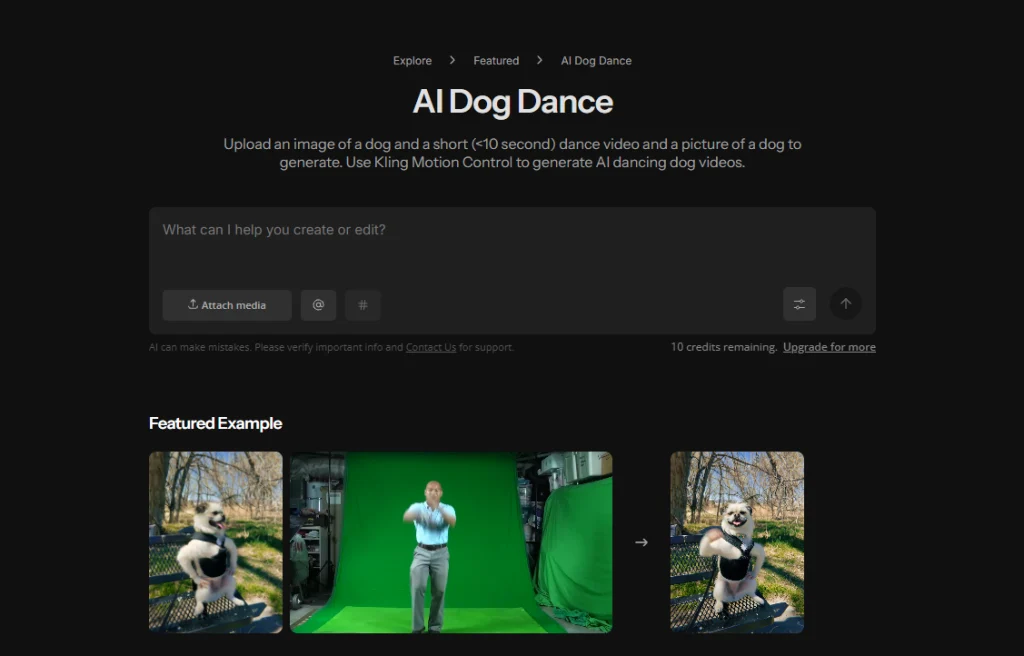
- Kling Motion Control and Kling 2.6 driving the dance transfer
- Reference clips must be video files under 10 seconds, with a GIF converter included
- Add captions, music, and sound effects without leaving the platform
- Trim, loop, or stitch several dance clips into one compilation
7. Dreamina
Dreamina, CapCut’s generation arm, leans on prompts instead of reference footage. You upload a dog photo, then either pick a style or paste a prompt to steer the performance. The page publishes ready-made prompts for three distinct looks, and they are worth copying verbatim because they spell out the details most people forget, things like exaggerated movement, cinematic lighting, and detailed fur. It is the most beginner-friendly way to make an AI dancing dog clip that does not look like everyone else’s.
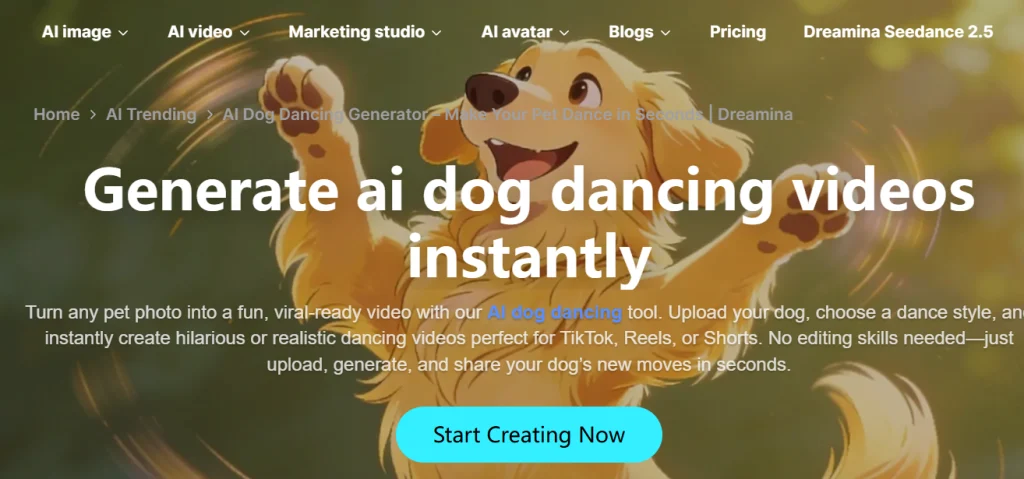
- Copy-paste prompt library for funny, realistic, and heartwarming styles
- Prompt-driven control instead of hunting for a reference video
- Free credits for new users to test the output quality
- Direct download for TikTok, Reels, and Shorts
8. GoEnhance AI
GoEnhance ships 19 dog dance templates and expects a full-body or three-quarter photo. Its whole pitch is reuse: keep one good photo of your dog and cycle it through different templates to get a cute bounce, a silly wiggle, and a steadier groove from the same source. Clips come out loop-ready, which suits meme reposting. If your base shot feels too static to start from, add a little motion with the Mango AI Image to Video tool before you animate it.
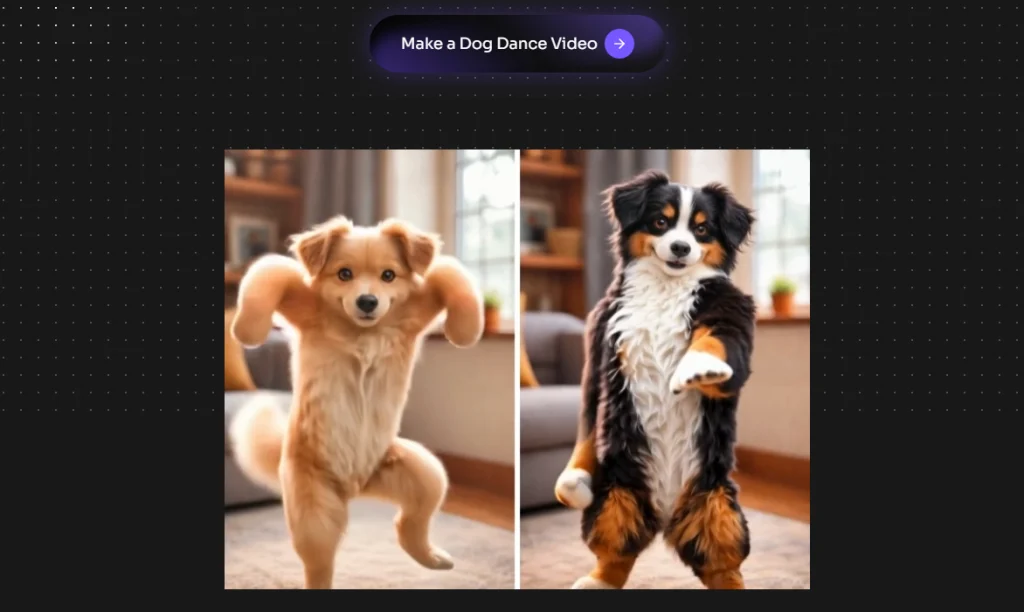
- 19 named dance templates covering different energy levels
- Built for reusing one photo across multiple template variations
- Loop-friendly exports for memes and short repeat posts
- Clear photo guidance on fur edges, paw visibility, and framing
9. AIDogDancing.com
This one is worth a look purely for how it handles physics. Rather than sliding a dog around the frame, its motion model gives paws proper landing weight and bounce timed to the beat, which is what separates a convincing AI dancing dog from one that reads as glitching. A face and feature lock keeps facial details, fur patterns, body shape, and eye color stable across frames, so your dog still looks like your dog even mid-moonwalk.
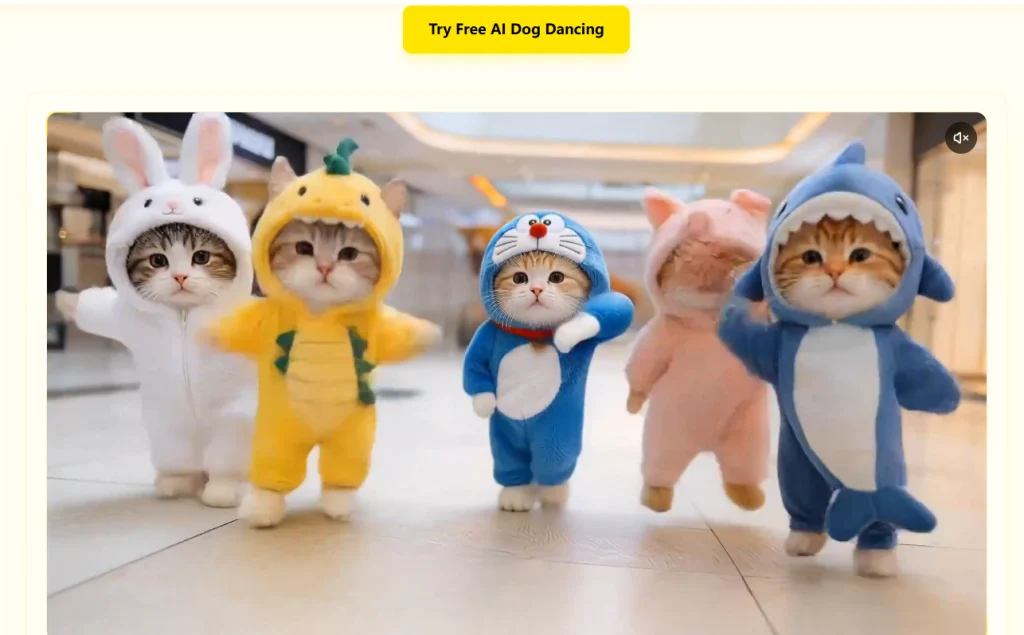
- Physics-aware motion with weighted paw landings synced to the beat
- Identity lock on face, fur pattern, body shape, and eye color
- Watermark-free Full HD exports in vertical 9:16
- Generation in roughly 20 to 30 seconds, with five free downloads for new users
- Also handles cats, rabbits, and custom uploaded dance references
10. AIDogDancing.app
Despite the name, this is a browser app with nothing to install, and its reason for existing is GIF export. Alongside a standard MP4 you can download a looping GIF, which is the format that actually works in group chats, comment threads, and Reddit replies. It also encourages generating several variations per photo instead of accepting the first result, and it publishes blunt good-versus-bad photo examples so you know why an attempt looked strange.
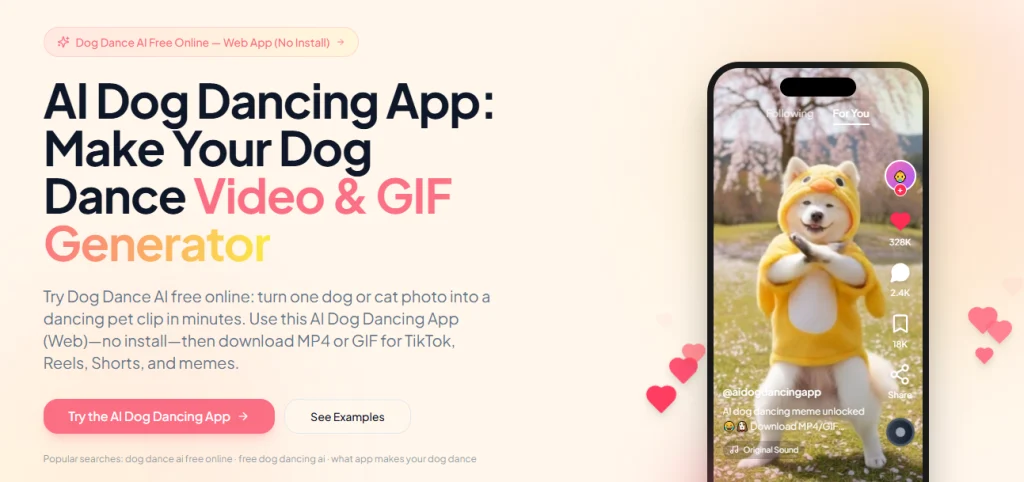
- Downloads as MP4 or as a loopable GIF for chats and comments
- Free in-browser preview before you spend anything
- 60 free credits on signup and fast variation generation
- Side-by-side photo examples showing what to upload and what to avoid
- Advice on trimming to three to six second loops for cleaner meme playback
11. Viggle AI
Viggle is not dog-specific, but no other tool here comes close to its template count. Its library holds more than 8,000 dance clips spanning TikTok challenges, K-pop group routines, ballet, afrobeat, and shuffle, and its JST-1 model was trained on 3D body mechanics rather than surface pixels, which is why limbs hold together through spins. You can animate pets, selfies, drawings, and cartoon figures, so it doubles as a way to animate dancing cartoon animals with the same account.
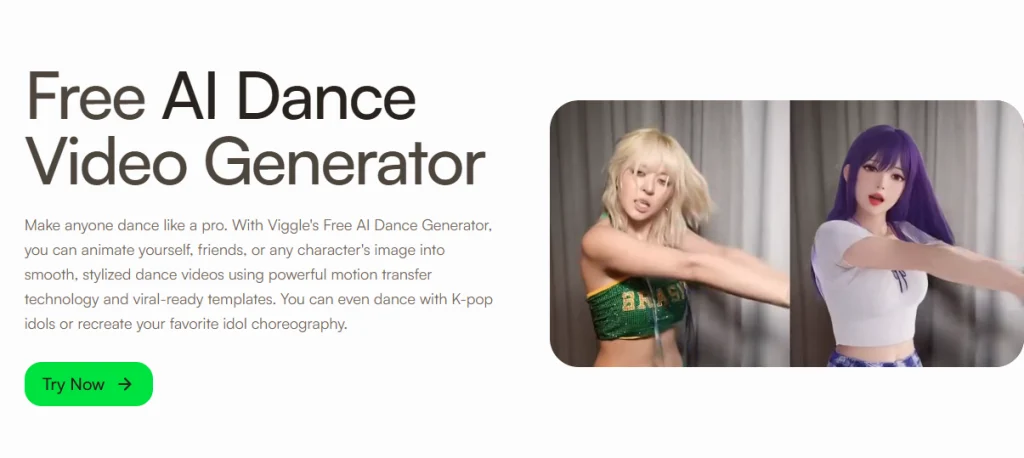
- Over 8,000 dance templates, with new trends added daily
- JST-1 motion model built around 3D body mechanics for stable limbs
- Upload your own clip as a custom motion source through Mix
- Multi-Track swaps up to seven characters into one group dance
- One free generation without signing in, then five free videos per day
12. MemeClip AI
MemeClip built its dance generator specifically for pet content, and it is free at the moment with all core functions unlocked. The tradeoffs are honest ones: generation takes two to five minutes rather than seconds, and videos arrive silent so you add music yourself or inside TikTok. If you just want to test whether an AI dancing dog clip is worth your time, there is no cheaper way to find out. Sample photos are provided if you want to try it before uploading your own.
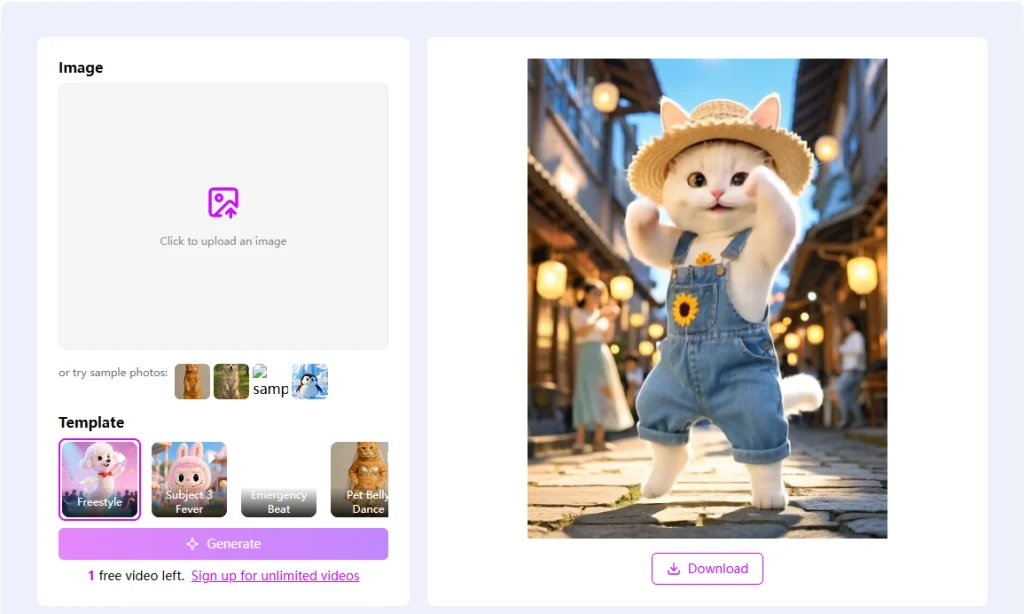
- Currently free with every core feature available
- Purpose-built for pets rather than adapted from a human tool
- Sample photos on hand for testing before you upload
- Two to five minute generation time and no audio track by default
13. Flux1 AI
Flux1 does one specific look and does it well: a disco stage. Your dog appears on a colorful lit stage for five to 13 seconds, and the pipeline behind it detects key points on the face and body, builds a simple 3D model, applies motion-capture dance routines, then renders at 4K while matching the video lighting to your original photo. Each clip ships with a royalty-free dance track you can keep or mute, and the MP4 keeps the aspect ratio of the photo you uploaded.
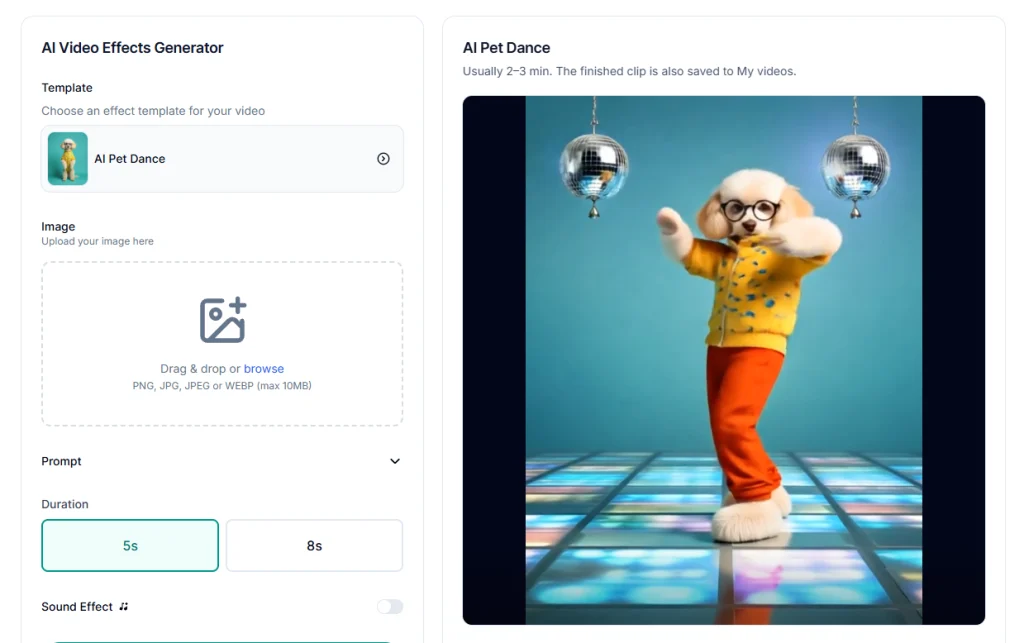
- One polished disco stage effect running five to 13 seconds
- Motion-capture routines mapped onto a 3D model of your subject
- 4K rendering with lighting matched to the source photo
- Royalty-free dance track included, and optional to disable
- Uploads encrypted and deleted automatically within 24 hours
14. Supawork
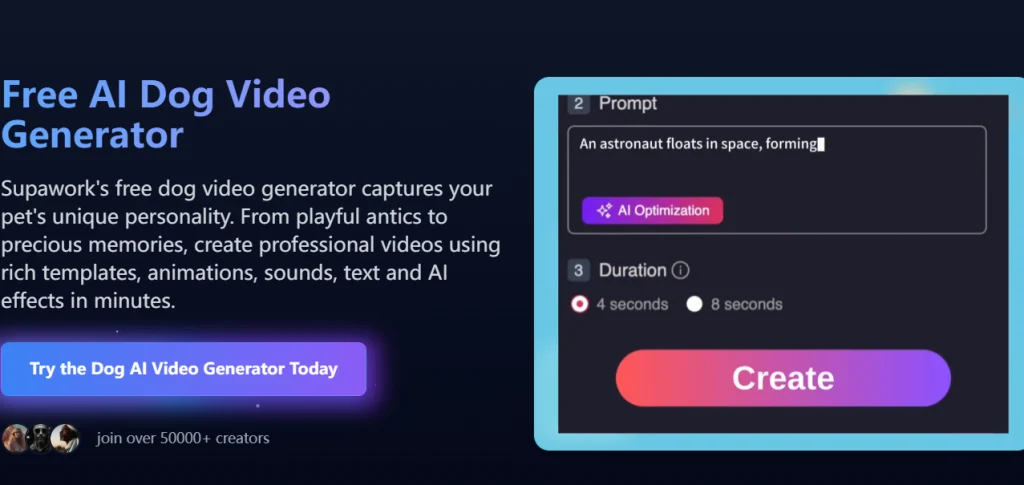
Supawork is a broader dog video generator rather than a pure dance tool, so reach for it when you want motion, sound, text, and effects in one pass instead of a single template. Its animation model was trained across thousands of breeds, so a Beagle bounces differently from a Great Dane. Output is 1080p, there is no watermark even on the free tier, and you keep full commercial rights to what you make. That mix has made it popular with rescues and pet photographers, much like the Mango AI Pet Podcast tool appeals to creators who want their pets talking instead of moving.
- Breed-specific animation trained across thousands of dog breeds
- Templates, sounds, text, and AI effects layered in one workflow
- 1080p output with no watermark on the free plan
- Full ownership and commercial use of everything you generate
- Auto-sizing for Instagram, TikTok, and Facebook formats
15. Edimakor AI
Edimakor gives you three routes from the same photo: apply a ready Dance Effect, use Motion Control to follow a reference, or run Image to Video with a written prompt. That flexibility means you can start easy and get more specific as you figure out what you want, whether that is hip-hop, K-pop, or freestyle. It works from your original image to hold onto your dog’s face, fur color, and markings, and music can be added during generation rather than afterward.
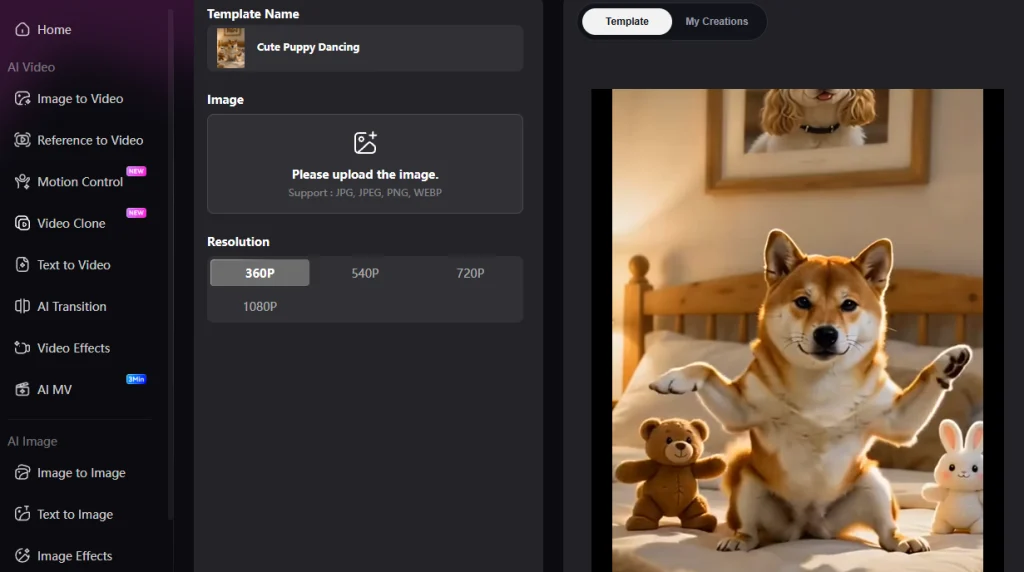
- Three creation modes: Dance Effects, Motion Control, and prompt-based Image to Video
- Hip-hop, K-pop, freestyle, and fully custom choreography
- Preserves face, fur color, and markings from the source photo
- Music added during generation instead of in a separate editor
How to Pick the Right AI Dog Dance Maker
The split that matters most is how a tool wants to make your dog dance, specifically whether it needs a reference video from you. Motion transfer tools like Mango AI, Kapwing, and Viggle need a dance clip as input and give you exact choreography in return. Template tools like GoEnhance, PetGroove, and Flux1 need only a photo, which is faster but limits you to the moves they already have. Prompt tools like Dreamina and insMind sit in between. A few habits improve every AI dog dance video no matter which one you land on.
- Use a sharp, well-lit, full-body photo with paws and tail visible. Head-only shots and lying-down poses cause most bad results.
- Keep the background simple. Busy fur against a busy background is where jitter comes from.
- Generate two to four versions and keep the best one instead of accepting your first attempt.
- Match the template energy to the photo. A calm sitting pose suits gentle motion better than aggressive choreography.
- Check watermark and commercial terms before you build a campaign around a free tier.
- Stay short. A three to six second clip loops cleanly and holds attention better than a long one.
If you want to animate more than dance moves, the wider photo animation generator category covers tools that bring stills to life in other ways.
Which AI Dog Dance Tool Should You Use?
There is no single answer, because the right AI dog dance maker depends on what you are building. Viggle wins on template volume, Flux1 nails one disco look, AIDogDancing.com has the cleanest motion physics, MemeClip is the cheapest way to experiment, and Supawork suits anyone who needs more than dancing. Still, if you want one tool that copies any choreography you hand it, keeps your dog recognizable, and handles cats and cartoon characters from the same dashboard, the Mango AI Dog Dance Generator stands out as the most capable option on this list. It runs in your browser, needs nothing more than a photo and a reference clip, and turns out a share-ready AI dog dance video in minutes. Pick a good photo, find a dance you like, and let your dog take the spotlight.
Create Dancing Dog Videos with Mango AI
Frequently Asked Questions
It depends on how much control you want. Mango AI is the most versatile because it copies moves from any reference video and works with pets, people, and cartoon characters. Viggle wins on sheer template count, while GoEnhance and PetGroove are quicker if you only have a photo.
Upload a clear front-facing photo of your dog, then either choose a dance template or upload a reference video with the moves you want. Click generate and the AI maps that motion onto your pet. Most tools finish an AI dog dance video in under a minute and export straight to MP4.
A sharp, well-lit, full-body or three-quarter shot with your dog centered and its paws, legs, and tail visible. Avoid head-only crops, lying-down poses, motion blur, and cluttered backgrounds. A clean silhouette gives the model more to work with and reduces wobble in the final clip.
Yes. MemeClip is free across its core features, Viggle allows one generation without signing in and five daily after, and AIDogDancing.app grants 60 credits on signup. Watermark policies differ, so check whether free exports carry branding before you post commercially.
Good tools add movement without altering identity. Mango AI, AIDogDancing.com, and Edimakor all work from your original photo to hold onto facial details, fur color, and markings across frames. Your dog should be instantly recognizable, just suddenly capable of dancing.
Most do. Mango AI supports dogs, cats, rabbits, and more, and PetGroove, MemeClip, and AIDogDancing.com all accept non-dog animals. Flux1 and Viggle even animate people and illustrations. As long as the subject is clearly visible in the photo, the motion transfer usually holds.