
Cats have a talent for looking unbothered. That is exactly why a dancing cat video feels so funny. A calm face paired with bold moves creates instant contrast. With AI, you can turn one cat photo into a clip that follows real choreography. No filming, no training, and no editing skills are required. This guide walks through a simple workflow, then shares four solid alternatives. By the end, you can make your own dancing cat video in just a few minutes.
Meet Mango AI Pet Dance
Mango AI Pet Dance is an online tool for animal dancing clips. It runs in the browser, so nothing needs to be installed. The workflow is simple: you provide a cat photo and a reference dance video, and the AI maps those moves onto your pet. Because the motion comes from your clip, one photo can become a dancing cat video with a specific vibe.
Key features at a glance:
- Photo-to-dance in one step: turn a single still image into a lively clip, with no filming needed.
- Lifelike motion: advanced AI models aim for smooth, natural movement instead of stiff frames.
- Any style you supply: the reference clip sets the routine, from street dance to K-pop or a homemade video.
- Built for animals: it works with animal images, so cats, dogs, and other pets all fit.
- Simple inputs: photos in JPG, JPEG, PNG, or WebP, plus a reference clip up to 30 seconds and 50MB.
- Flexible sharing: post to Facebook or X, copy the link, grab the embed code, or scan a QR code.
Together, these features make it an approachable way to build a dancing cat video without editing skills.
Step-by-Step: Make a Dancing Cat Video with Mango AI
Here is the full workflow, split into three short steps. Each one stays simple, so a dancing cat video comes together fast.
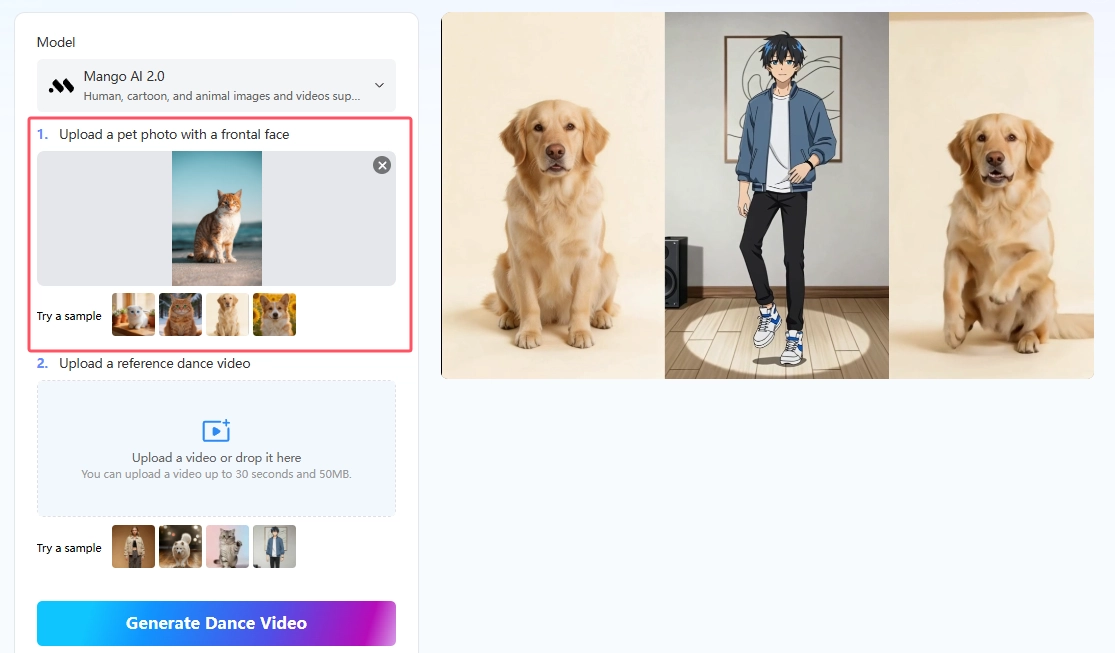
- Upload Your Cat Photo
Start with a clear, front-facing image of your cat. A full-body shot usually works better than a tight crop. Soft, even light helps keep the face sharp. Drop the file into the upload area, or browse to select it. Supported formats include JPG, JPEG, PNG, and WebP.
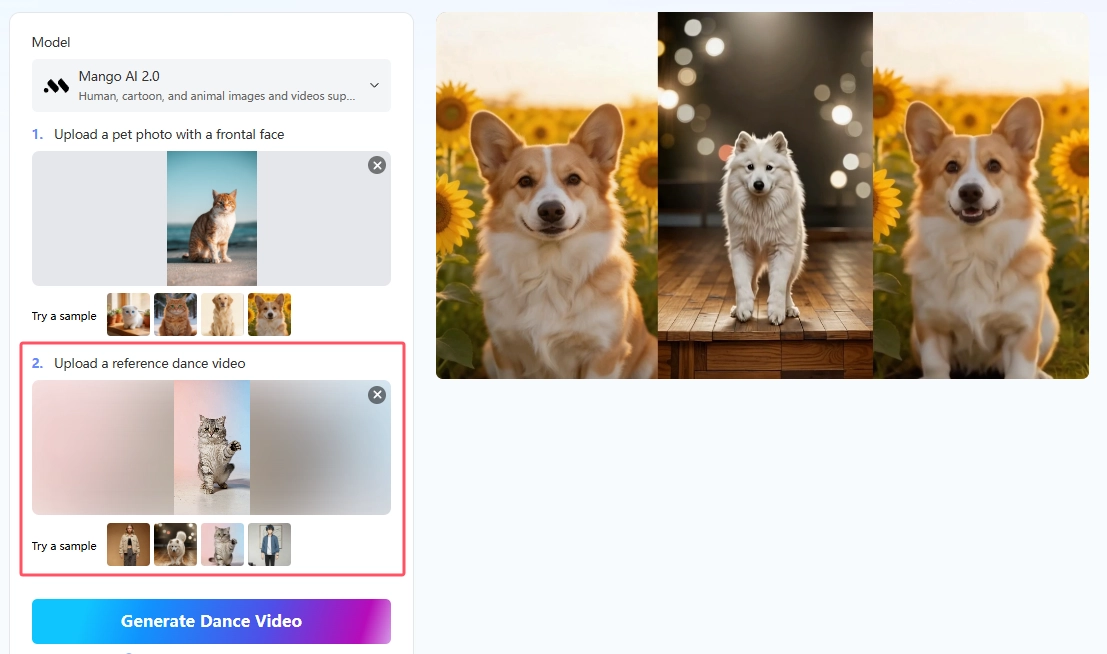
- Upload a Reference Dance Video
Next, add a short clip that shows clear dance motion. Keep it within the limits of 30 seconds and 50MB. A steady video with visible limbs transfers better than a shaky one. This clip decides the moves, so pick one that matches the energy you want.
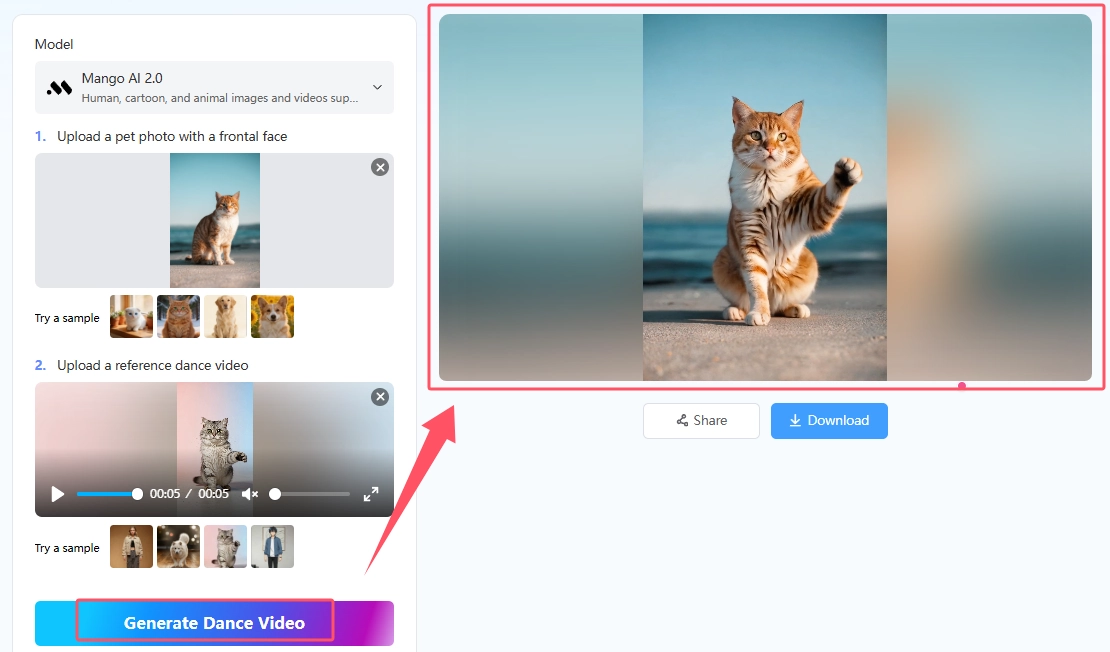
- Generate the Dancing Cat Video
Now click generate and let the model do the work. The tool turns your photo and reference clip into a short dancing video. Wait a moment for it to finish, then preview the result.
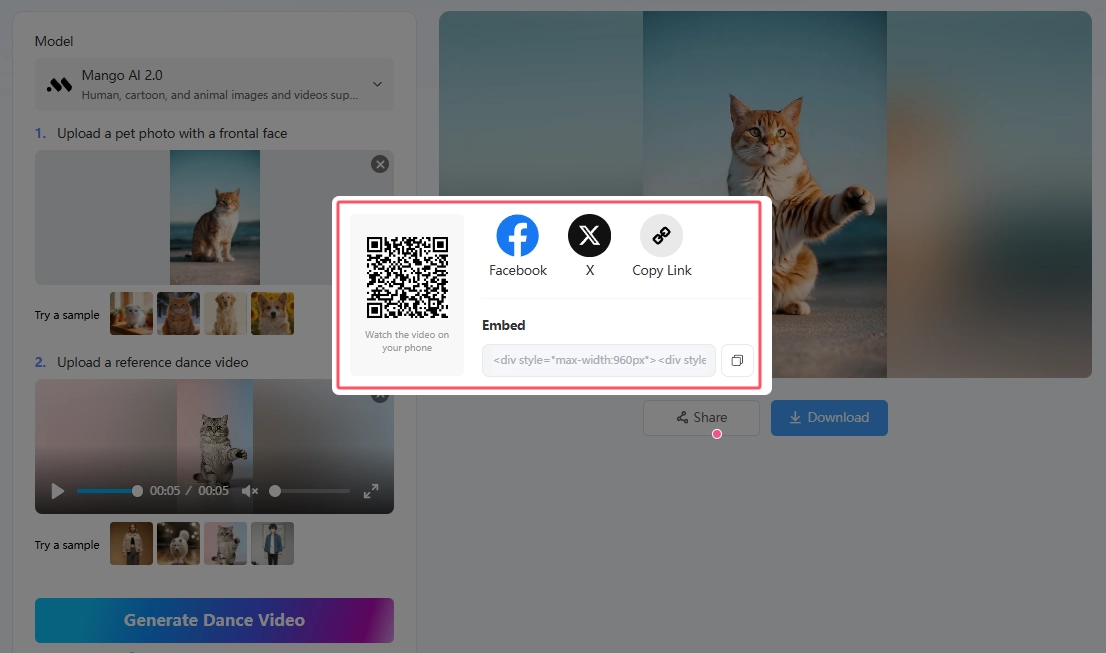
- Download or Share
Once you are happy with the clip, you can post to Facebook or X, copy the link, or grab an embed code for a site. A QR code also lets you view the result on your phone.
4 Alternative Dedicated Tools Worth Trying
Beyond Mango AI, several dedicated tools can turn a cat photo into a dance clip. If you want to compare features, these four each take a slightly different approach. For an even wider roundup, see our guide to the 8 best pet dance AI generators
1. PetGroove
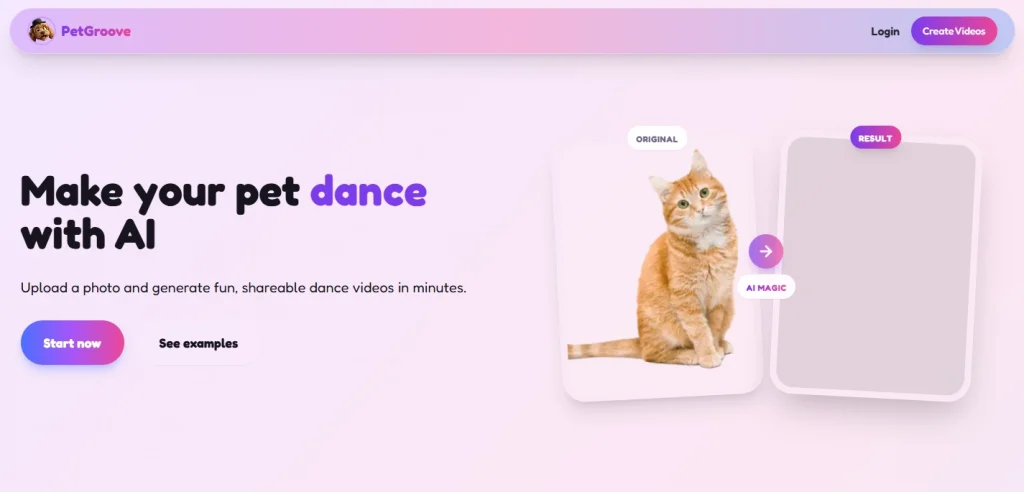
PetGroove centers on preset dance styles. Getting a clip is quick: upload your cat’s photo, pick one of the trending styles, then generate and download the video. Cats, dogs, and many other animals are supported. Because the styles mirror popular TikTok and Instagram moves, the output lands on-trend. It suits creators who want a fast, low-effort result.
2. AIBabyDance AI Pet Dance
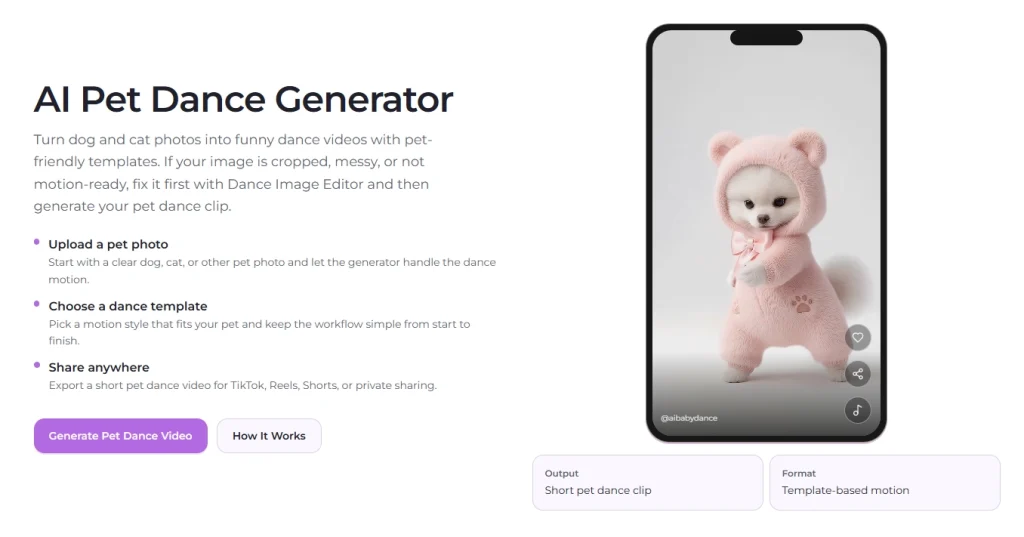
Creating a clip here follows a clear path. Upload your cat’s photo, choose a template, then generate at 720p or 1080p. Accepted files include JPG, PNG, and WebP up to 10MB. What really sets it apart is the built-in Dance Image Editor. If the photo is cropped or busy, you can tidy the frame first, which usually leads to a smoother AI cat dance.
3. Kapwing Dancing Pet AI
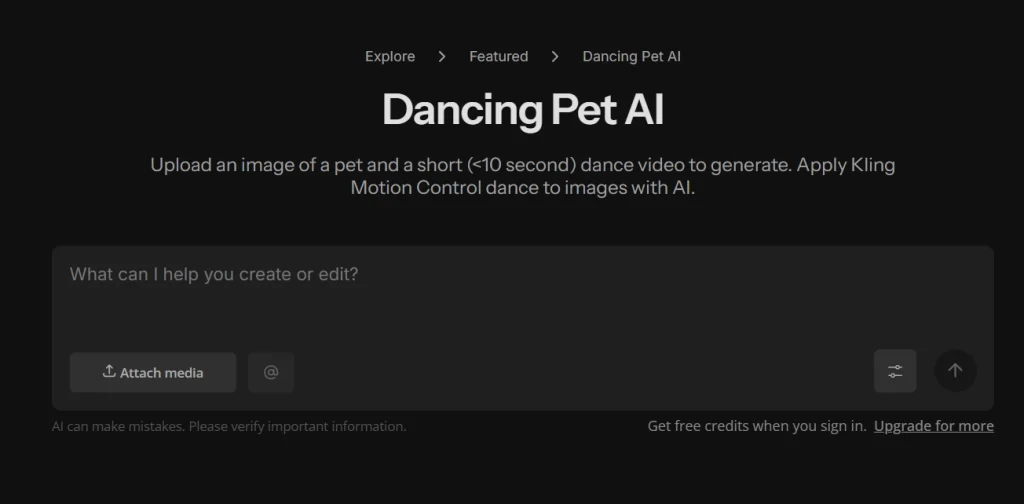
Kapwing stands out for finishing the whole job in one workspace. To create a clip, add a cat image plus a dance reference under 10 seconds; note that it must be a video, not a GIF. Motion transfer runs on Kling Motion Control. After you generate, layer on captions, trims, or a soundtrack without exporting elsewhere. There is even a dedicated AI cat dance page for a more feline-focused setup.
4. MemeClip AI Dance Generator
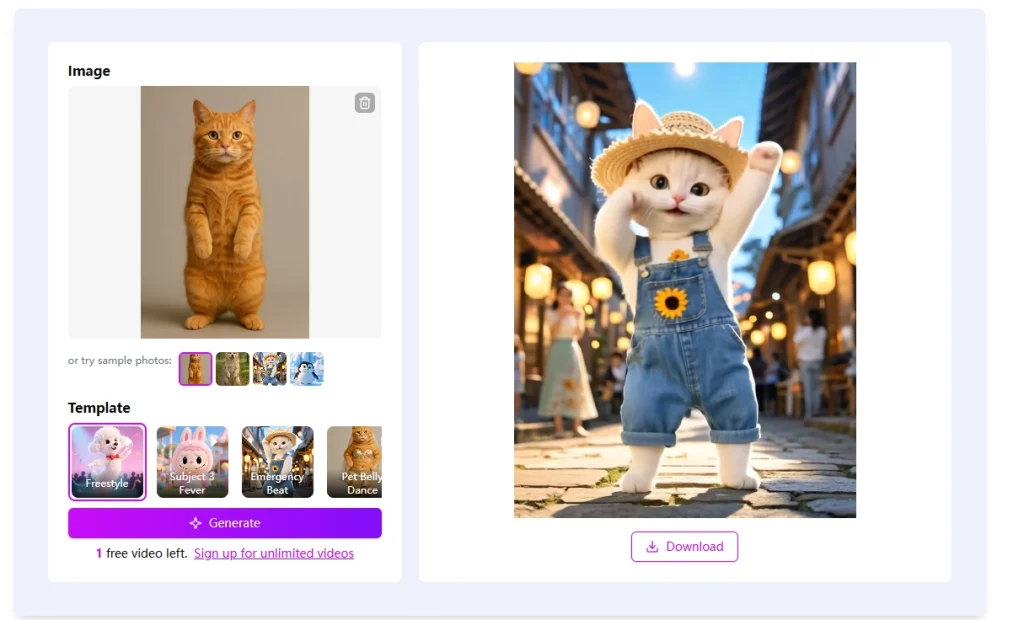
MemeClip leans into meme culture with a set of playful templates. Making one is simple: upload your cat’s photo, choose a template like Freestyle, Emergency Beat, or Pet Belly Dance, then generate. A render usually wraps in two to five minutes, and you can download to share afterward. Since clips come out silent, music gets added later. Clear, well-lit photos with your cat facing forward work best.
Tips, Benefits, and Ways to Use Your Clip
A few habits make a real difference to any dancing cat video. Start with a clean, well-lit photo of your cat, ideally full-body and facing forward. A plain background helps the AI read the subject clearly. When choosing a reference, favor clips with big, obvious moves, because subtle hand gestures rarely translate onto a cat. Keep that reference short, since brief clips are faster to review and redo. And once a photo gives you a good result, reuse it and simply swap the reference for a fresh style. This small routine saves time and keeps your output consistent.
Beyond the tips, the payoff reaches well past your main feed. A dancing cat video works nicely as a playful greeting for a friend or a quick birthday surprise. Holidays are another easy fit, since a themed clip feels personal without much effort. Creators who run pet accounts can also turn one photo set into a steady stream of posts. Short, funny clips tend to earn more replays, saves, and shares. You might even keep a favorite version as a lighthearted memory of your cat. With a clear reference, a first try can already look polished enough to publish.
Conclusion
Making a dancing cat video no longer takes a camera crew or trained tricks. One clear photo and a short reference clip are enough to start. Mango AI offers a simple, style-driven workflow, while the four alternatives cover editing, presets, templates, and memes. Test one style at a time, and review each result before posting. With a little practice, your next dancing cat video can turn a quiet cat into the star of the feed.
Create a Captivating Dancing Cat Video with Mango AI
Frequently Asked Questions
1. Do I need a reference dance video to make a clip?
It depends on the tool. Mango AI and Kapwing use a reference video, so you set the exact moves. Others, like PetGroove and AIBabyDance, work from preset styles or templates. Pick the approach that matches how much control you want.
2. What cat photo works best?
Aim for a clear, front-facing shot with good lighting. A full-body pose helps the AI read your cat’s shape. Try to avoid blur, deep shadows, or tight crops. If the image looks messy, AIBabyDance can tidy the frame before you animate.
3. Can I animate breeds other than cats?
Yes. Most of these tools support many animals, not just felines. PetGroove works with dogs, cats, and more, while Mango AI handles animal images in general.
4. Will the finished video include sound?
Not always. MemeClip, for example, exports clips without audio, so you add music later. Other tools vary, so preview the result first. You can always drop in a track on your editor or social platform.
5. Where can I share the clip?
These videos suit short-form platforms. You can post to TikTok, Instagram Reels, or YouTube Shorts with ease. Several tools also offer direct sharing, a copy link, or a download for offline use.