
Wil je van één selfie een virale dansvideo maken zonder ook maar één danspas te leren? Met een gratis AI-dansvideogenerator is dat binnen enkele seconden mogelijk. In plaats van jezelf te filmen of een editor in te huren, upload je een foto en laat je de AI de bewegingen bepalen. Sommige tools kopiëren de bewegingen uit een referentievideo, andere passen een kant-en-klaar danseffect toe op je afbeelding en een paar maken zelfs een choreografie op jouw muziek.
Deze gids vergelijkt acht van de beste gratis tools, legt uit hoe ze werken en helpt je de juiste AI-dansgenerator voor je volgende bericht te kiezen. Hieronder vind je de kenmerken van elke AI-dansgenerator, zodat je de tool kunt afstemmen op het gewenste resultaat.
How a Free AI Dance Video Generator Actually Works
Niet alle danshulpmiddelen werken op dezelfde manier, en als je het verschil weet, bespaar je jezelf een hoop gedoe. De meeste hulpmiddelen vallen in een van de weinige categorieën, en het kiezen van het verkeerde type is de snelste manier om een onverwacht resultaat te krijgen.
- Bewegingsoverdracht (videogestuurd): Je uploadt een foto en een video met een dansreferentie, en de AI kopieert die bewegingen precies naar je personage. Dit geeft je de meeste controle over de choreografie.
- Vooraf ingesteld effect (stijlgestuurd): Je uploadt een foto en kiest een kant-en-klaar danseffect of sjabloon, waarna de AI de afbeelding animeert met die specifieke beweging. Er is geen referentievideo nodig, waardoor dit de snelste optie is.
- Op prompts gebaseerde beeldanimatie: Je uploadt een afbeelding en typt een korte instructie zoals 'dans', waarna je de bewegingssterkte en -duur aanpast. Het resultaat is losser, maar wel makkelijk te besturen.
- Choreografie op basis van muziek: Je levert een nummer aan en de AI bouwt een routine die het ritme volgt in plaats van een standaard loop te herhalen.
Als je al een specifieke routine in gedachten hebt, is een bewegingsoverdrachtstool de beste optie. Als je gewoon iets leuks en snels wilt, is een vooraf ingesteld danseffect of een AI-beeldanimator Daarmee kom je er sneller. Houd dit in gedachten terwijl je de lijst doorleest, want elk hulpmiddel hieronder neigt naar een van deze benaderingen.
8 Best Dance AI Generators for Your Next Creative Video
1. Mango AI
Mango AI is in de kern een tool voor bewegingsoverdracht. Je uploadt een duidelijke foto van jezelf, recht van voren genomen, en vervolgens upload je je eigen dansvideo (maximaal 30 seconden) of kies je een van de populaire danssjablonen uit de bibliotheek. De AI past die bewegingen toe op je onderwerp, terwijl het originele gezicht, de kleding en de algehele uitstraling intact blijven. Het werkt met mensen, stripfiguren en huisdieren, dus dezelfde workflow is geschikt voor een verjaardagsgrap, een meme of een merkgerichte post.
- Upload een foto en je eigen dansvideo, of kies een kant-en-klaar voorbeeld. AI-dansgenerator sjabloon
- Behoudt het oorspronkelijke uiterlijk van het onderwerp en voegt tegelijkertijd een vloeiende, natuurlijke beweging toe.
- Het werkt met mensen, stripfiguren en huisdieren, dus je kunt er zelfs een maken. huisdierdans klem
- Ondersteunt JPG-, JPEG-, PNG- en WebP-afbeeldingen en referentievideo's van 30 seconden en 50 MB.
- Produceert korte, deelbare video's voor Facebook, Instagram en X.
Als je liever de referentievideo overslaat en direct een vast effect wilt toepassen, biedt Mango AI ook de mogelijkheid om dit te doen. afbeelding om te dansenEen aparte functie waarmee je met één klik een stilstaand beeld kunt animeren met een vooraf ingesteld danseffect. Dat maakt Mango een goede keuze, of je nu precieze choreografie wilt of een snelle, ongecompliceerde clip. Beide functies werken in de browser, dus je hoeft niets te installeren.
Maak gratis leuke AI-dansvideo's met Mango AI.
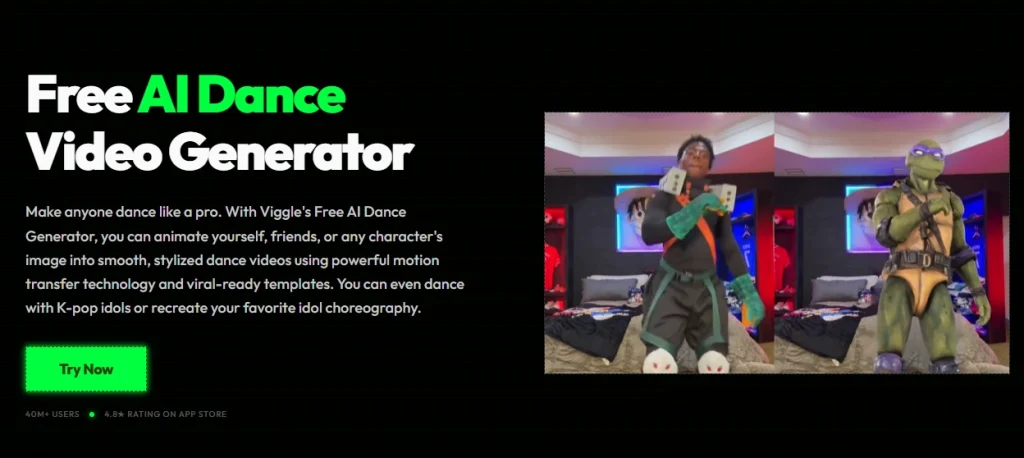
2. Viggle AI
Viggle AI is een andere tool voor bewegingsoverdracht, en de grootste troef is de schaalbaarheid. Het combineert een grote bibliotheek met kant-en-klare danssjablonen met de mogelijkheid om je eigen dansclip als bewegingsbron te uploaden. Je voegt een foto toe, kiest een sjabloon of referentievideo, en de AI zet de beweging om in je personage. Het is sterk gericht op populaire TikTok- en K-pop-routines, dus het is gemaakt voor makers die op zoek zijn naar virale formats.
- Een uitgebreide bibliotheek met sjablonen die aansluiten bij de huidige TikTok- en K-pop-trends.
- Upload je eigen dansvideo als aangepaste bewegingsbron.
- Gratis gebruikers krijgen na aanmelding een vast aantal dansvideo's per dag.
- Gratis exports bevatten een watermerk; betaalde abonnementen verwijderen dit en voegen commerciële rechten toe.
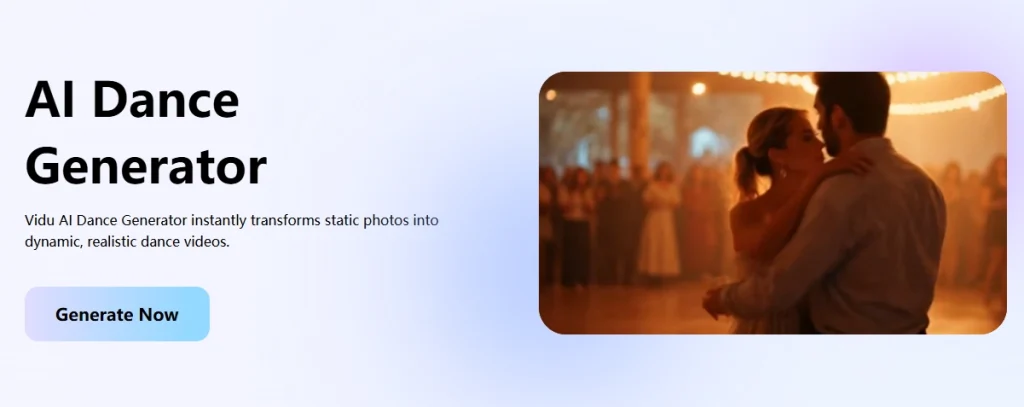
3. Vidu AI
Vidu kiest voor een promptgestuurde aanpak. In plaats van een referentievideo te gebruiken, upload je een afbeelding van je hele lichaam, schakel je over naar de beeld-naar-video-modus en typ je 'dans' of beschrijf je de gewenste beweging. Vervolgens stel je de amplitude in (automatisch, klein, gemiddeld of groot) en de duur (4 of 8 seconden) voordat de beweging wordt gegenereerd. Dit is een flexibele optie wanneer je geen specifieke routine hoeft te kopiëren en de AI de beweging gewoon moet invullen.
- Bediening op basis van aanwijzingen in plaats van een referentievideo.
- Instelbare bewegingsamplitude en clipduur
- Gratis versie beschikbaar, premium abonnementen voor exports met een hogere resolutie.
- Kan tevens gebruikt worden als algemeen beeldanimator voor foto's, anime en personages.
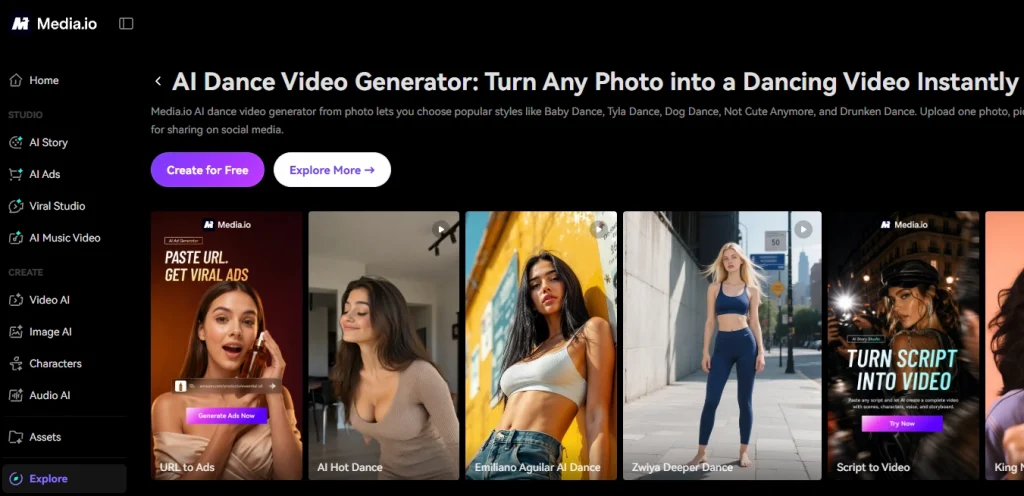
4. Media.io
Media.io is een tool met vooraf ingestelde effecten, dus je hoeft geen referentievideo te zoeken. Je uploadt een foto, kiest een benoemde dansstijl zoals Baby Dance, Tyla Dance, Dog Dance of Drunken Dance, en de AI past die vaste animatie voor je toe. Het is een van de eenvoudigste workflows die hier worden beschreven, waardoor het een prima startpunt is als je nog nooit eerder een AI-dansgenerator hebt gebruikt.
- Workflow met één foto en direct bruikbare, benoemde dansstijlen.
- Geen referentievideo of bewerkingsvaardigheden nodig.
- Gratis credits bij het inloggen om de effecten te testen.
- De content is qua formaat en tempo afgestemd op TikTok, Reels en Shorts.
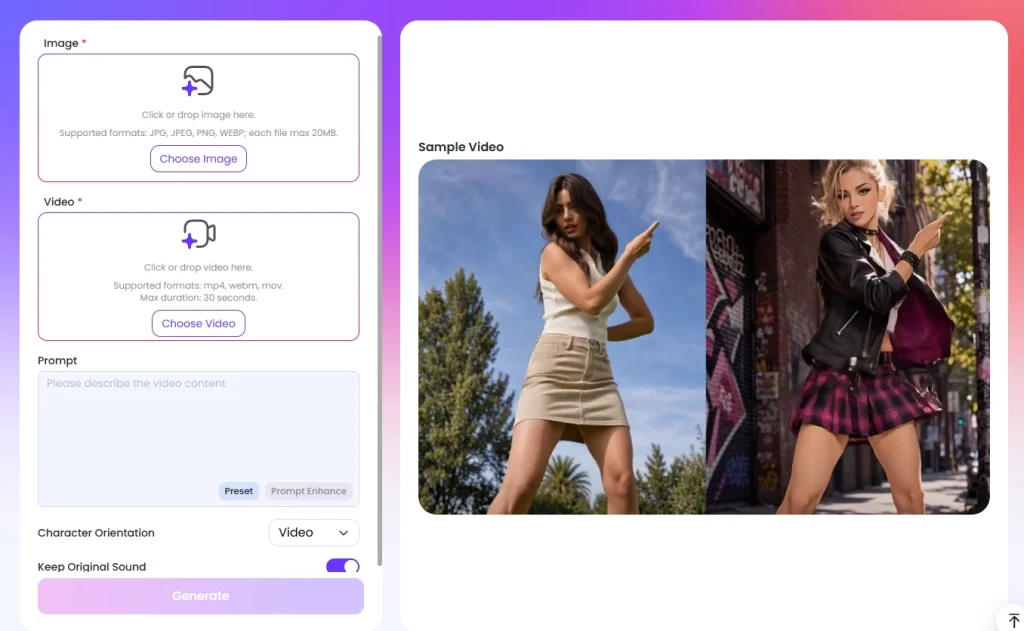
5. EaseMate AI
EaseMate AI is een tool voor bewegingsoverdracht, gebaseerd op Kling-bewegingsbesturing. Je uploadt een foto en een referentie-dansvideo, voegt optioneel een aanwijzing toe, en de AI recreëert dezelfde choreografie op je personage, waarbij de consistentie in alle frames behouden blijft. De tool bewaart ook een set populaire sjablonen voor het geval je liever geen eigen clip gebruikt, en exporteert zonder watermerk.
- Foto plus referentievideo voor nauwkeurige bewegingsoverdracht.
- Populaire danssjablonen voor creatie met één tik
- Downloads zonder watermerk van gegenereerde clips
- Ondersteunt JPG-, JPEG-, PNG- en WebP-afbeeldingen en MP4-, WebM- en MOV-video's.
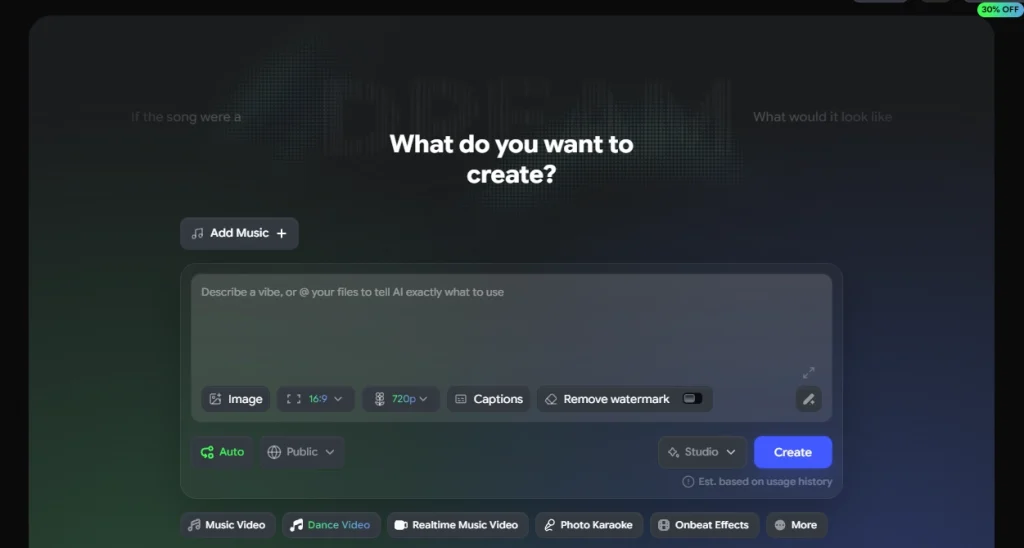
6. Freebeat AI
Freebeat is een buitenbeentje, in positieve zin. In plaats van een sjabloon te kopiëren, is het volledig op muziek gebaseerd: je uploadt een foto van een personage en voegt een nummer toe door een MP3- of WAV-bestand te uploaden of een link naar Spotify, Suno of YouTube te plakken. De AI analyseert het tempo en de structuur van het nummer en bouwt vervolgens een choreografie die de beat volgt. Het kan zelfs complete nummers van meerdere minuten verwerken, waardoor het de ideale keuze is voor muzikanten en iedereen die een nummer wil promoten.
- Genereert een routine die gesynchroniseerd is met je nummer in plaats van een vast sjabloon.
- Accepteert geüploade audio of links van Spotify, Suno en YouTube.
- Ondersteunt lange clips, niet alleen korte loops van 10 tot 15 seconden.
- Gratis credits voor nieuwe gebruikers en MP4-export voor TikTok en YouTube.
7. Overchat AI
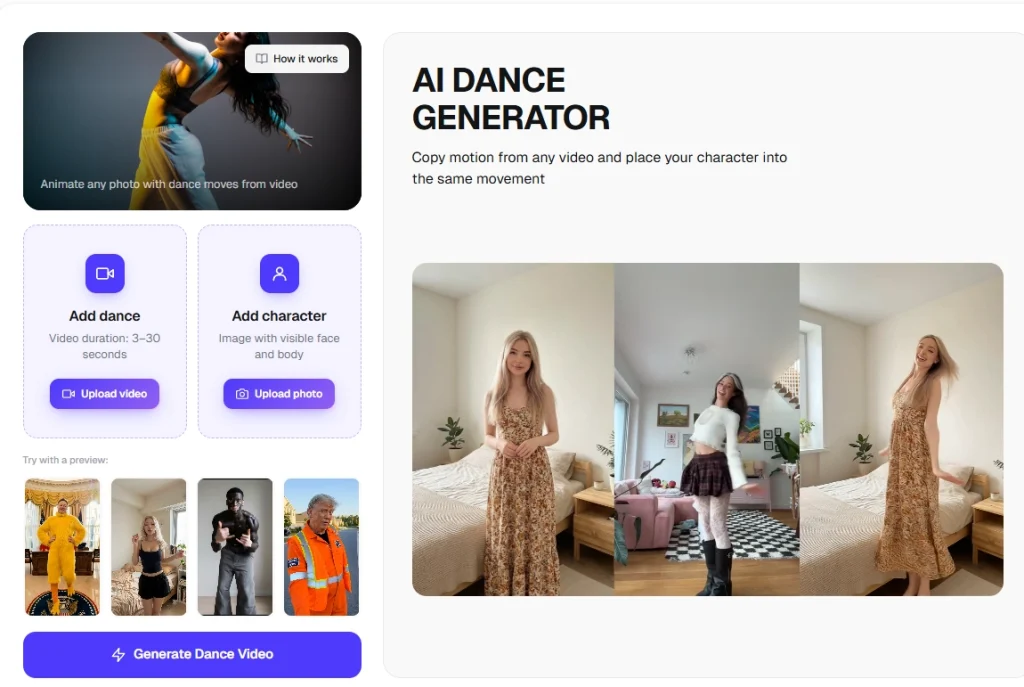
Overchat AI is een andere optie voor bewegingsoverdracht die het simpel houdt. Je uploadt een bewegende video van de gewenste dans (3 tot 30 seconden), voegt een duidelijke foto toe van de persoon die je wilt animeren en genereert de animatie. Er is ook een bibliotheek met stijlsjablonen beschikbaar als je liever geen videofragmenten zoekt. Aanmelden is niet nodig om het te proberen en de voltooide video's bevatten geen watermerk.
- Kopieert bewegingen uit korte video's naar je personage.
- Sjabloonbibliotheek met TikTok-, hiphop- en K-popstijlen
- Geschikt voor selfies, groepsfoto's, huisdieren en anime-personages.
- Je hoeft je niet aan te melden om een voorbeeld te bekijken, en de downloads zijn vrij van watermerken.
8. Vidnoz AI
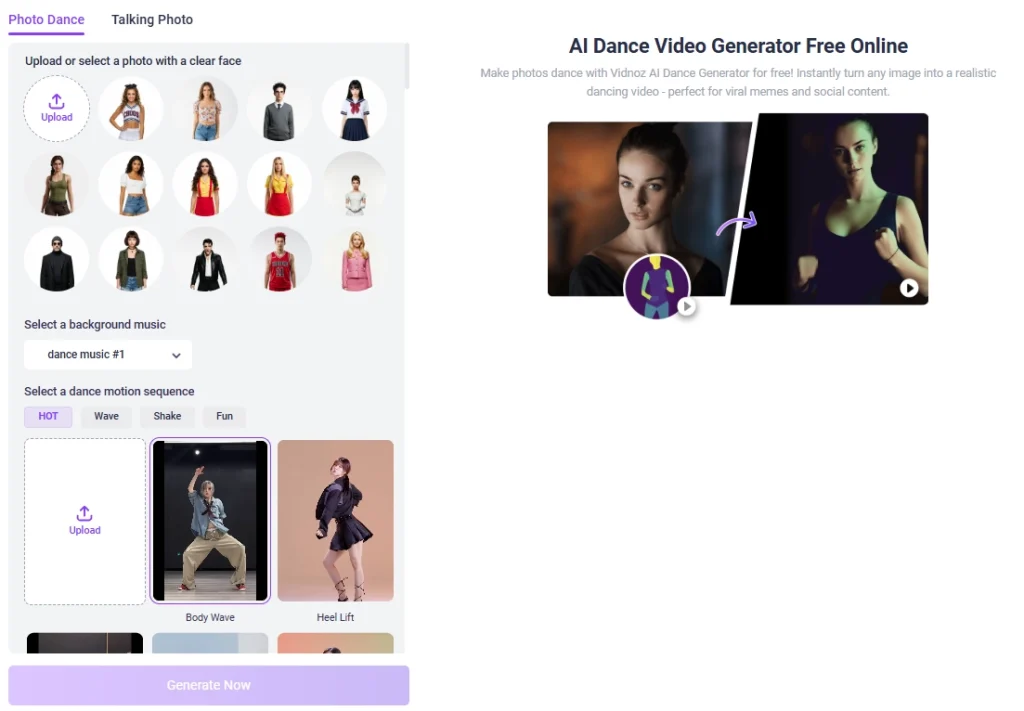
Vidnoz neigt naar de kant van de vooraf ingestelde effecten. De op diffusie gebaseerde fotodans-tool vraagt je om een duidelijke foto van je hele lichaam te uploaden, waarna je kunt kiezen uit meer dan 115 ingebouwde dansbewegingen en bijbehorende muziek. Je kunt ook je eigen bewegingssequentie uploaden als je aangepaste moves wilt. De tool past de gekozen beweging toe met behoud van het uiterlijk van het personage, en het geheel is gratis online te gebruiken zonder watermerk.
- Meer dan 115 vooraf ingestelde dansbewegingen plus opties voor achtergrondmuziek.
- Mogelijkheid om een aangepaste bewegingssequentie voor je eigen moves te uploaden.
- Behoudt het originele gezicht en de kleding in alle foto's.
- 100% is gratis, browsergebaseerd en zonder watermerk.
Welk hulpmiddel je ook kiest, de truc is om het af te stemmen op je doel. Een vooraf ingesteld effect of een dansende kat video Een template is voldoende voor een snelle meme. Als je een gecontroleerde routine wilt, kies dan voor bewegingsoverdracht. Voor een muziekproject is Freebeat een goede keuze. En als je beide benaderingen in één wilt, biedt Mango AI de meeste mogelijkheden.
Which Free AI Dance Video Maker Should You Choose?
Er is geen eenduidige winnaar, want de juiste gratis AI-dansvideogenerator hangt af van wat je maakt. Viggle en Overchat zijn sterk voor trendvolgers, Vidu is geschikt voor makers die direct met een prompt werken, Media.io en Vidnoz zorgen voor snelle, vooraf ingestelde effecten en Freebeat is ongeëvenaard voor muziekvideo's. Maar als je één tool wilt die zowel bewegingsoverdracht als vooraf ingestelde animaties voor mensen, tekenfilms en huisdieren aankan, dan is Mango AI de meest veelzijdige AI-dansmaker in deze lijst. Je kunt er gratis mee beginnen, het werkt in je browser en je kunt binnen enkele minuten een enkele foto omzetten in een deelbare video. Ontdek ook gerelateerde tools zoals de foto-animatiegenerator Roundup is de juiste keuze als je meer wilt animeren dan alleen dansen.
Frequently Asked Questions
Het hangt af van je doel. Mango AI is het meest veelzijdig omdat het zowel bewegingsoverdracht als vooraf ingestelde effecten voor mensen, tekenfilms en huisdieren ondersteunt. Viggle is het beste voor populaire sjablonen, terwijl Freebeat uitblinkt in routines die gesynchroniseerd zijn met muziek. Probeer een paar gratis opties uit en kies degene die het beste bij je workflow past.
Dat hangt af van het type tool. Tools voor bewegingsoverdracht zoals Mango AI, Viggle en Overchat vereisen een foto en een referentievideo van een dans. Tools met vooraf ingestelde effecten zoals Media.io en Vidnoz hebben slechts één foto nodig, omdat je een kant-en-klare dansstijl kiest in plaats van je eigen bewegingen aan te leveren.
Nee. Goede tools voegen beweging toe terwijl het gezicht, de kleding en het algehele uiterlijk van het onderwerp hetzelfde blijven. Mango AI, EaseMate en Vidnoz behouden allemaal de oorspronkelijke look over de frames heen, zodat je personage gewoon begint te dansen zonder zijn identiteit te verliezen of in iemand anders te veranderen.
Ja. Verschillende tools kunnen meer dan alleen mensen animeren. Mango AI werkt met stripfiguren en huisdieren, en veel andere tools animeren animefiguren, beelden of illustraties. Als huisdieren je focus zijn, is er een speciaal programma voor dit doel. huisdierdans AI Roundup is zeker de moeite waard om te bekijken. Zolang het onderwerp duidelijk zichtbaar is op de foto, kan de AI-dansgenerator beweging toepassen en een clip genereren.
De meeste bieden een gratis versie of gratis credits aan, zodat je ze kosteloos kunt testen. Sommige, zoals Overchat en Vidnoz, exporteren zonder watermerk, terwijl andere er een toevoegen totdat je een betaald abonnement afsluit. Controleer de gratis limieten en het watermerkbeleid van elke tool voordat je een betaald abonnement neemt.
Verander je foto's in virale dansvideo's met Mango AI.