
Ever looked at a favorite photo and wished it could break into a dance? That is exactly what an image dance video lets you do. Instead of hiring a video editor or learning choreography, you can make an image dance in seconds using an AI dance generator. In this guide, you will learn how an AI dance video generator from photo works, how to create your own clip with Mango AI Picture to Dance, and a few tricks for getting smooth, natural results every time.
What Is an AI Dance Video Generator from Photo?
An AI dance video generator from photo is an online tool that takes a single still image and animates the subject with realistic dance moves. You upload a picture, pick a dance style, and the AI reads body structure, posture, and facial details to add motion. The result is a short video where your photo appears to dance on its own.
The best part is that no video skills are needed. The AI handles the tricky work of tracking the figure and generating frame-by-frame movement, so an image dance clip that once took hours in editing software now takes a few clicks. Tools like Mango AI have made this kind of animation available to anyone with a photo and a browser.
Why Image Dance Videos Are Going Viral
Dance clips already dominate TikTok, Instagram Reels, and YouTube Shorts, so it makes sense that turning a plain photo into a dancing one grabs attention fast. An image dance video is unexpected, funny, and easy to share, which is a strong combination for going viral. People love tagging friends when they see a familiar face suddenly hit a viral routine.
Creators also like how flexible the format is. You can animate an old portrait, a pet-free selfie, or a character illustration and drop it straight into a trending sound. If you have seen a dancing cat video or a photo grooving to a meme song lately, chances are an AI dance video generator from photo was behind it.
How to Make an Image Dance with Mango AI (Step-by-Step)
Mango AI Picture to Dance keeps the whole process to three quick steps. Here is exactly how to make an image dance from start to finish.
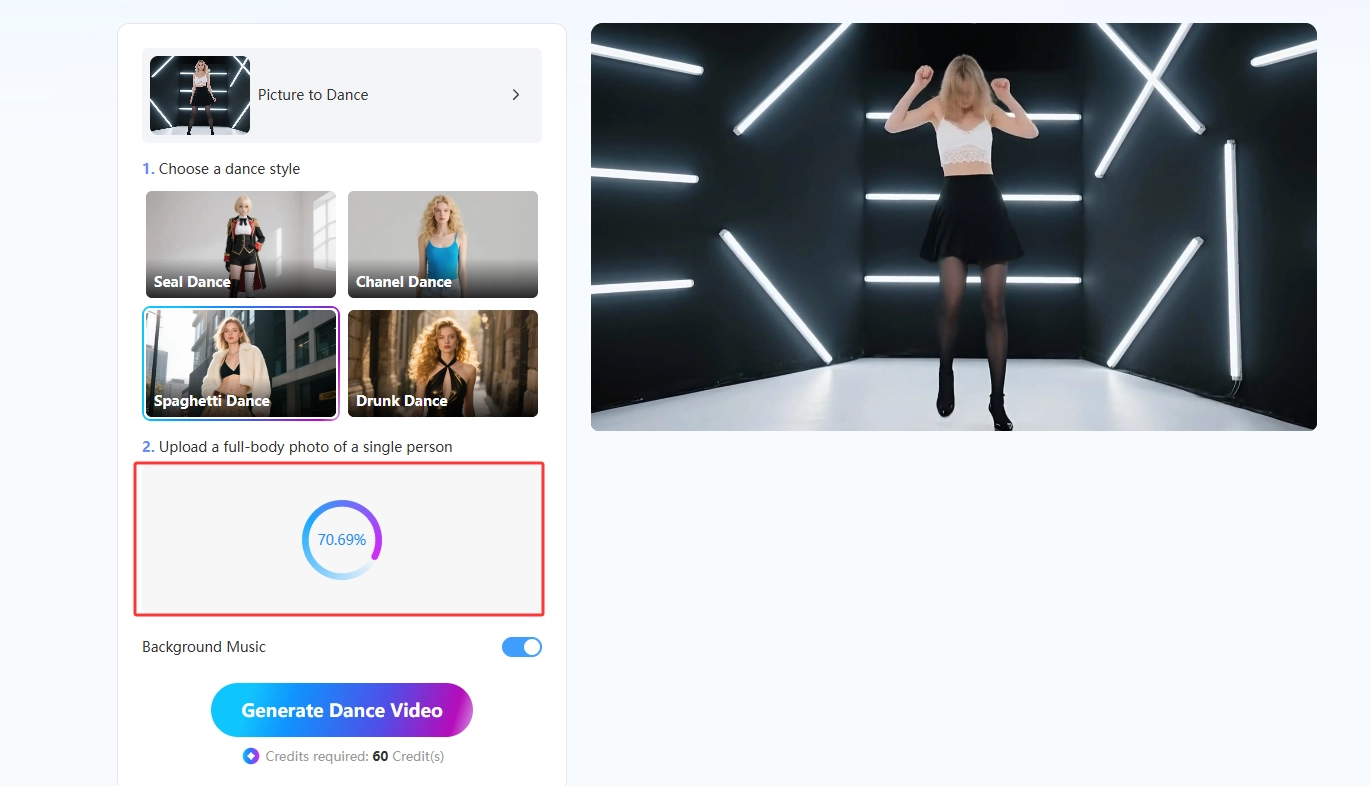
- Upload Your Image
Open the Picture to Dance tool and upload any photo you want to animate. For the best results, use a clear image with the subject fully visible. Supported formats include JPG, JPEG, PNG, and WebP.
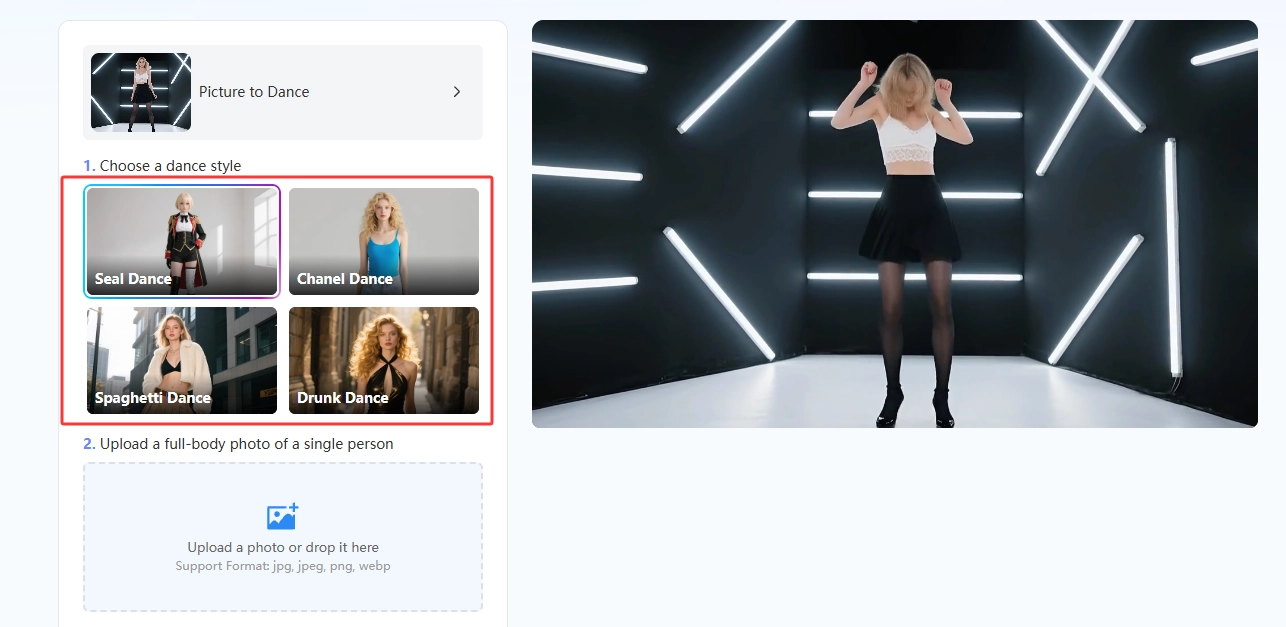
- Select Your Dance Style
Choose one of the ready-made dance templates, such as Seal Dance, Chanel Dance, Spaghetti Dance, or Drunk Dance. Pick the style that matches the energy and mood of your photo. You can also add background music at this stage.
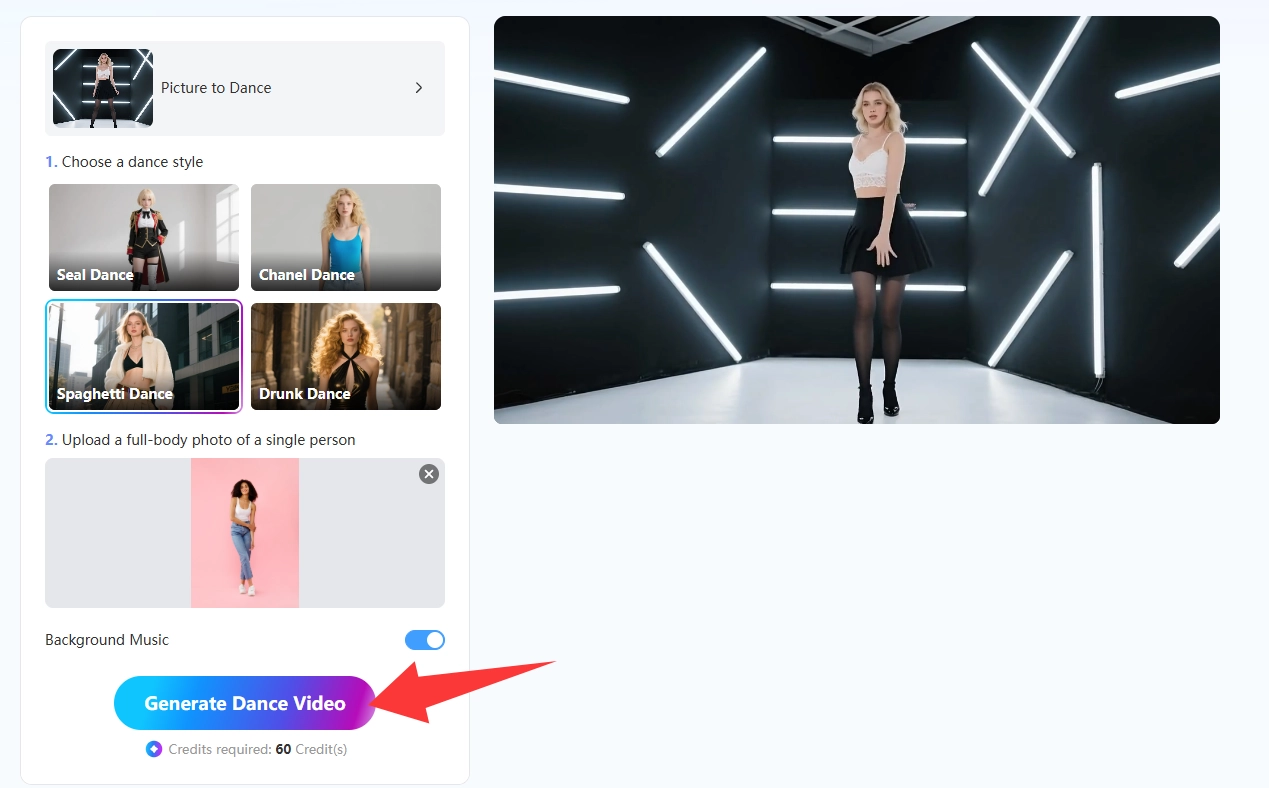
- Generate and Download
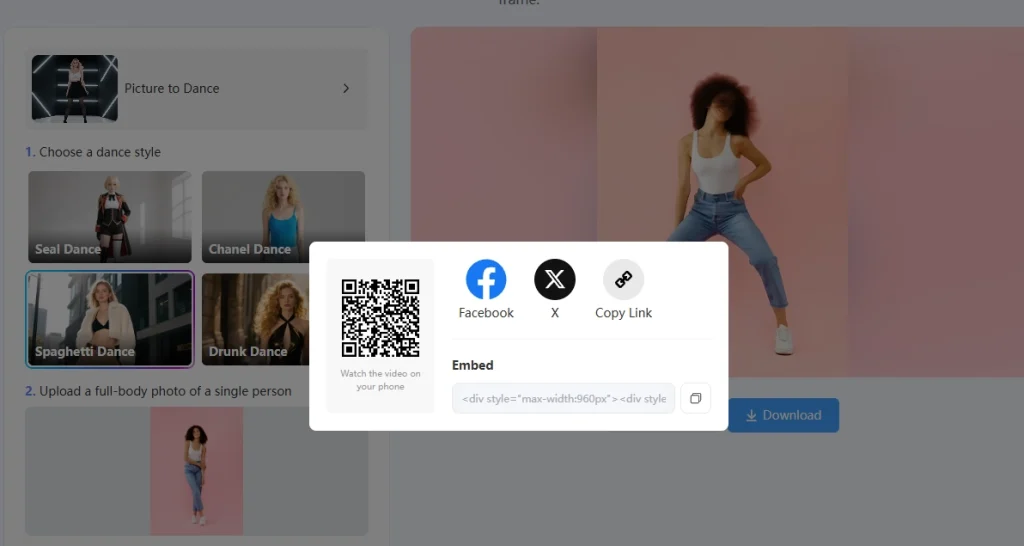
Click Generate Dance Video and let the AI create a high-quality clip in seconds. Once it is ready, download your animated video and share it on social media or send it to friends.
To get the cleanest image dance results from your AI dance video generator from photo, keep these tips in mind before you upload:
- Use a full-body, front-facing photo so the AI can track posture and limbs clearly.
- Pick well-lit images and avoid heavy shadows, blur, or busy backgrounds.
- Make sure hands and arms are visible, not hidden behind the body.
- Match the dance style to the vibe of the photo for a more believable clip.
- If the first result feels off, swap the photo or try a different template and generate again.
Image Dance Video Made with Mango AI
What Makes Mango AI Picture to Dance Stand Out
Plenty of apps claim to animate photos, but Mango AI focuses on smooth, natural motion instead of stiff, robotic movement. It detects body structure and posture, then applies dance moves that flow from one step to the next. Whether it is a gentle sway or an energetic routine, the image dance looks lively rather than glitchy.
- Ready-made viral dance templates you can apply with one click.
- Realistic motion that captures body movement and posture naturally.
- Optional background music to match the beat of the dance.
- Fast processing that turns a single photo into a clip in seconds.
- Output sized for TikTok, Instagram Reels, and Stories.
If you want to keep experimenting after your first clip, Mango AI has a whole set of related animation tools. You can bring a still portrait to life with animate photos, turn a picture into a moving scene with image to video, or make a portrait speak using talking photo.
Creative Ways to Use Image Dance Videos
Once you know how to make an image dance, the format opens up a lot of fun ideas. It works for casual laughs and for real content strategy, depending on how you use it.
- Jump on trending TikTok challenges without filming yourself.
- Turn an old family photo into a playful, share-worthy surprise.
- Make memes by animating a character illustration or avatar.
- Add movement to a brand mascot or product shot for social posts.
- Create quick reaction clips that stop the scroll in a busy feed.
Want to take the dance theme further? A face dance effect focuses the motion on expressions, while animal lovers can make their furry friends move with pet dance. For more inspiration, this roundup of the pet dance AI tools shows just how far photo animation has come.
Conclusion
Making an image dance used to be the kind of thing only video pros could pull off. Now an AI dance video generator from photo puts it within reach of anyone with a single picture. Mango AI Picture to Dance stands out as the easiest way to do it: upload a photo, pick a style, and download a smooth dancing clip in seconds. Try it on your next photo and watch a still image dance its way into a share-worthy video.
Frequently Asked Questions
It is an online tool that turns a static photo into a short dancing video. You upload a single-person image, choose a dance style, and the AI animates the subject with realistic or playful movement. No editing skills are needed, since the AI detects body posture and creates smooth motion automatically.
Clear, well-lit photos with the subject fully visible and facing the camera give the smoothest results. Avoid blurry shots, heavy shadows, crowded backgrounds, or poses where the arms and hands are hidden behind the body, since those make it harder for the AI to track motion.
Picture to Dance is built for single-person, human photos, so it does not support group shots or pets. It relies on tracking one clear, front-facing figure to create natural dance movement. For animals, Mango AI offers a separate pet dance tool designed for that purpose.
Yes. You can use your AI-generated dance videos for social media, promotions, or commercial projects, as long as you follow each platform’s terms and conditions. That makes an image dance clip a handy asset for both personal fun and marketing content.
Yes. Your photos stay private. Mango AI does not store or share them without permission, and they are not used for AI training. You can create your image dance videos knowing your uploads are handled securely.