為您的 YouTube 英語口語影片課程建立對話

Teaching through spoken English video classes has become one of the most effective ways to help learners build confidence and fluency. Creating realistic conversation scenes keeps your audience engaged. However, filming two-person dialogues with proper lighting, audio equipment, and convincing performances can be both time-consuming and expensive. With the right AI tool, you can produce professional-looking videos for your spoken English video classes in just minutes. This article walks you through how to use Mango Animate’s avatar dialogue maker to craft natural, lifelike dialogues that bring your English lessons to life on YouTube.

Avatar Dialogue Maker: A Powerful Tool for Dialogue Creation

Mango AI’s avatar dialogue maker transforms a photo of two people into a dynamic conversational video, with users scripting the dialogue for each avatar. The tool uses advanced technology to generate natural speech, synchronized lip movements, and vivid facial gestures. You do not need a studio, actors, or complex editing software.

Simply upload a photo with two faces, select an AI voice for each avatar, and enter a dialogue script for each speaker. The avatar dialogue maker automatically generates realistic, natural-sounding spoken dialog videos in minutes. The tool supports JPG, JPEG, PNG, and WebP formats. With an extensive AI voice library covering a wide range of languages and tones, you can easily tailor content for any regional audience.

How to Create Dialogue Videos for Your English Classes: A Step-by-Step Guide

Follow these steps to produce your first conversation video.

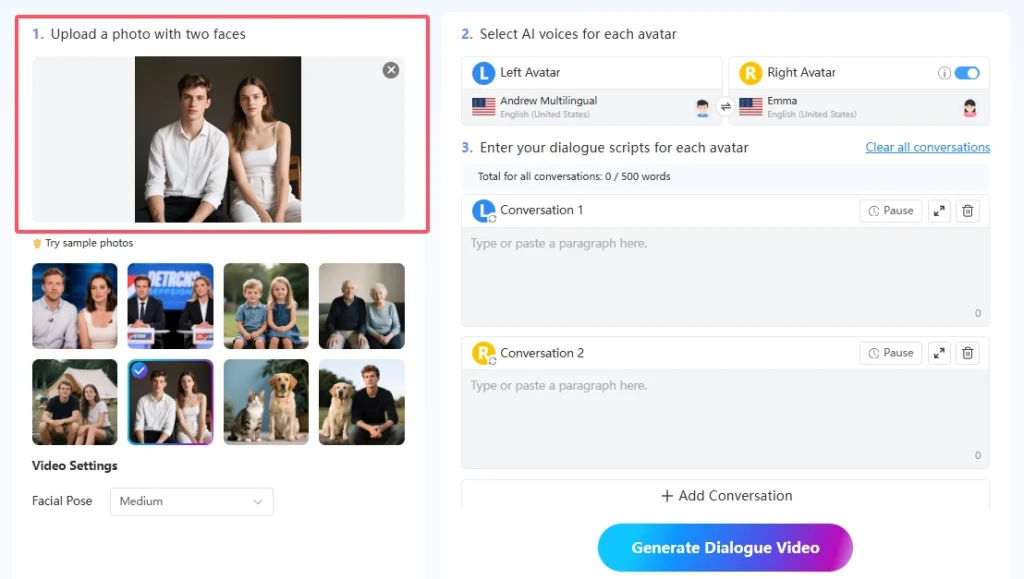
Step 1: Upload a Photo with Two Faces

開始瀏覽 mangoanimate.com/ai/avatar-dialogue. Once on the page, upload a photo containing two faces. For the best results, choose a photo that clearly shows two front-facing people with good lighting and no obstructions over the faces. If you do not have a suitable photo, you can use the sample photos provided on the platform to test the feature.

English dialogues YouTube

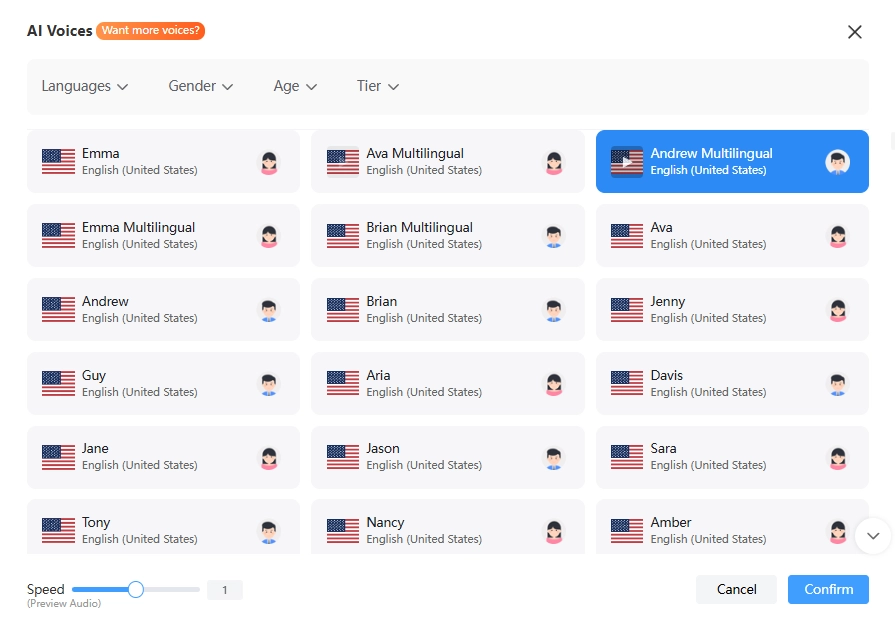
Step 2: Select AI Voices for Each Avatar

Once your photo is uploaded, choose an AI voice from the extensive library for each avatar. You can pick different voices with varying accents and tones to represent different characters in your dialogue. This is especially useful for spoken English video classes, where demonstrating different accents or speaking styles can be a valuable teaching tool.

English dialogues YouTube

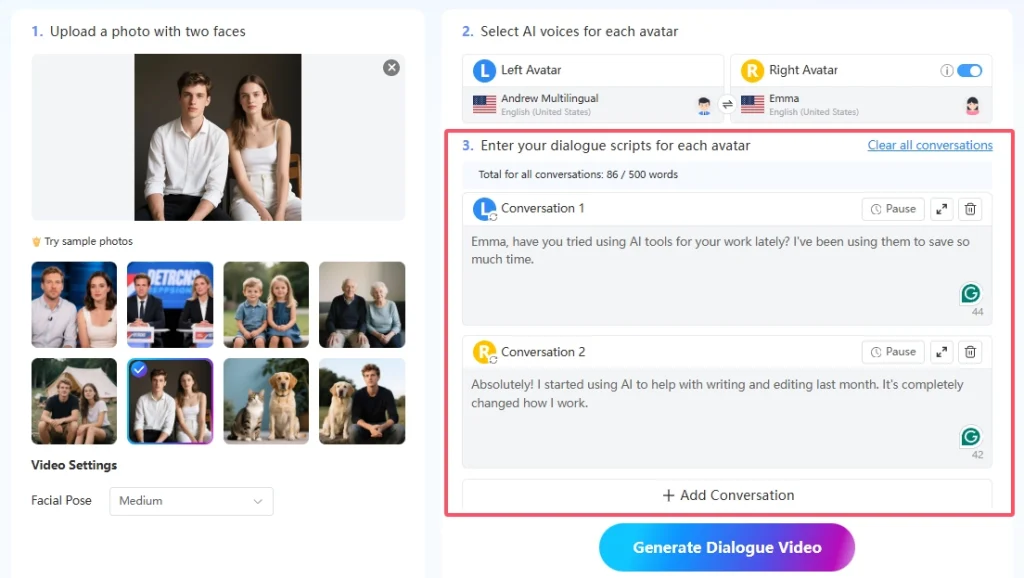
Step 3: Enter Your Dialogue Scripts

Type in the dialogue lines for each speaker. The tool organizes the conversation into alternating turns between the left and right avatars. You can add as many lines as you need to build a complete conversation for your spoken English video classes. 

There is also a pause option next to each line to control the pacing between exchanges. If you need to make changes, you can easily remove individual lines, add new ones, or clear the entire conversation and start over. Creating content for your English dialogues YouTube channel becomes a fast, repeatable process.

English video classes

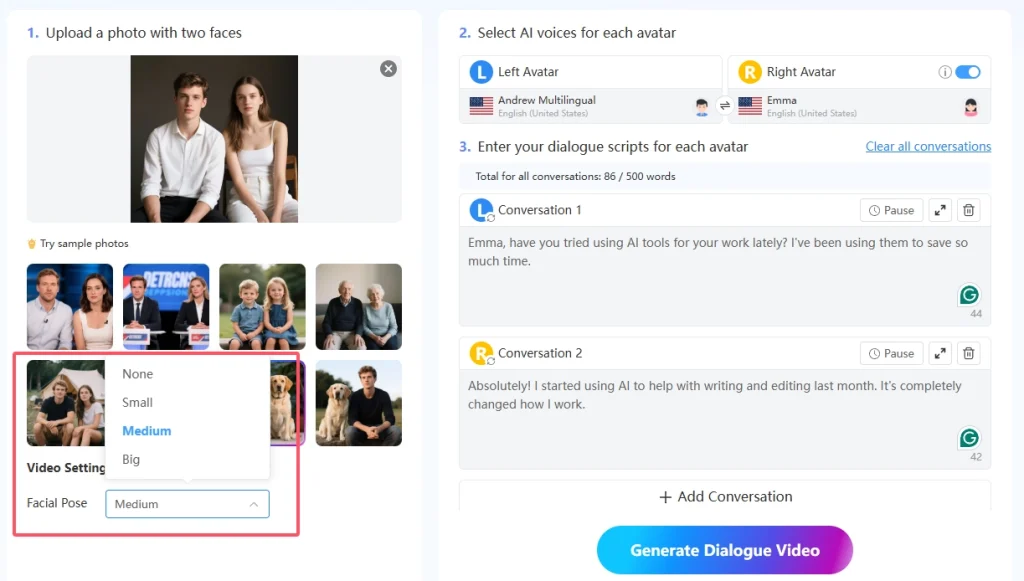
Step 4: Adjust Facial Poses and Video Settings

Before generating the video, adjust the intensity of the avatars’ facial movements using the facial pose setting. The tool provides four options: None, Small, Medium, and Big, so you can choose the level of expression that best suits your lesson content. Additionally, you can select whether or not to remove the watermark from the final video, depending on your subscription plan.

English dialogues YouTube

Step 5: Generate and Share Your Dialogue Video

Click the “Generate Dialogue Video” button and let the AI process your dialogue. Within moments, the tool produces a video in which both avatars engage in a natural back-and-forth conversation with synchronized lip movements and expressive gestures. 

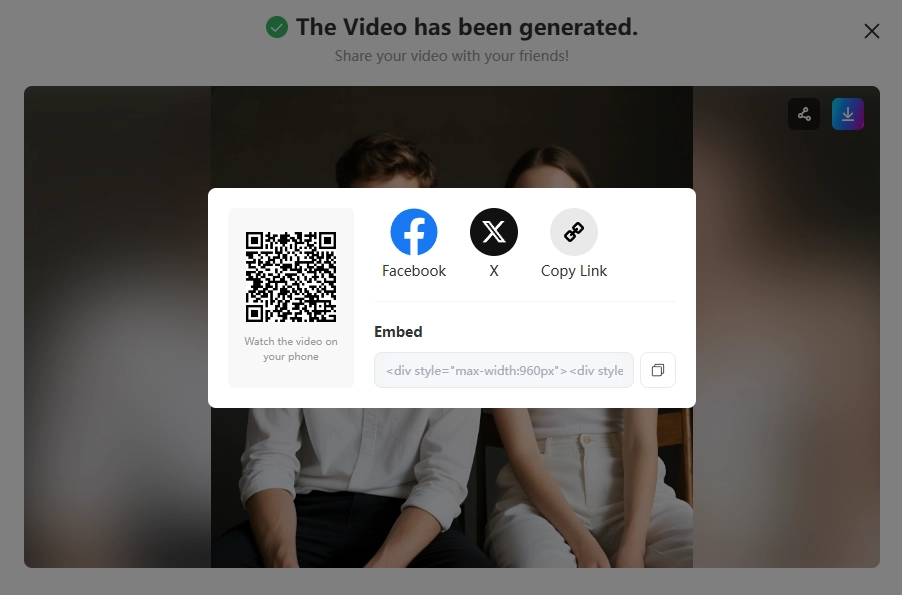
Once the video is ready, you can download it or share it directly via a link or QR code. From there, it is ready to be uploaded to your YouTube channel as fresh English dialogues YouTube content for your students.

English video classes

Conclusion

Creating engaging dialogue content for your spoken English video classes no longer requires expensive equipment or a full production team. 芒果人工智慧 provides a straightforward, efficient way to produce realistic conversation videos that support effective learning. With a clear photo, well-written dialogue scripts, and expressive AI voices, you can build a growing library of content in a fraction of the time. Whether you are teaching pronunciation, conversational phrases, or cultural nuances, this tool gives you the flexibility to create videos for spoken English video classes that truly connect with your audience.

Create Realistic Spoken Dialog Videos with Mango AI

FAQ

No. The tool is designed for users of all skill levels. You only need to upload a photo, type your dialogue lines, and select voices. The AI handles the animation, lip syncing, and video generation automatically.
The tool supports JPG, JPEG, PNG, and WebP image formats. For the best results, use a clear front-facing photo with two people, good lighting, and no obstructions over the faces.
The tool offers AI voices in over 70 languages, including English, Spanish, Japanese, French, German, Portuguese, Chinese, Korean, and many others.
Absolutely. Educators use it for language practice dialogues and classroom discussions, businesses deploy it for customer service simulations and staff training, and content creators use it to design conversational shorts and interactive storytelling clips.
首頁 » 頭像對話 » 為您的 YouTube 英語口語影片課程建立對話
繁體中文