
Fotos estáticas desaparecem em feeds verticais — o movimento conquista a atenção. Uma animação suave de seios balançando pode transformar uma selfie ou retrato em um vídeo atraente sem filmagens, equipamentos de iluminação ou quadros-chave manuais. Este guia explica o que é um vídeo de balanço com IA, por que o efeito funciona bem no TikTok e no Reels e como criar um com o gerador de balanço do Mango AI. Você também receberá dicas práticas para movimentos mais nítidos, uploads mais seguros e compartilhamentos perfeitos para as redes sociais.
What Is an AI Jiggle Video?
Um vídeo de animação com IA é um pequeno clipe animado criado a partir de uma única foto estática. Em vez de editar quadro a quadro, você carrega uma única imagem e um modelo de IA lê a parte superior do corpo do sujeito — área do peito, ombros, postura e roupas — e então aplica movimento para que o peito se mova com balanço e oscilação naturais. O resultado se parece com uma breve dança ou um clipe de reação, em vez de um retrato congelado.
A animação do balanço dos seios é o efeito visível que os espectadores notam: um movimento rítmico do peito que acompanha o movimento do corpo, com uma sincronização e física que parecem críveis, em vez de rígidas ou repetitivas. Os geradores modernos combinam detecção de pose com síntese de movimento, de modo que o balanço corresponde à forma como uma pessoa pode transferir o peso ou se balançar — e não apenas um zoom plano em uma área específica.
Ao contrário das ferramentas genéricas de conversão de imagem em vídeo que animam o quadro inteiro igualmente, uma ferramenta dedicada... Gerador de vídeo de movimento de IA é otimizado para dar ênfase à parte superior do corpo. Esse foco é o motivo pelo qual os criadores o usam para memes, posts de reação, vídeos com um toque de flerte e edições divertidas, onde um pouco de movimento extra chama a atenção. Se você já experimentou um visual mais amplo, vai gostar deste. efeitos de balanço dos seios com ferramentas de IAO fluxo de trabalho aqui é semelhante — fazer upload, gerar, baixar — mas o Mango AI mantém as etapas mínimas e o resultado pronto para compartilhamento.
Você não precisa de filmagens de dança nem de um fundo verde. A IA infere como o sujeito pode se mover a partir de um único quadro e, em seguida, renderiza um pequeno clipe que você pode reproduzir em loop, cortar ou publicar como está. Isso torna a animação de seios balançando acessível a qualquer pessoa que já tenha um retrato no rolo da câmera — não apenas a editores com experiência em motion graphics.
Why Smooth Boobs Bouncing Animation Works on Social
Plataformas de vídeos curtos valorizam o movimento no primeiro segundo. Uma foto que já possui expressão e composição ganha uma nova camada quando o peito e o torso se movimentam suavemente. Os espectadores interpretam isso como energia e personalidade — lúdica, ousada ou bem-humorada, dependendo da imagem original — o que ajuda os vídeos a serem visualizados e compartilhados repetidamente.
Manga IA Foi desenvolvido para este caso de uso: uma pessoa por foto, geração baseada em navegador e música de fundo opcional para que o vídeo de movimento dos seios com IA pareça finalizado antes da exportação. O mecanismo de movimento busca um balanço fluido e um salto energético sem nitidez excessiva ou oscilação caricatural — assim, sua imagem original permanece nítida enquanto a animação dos seios balançando adiciona o toque especial. Sem linha do tempo, sem máscaras, sem necessidade de conhecimento em After Effects.
Em comparação com a filmagem de movimentos reais, a geração por IA economiza tempo de preparação e evita refilmagens incômodas. Em comparação com a animação manual, ela elimina completamente os quadros-chave. Para criadores que publicam diariamente, essa velocidade é crucial: você pode testar várias fotos de origem em uma única sessão, manter o clipe com melhor movimento e partir para as legendas ou hashtags. Combine um clipe com movimento com efeitos de foto com fala ou troca de rosto em outras partes do Mango AI se quiser criar uma edição mais longa — mas muitos usuários publicam o clipe com movimento sozinho e ainda assim obtêm um alto engajamento.
Step-by-Step: Create AI Jiggle Videos with Mango AI
Siga estes três passos na página do gerador de vídeos de animação com IA. O fluxo corresponde ao que você vê na interface do produto: faça o upload, gere o vídeo e, em seguida, baixe ou compartilhe.
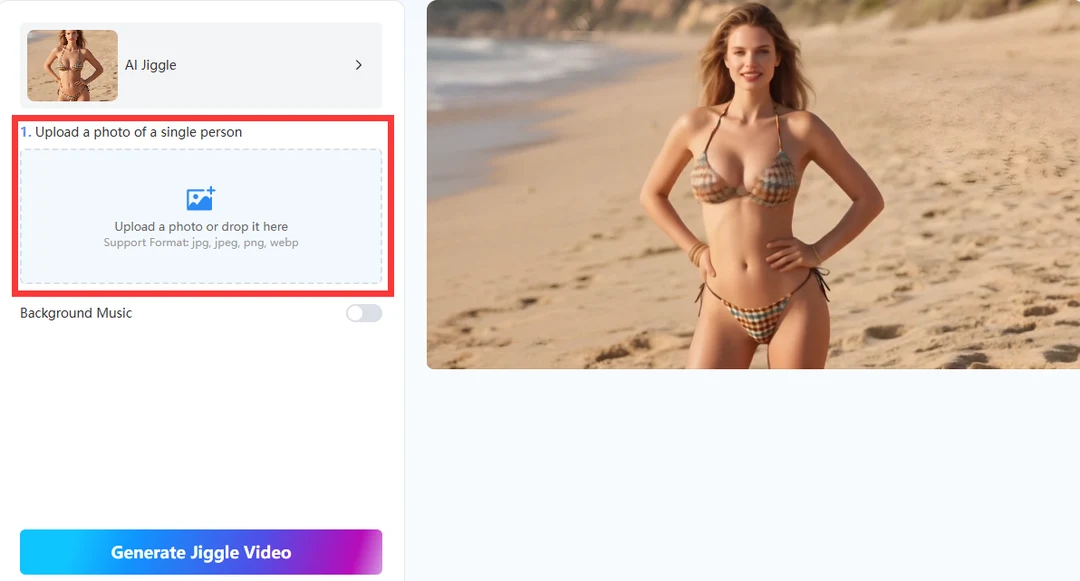
- Carregar a sua fotografia
Envie uma foto nítida de uma única pessoa. Os formatos suportados incluem JPG, JPEG, PNG e WebP. Fotos de meio corpo ou corpo inteiro com iluminação uniforme funcionam melhor — a IA precisa de um peito e torso visíveis para criar uma animação convincente de balanço dos seios.
- Gere o vídeo de IA com movimento de quadril
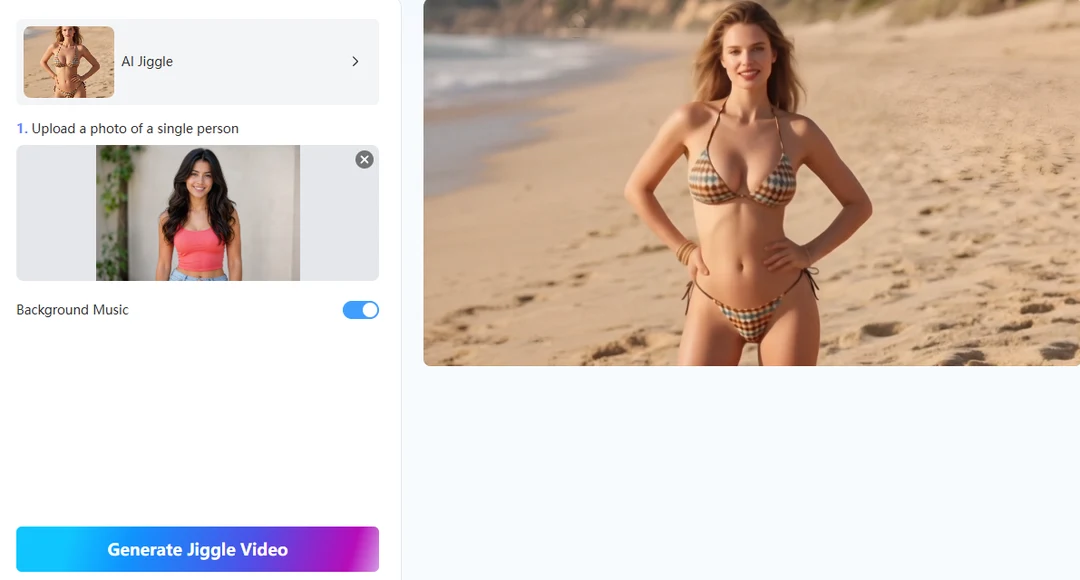
Opcionalmente, ative a opção “Música de fundo” se desejar uma trilha sonora integrada ao vídeo — útil para TikTok, Reels e Shorts, onde o áudio ajuda na retenção do conteúdo. Clique em “Gerar vídeo de balanço”. A IA analisa o retrato, mapeia a parte superior do corpo e aplica o movimento de balanço com uma oscilação natural da parte superior do corpo.
- Baixe ou compartilhe online
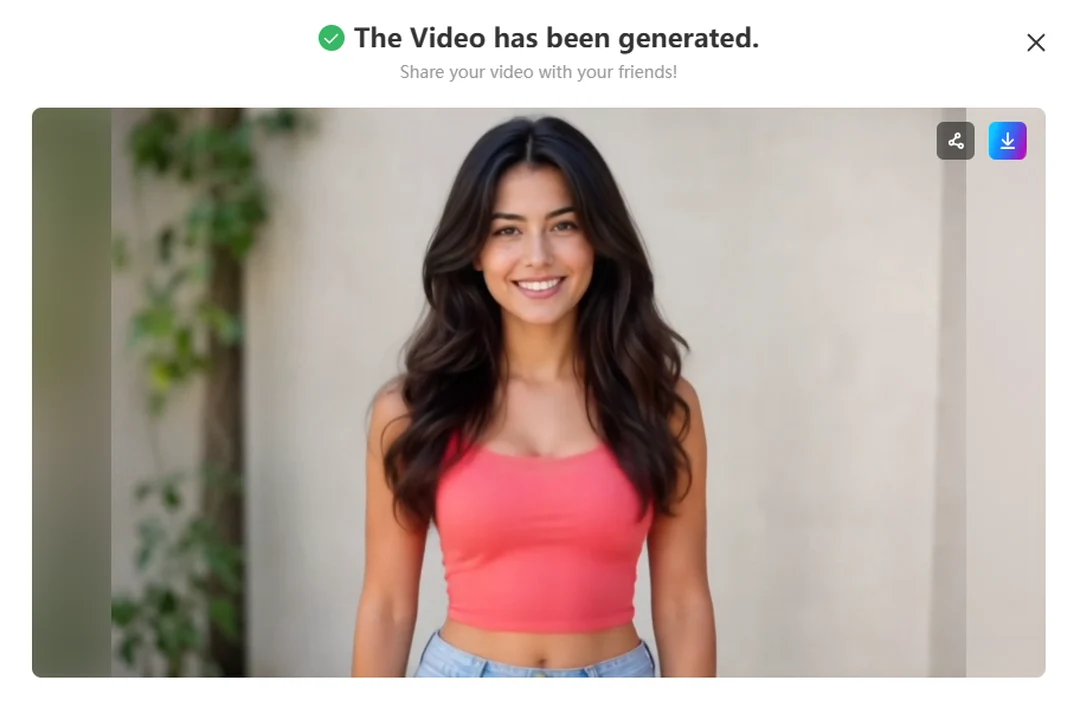
Baixe o vídeo de IA com movimentos sensuais para seu celular ou computador. Você também pode compartilhá-lo diretamente no Facebook, Twitter/X e outras plataformas a partir da ferramenta.
Tips for Smoother Boobs Bouncing Animation
Escolha o enquadramento certo: Posições frontais ou ligeiramente em ângulo de três quartos são melhores do que perfis extremos. Deixe espaço ao redor dos ombros e do peito para que o modelo possa se movimentar livremente sem cortes desajeitados na imagem.
Ilumine o objeto uniformemente: Sombras fortes no torso podem confundir a percepção de profundidade e fazer com que a animação do movimento dos seios pareça plana. Uma luz suave e constante — como a luz de uma janela ou uma sombra suave em ambientes externos — produz movimentos mais nítidos.
Utilizar apenas uma pessoa: O gerador de oscilação foi projetado para fotos de um único sujeito. Selfies e retratos individuais geram a saída de vídeo com oscilação de IA mais estável.
Ative a música de fundo ao publicar em feeds de vídeo: Vídeos com áudio costumam ter melhor desempenho no TikTok e no Reels. O Mango AI pode adicionar música no momento da criação do vídeo, para que você não precise sincronizá-la manualmente.
Faça o upload de forma ética: Use fotos que você possui ou para as quais tem permissão para animar. Não envie imagens de menores de idade, celebridades ou qualquer pessoa que não tenha dado seu consentimento. O Mango AI processa os envios com segurança e não armazena imagens pessoais por mais tempo do que o necessário para a geração.
Exportar com a mesma qualidade do original: Comece com o arquivo de origem de maior resolução que você tiver. Capturas de tela reduzidas de aplicativos de redes sociais podem suavizar os detalhes antes mesmo da IA ser executada.
Duração da plataforma de partidas: O TikTok e o Reels priorizam vídeos curtos e impactantes. Se o seu vídeo for longo, corte-o para os dois ou três segundos mais fortes, para que os espectadores vejam o movimento imediatamente — sem introdução lenta.
Regenerar em vez de editar em excesso: Se o movimento parecer artificial, uma foto original mais limpa geralmente é melhor do que usar filtros pesados no CapCut ou Premiere. Corrija a imagem de entrada primeiro e, em seguida, gere um novo vídeo para obter uma animação de movimento mais suave com IA.
Conclusion
Criar um vídeo de IA com movimentos de quadril de alta qualidade não exige mais software de animação ou uma filmagem completa. Com um retrato bem iluminado e Manga IACom o gerador de animações de seios, você pode criar animações suaves de balanço em três etapas: faça o upload, gere, baixe ou compartilhe. Escolha uma foto nítida de uma pessoa, habilite a música de fundo (se for adequada à sua plataforma) e publique o vídeo enquanto o movimento ainda parecer novo. Seja para criar memes divertidos, conteúdo de reação ou vídeos verticais sensuais, esse fluxo de trabalho mantém o foco nos resultados: rápido, fácil de compartilhar e pronto para o feed. Abra o gerador de animações, teste um retrato hoje mesmo e veja como uma imagem estática se transforma rapidamente em movimento que seu público vai notar.
Crie vídeos de IA com movimentos suaves usando o Mango AI.
FAQs About AI Jiggle Videos
What is an AI jiggle generator?
É uma ferramenta online que converte uma foto estática em um vídeo curto com movimento realista do peito e da parte superior do corpo. Você faz o upload uma única vez; a IA cuida da animação — ideal para memes, reações e vídeos para redes sociais sem precisar editar manualmente.
What photos produce the best boobs bouncing animation?
Fotos individuais, de meio corpo ou de corpo inteiro, com boa iluminação e visão clara da região do peito. Evite fundos muito carregados, objetos na frente do torso e recortes de baixa resolução de fotos em grupo.
How long does it take to create an AI jiggle video?
A maioria das gerações termina em poucos minutos após você clicar em "Gerar". O tempo exato depende da carga do servidor e do tamanho da imagem, mas o fluxo de trabalho ainda é muito mais rápido do que animar o efeito de quique manualmente em um editor tradicional. Você pode enfileirar um novo upload enquanto revisa a pré-visualização anterior, caso esteja testando diferentes aparências.
Can I use Mango AI jiggle videos commercially?
O uso social pessoal e criativo é a principal finalidade. Para anúncios, trabalhos para clientes ou canais monetizados, confirme que você possui os direitos da foto original e revise os termos de serviço do Mango AI antes de publicar.
Is my upload safe?
O Mango AI processa fotos em servidores seguros apenas para geração e não retém imagens por mais tempo do que o necessário. Mesmo assim, considere qualquer upload para a nuvem como informação confidencial — use o URL oficial do produto e evite servidores espelho de terceiros.