
Kuriant „krutink krūtinę“ vaizdo įrašą nebereikia kamerų, aktorių ar sudėtingos redagavimo programinės įrangos. Dirbtinio intelekto judesių generatoriai gali paversti autorizuotą portretą trumpu animuotu klipu naudodami paprastą vaizdo į vaizdo įrašą konvertavimo į vaizdo įrašą procesą. „Mango AI“ siūlo paprastą būdą įkelti nuotrauką, generuoti judesį ir atsisiųsti arba bendrinti rezultatą. Šiame vadove paaiškinama, kaip sukurti „krutink krūtinę“ vaizdo įrašą naudojant „Mango AI“, pagerinti rezultatą ir ištirti keturias alternatyvas, gerbiant sutikimą ir vaizdo teises.
Why Create Jiggle Videos with AI?
Filmuoti nereikia: Sukurkite „Papurtykite krūtis“ vaizdo įrašą iš autorizuoto vaizdo be kamerų, apšvietimo, aktorių ar studijos.
Greitesnė gamybaDirbtinis intelektas automatiškai generuoja judesį, taip sutrumpinant įrašymo ir redagavimo laiką.
Pradedantiesiems pritaikytasKurkite animuotus klipus neišmokdami pagrindinių kadrų, kaukių ar judesio sekimo.
Kūryba be kamerosSukurkite vaizdo įrašą, kuriame purtomos krūtys, nepasirodydami prieš kamerą, gerbdami sutikimą ir teises į vaizdą.
Mango AI: An Easy Way to Create Jiggle Videos
Mango AI's AI judinamų vaizdo įrašų generatorius yra internetinė vaizdų animacijos priemonė, skirta pridėti judesio efektą prie statinio paveikslėlio. Supaprastintas jos darbo procesas susideda iš vaizdo įkėlimo, animacijos generavimo ir rezultato atsisiuntimo arba bendrinimo.
Šis įrankis skirtas vartotojams, norintiems sukurti krūtų pakratymo animaciją nefilmuojant ir neredaguojant kiekvieno judesio rankiniu būdu. Kadangi efektas generuojamas iš nejudančio vaizdo, vartotojams nereikia pirmiausia įrašyti šaltinio vaizdo įrašo.
Pagrindinis jo privalumas – paprastumas. Užuot pateikęs vartotojams visiškai profesionalų vaizdo įrašų redagavimo įrankį, „Mango AI“ sutelkia dėmesį į konkretų vaizdinį efektą. Tai daro jį prieinamesnį pradedantiesiems ir kūrėjams, kuriems reikia greito rezultato.
How to Create a Jiggle Video with Mango AI
Procesas apima tris pagrindinius etapus.
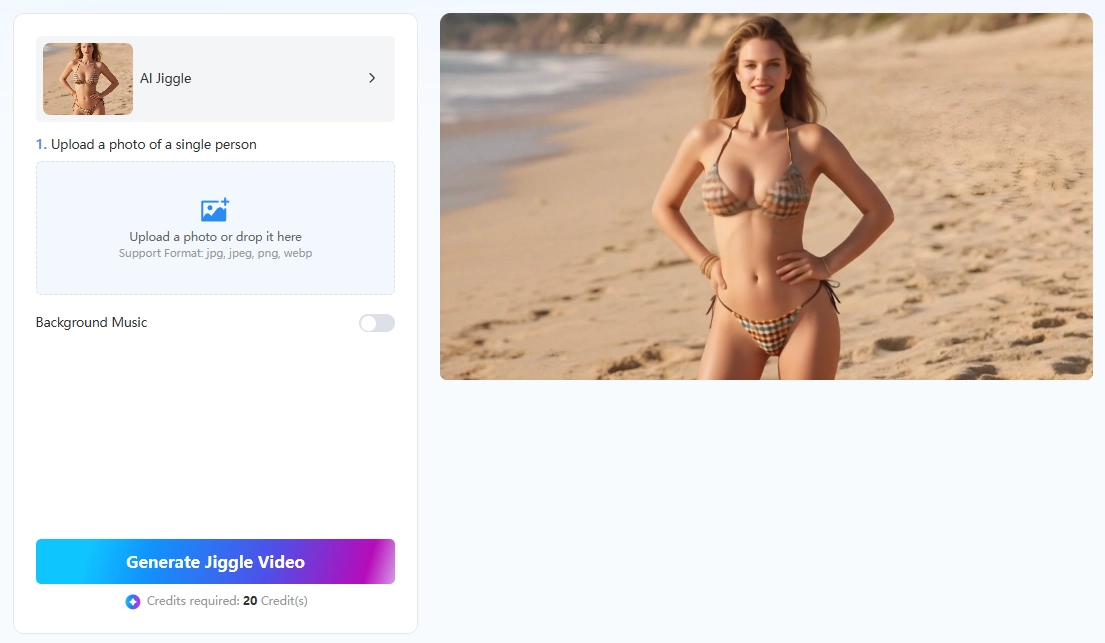
- Įkelkite savo paveikslėlį
Atidarykite „Mango AI Jiggle“ vaizdo įrašų generatorių ir suraskite įkėlimo sritį. Pasirinkite aiškią nuotrauką, kuri jums priklauso arba kurią turite leidimą naudoti. Norėdami geresnio krūtų purtymo efekto, naudokite gerai apšviestą nuotrauką, kurioje viršutinė kūno dalis būtų visiškai matoma ir be didelių kliūčių.
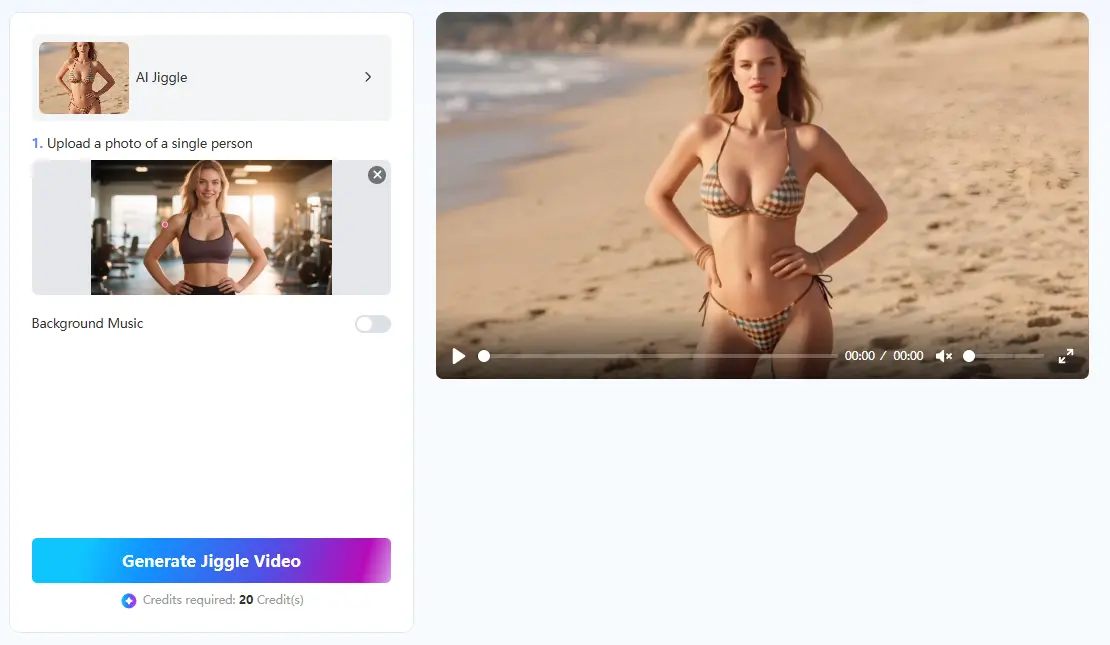
- Sukurkite savo judesio vaizdo įrašą
Įkėlę vaizdą, spustelėkite generavimo mygtuką. „Mango AI“ apdoros nuotrauką ir automatiškai pavers ją trumpa judančia animacija, todėl nereikia filmuoti ar rankiniu būdu keisti pagrindinių kadrų.
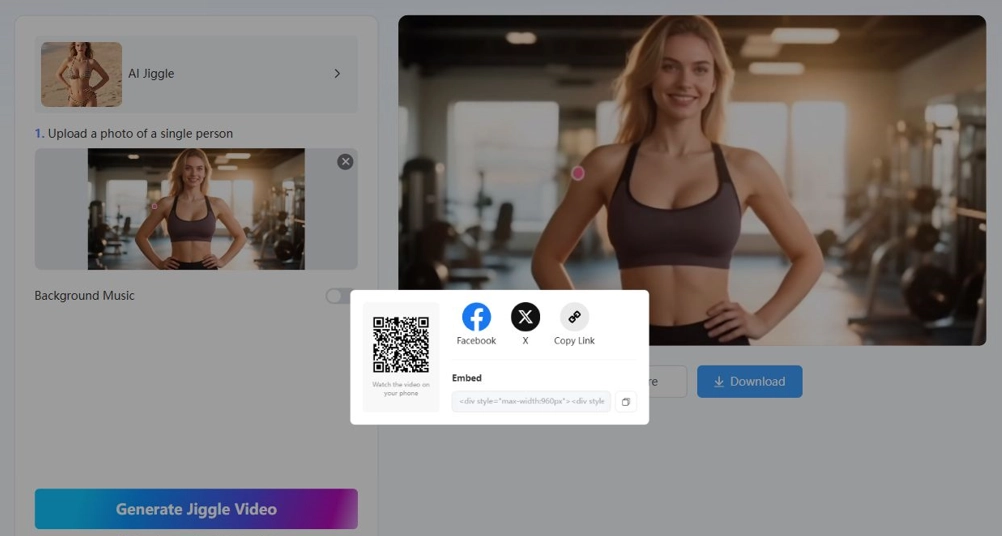
- Atsisiųskite arba bendrinkite savo vaizdo įrašą
Kai vaizdo įrašas bus paruoštas, peržiūrėkite jį ir spustelėkite „Atsisiųsti“, kad išsaugotumėte savo įrenginyje. Taip pat galite juo pasidalinti per „Facebook“ arba „X“, nukopijuoti jo nuorodą, rodyti QR kodą mobiliajam peržiūrai arba nukopijuoti įterpimo kodą, kad pridėtumėte vaizdo įrašą prie tinklalapio.
Tips for Creating Better AI Jiggle Videos
Naudokite aiškią nuotraukąPasirinkite ryškų, gerai apšviestą vieno suaugusiojo nuotrauką.
Pasirinkite natūralią pozą: Paprastai geriausiai veikia nuotraukos, nukreiptos į priekį arba šiek tiek pakreiptos.
Venkite kliūčiųSaugokite, kad rankos, plaukai ir aksesuarai neuždengtų viršutinės kūno dalies.
Pasirinkite paprastą fonąGeras kontrastas padeda sumažinti iškraipytus kraštus ir nepageidaujamą judėjimą.
Peržiūrėkite prieš bendrindamiPatikrinkite veidą, kūno proporcijas, drabužius ir foną, ar nėra vizualinių klaidų.
Gerbkite sutikimąNaudokite tik įgaliotus sutikimą davusių suaugusiųjų vaizdus ir niekada nekurkite apgaulingo ar nesutikimo pagrindu sukurto turinio.
Four Mango AI Jiggle Alternatives
Be „Mango AI“, šie įrankiai siūlo skirtingus valdiklius ir darbo eigas, skirtas kurti AI judinamus vaizdo įrašus iš vaizdų.
1. AIReel
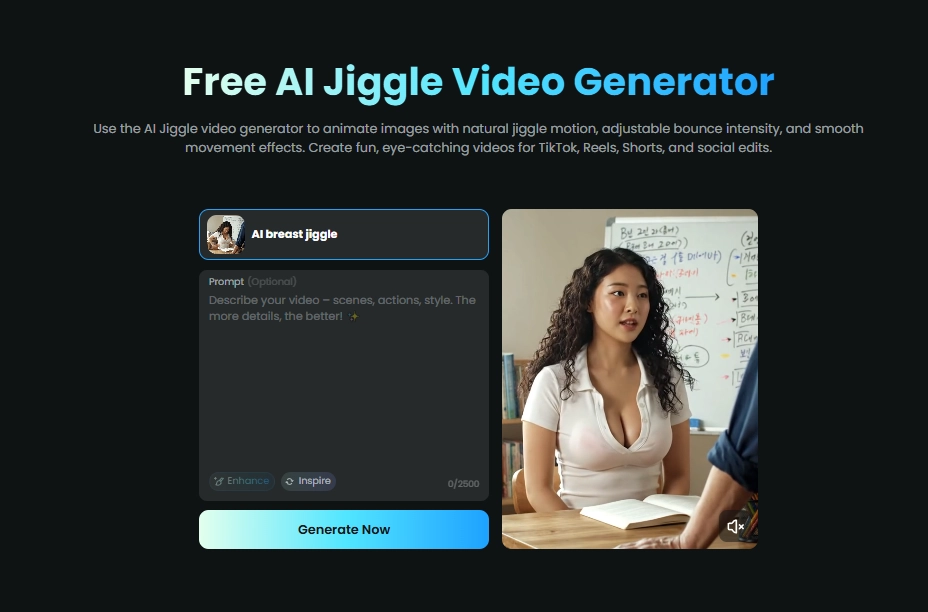
AIReel palaiko vaizdų ir teksto konvertavimą į vaizdo įrašus. Vartotojai gali kurti krūtinės arba viršutinės kūno dalies judesių efektus naudodami iš anksto nustatytus parametrus arba pasirinktinius raginimus. Jie taip pat gali reguliuoti atšokimo intensyvumą, judesių ritmą, laiką, kraštinių santykį, trukmę ir vaizdinį toną.
Vartotojai prisijungia, pasirenka šabloną, įkelia vaizdą ir konfigūruoja judesio nustatymus. Tada jie sugeneruoja ir išsaugo vaizdo įrašą arba pakeičia nustatymus, kad sukurtų kitą versiją.
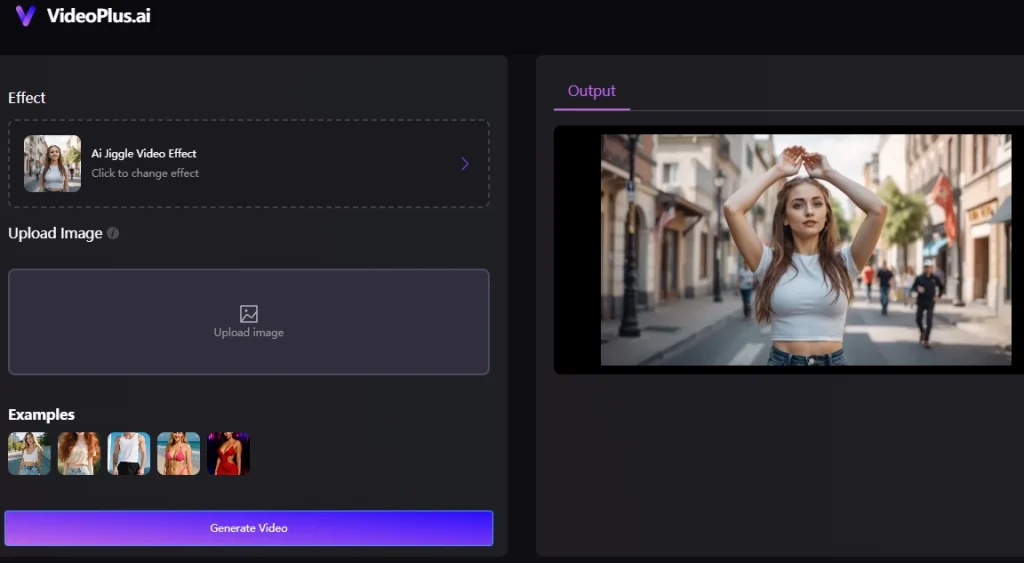
2. VideoPlus.ai
VideoPlus.ai Įkeltas nuotraukas ar personažus paverčia judančiomis animacijomis. Internetinis įrankis nereikalauja paskyros ir leidžia atsisiųsti failus be vandens ženklų tiek darbalaukio, tiek mobiliųjų įrenginių naršyklėse.
Vartotojai įkelia nuotrauką arba personažą ir spustelėja „Generuoti“. „VideoPlus.ai“ automatiškai tvarko judesį, laiką ir sklandumą. Baigus apdorojimą, vartotojai gali atsisiųsti galutinį vaizdo įrašą arba bendrinti jį kitoje platformoje.
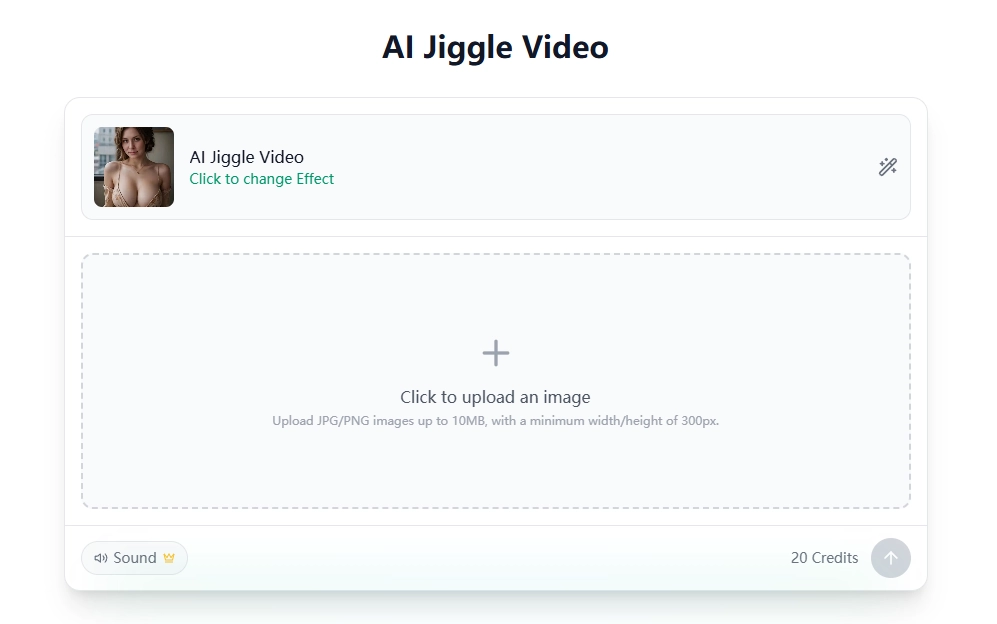
3. AnimateMyPic
AnimuotiMyPic Kuria krūtinės judesių animacijas iš nuotraukų. Palaiko JPG ir PNG formato vaizdus iki 10 MB, kurių minimalus plotis ir aukštis – 300 pikselių. Įrankis teikia fizikos dėsniais pagrįstą animaciją, judesių sekimą, reguliuojamą intensyvumą, audinio modeliavimą, 4K eksportą ir skaidraus fono eksportą.
Vartotojai pasirenka AI „Jiggle Video“ efektą, įkelia paveikslėlį ir pasirinktinai įjungia garsą. Tada jie spustelėja „Generuoti“, kad sukurtų animaciją. Kiekviena generacija kainuoja 20 kreditų.
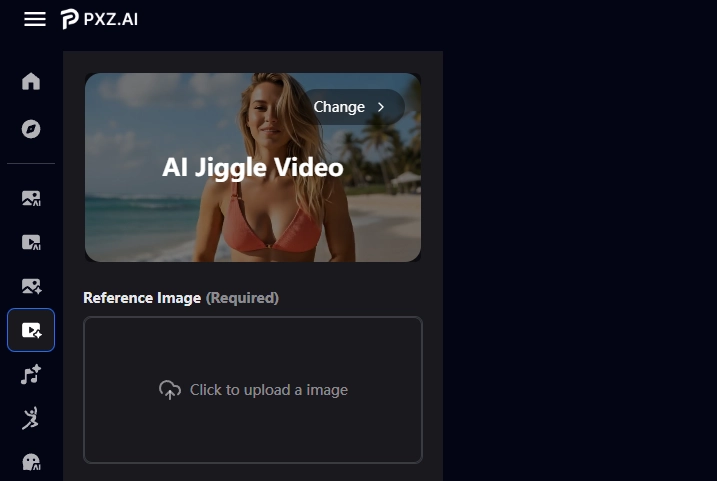
4. PXZ AI
PXZ AI paverčia atskaitos vaizdą trumpu vaizdo įrašu, kuriame šokinėjantys judesiai taikomi tokioms sritims kaip krūtinė ir klubai. Jis naudoja fizikos modeliavimą ir atskiria objektą bei foną į skirtingus judesio sluoksnius.
Vartotojai įkelia atskaitos vaizdą, pasirenka, ar rezultatą padaryti viešai matomą, ir prisijungia, kad jį sugeneruotų. Apdoroję jie gali peržiūrėti vaizdo įrašą ir atsisiųsti jį kaip MP4 formatą.
Conclusion
„Mango AI“ supaprastina krūtų purtymo animacijos kūrimo iš nuotraukos procesą be filmavimo ar rankinio kadrų derinimo. Trijų žingsnių darbo eiga apima vaizdų įkėlimą, dirbtinio intelekto generavimą ir lankstų atsisiuntimą ar bendrinimą. „AIReel“, „VideoPlus.ai“, „AnimateMyPic“ ir „PXZ AI“ suteikia papildomų valdiklių ir kūrimo metodų vartotojams, turintiems skirtingus reikalavimus. Kad ir kokį įrankį pasirinktumėte krūtų purtymo vaizdo įrašui kurti, visada naudokite patvirtintus suaugusiųjų vaizdus, atidžiai patikrinkite sugeneruotą judesį ir prieš publikuodami ar bendrindami rezultatą gaukite sutikimą.
Krūtų purtymas su „Mango AI Jiggle Generator“