
筋肉質な体型は、しばしば強さ、規律、そして自信と結びつけられます。そのため、体型変化を捉えたビジュアル、ジムでのトレーニング風景、ボディビルディング風のコンテンツは、オンラインで依然として人気を集めています。クリエイターやブランドは、手作業によるレタッチに何時間も費やす代わりに、AIによる筋肉強調機能を利用して、筋肉に焦点を当てた写真や動画をはるかに迅速に作成するようになっています。
ボディビルディングツール向けの最新AIは、ビデオジェネレーターと画像ジェネレーターの2種類に分けられます。ビデオツールは、1枚の写真から動きのある筋肉の変化を捉えた短い動画を作成します。画像ツールは、サムネイル、ポスター、ソーシャルメディアのプロフィール用に、静止画の筋肉の輪郭を強調します。この記事では、印象的な筋肉コンテンツを数分で作成できる、AIビデオ筋肉強調ツール4つとAI写真筋肉ジェネレーター4つをご紹介します。より幅広いリストをご覧になりたい場合は、おすすめのツールをまとめた記事をご覧ください。 AI筋肉ビデオジェネレーター ソーシャルメディアでの共有オプション。
4 AI Muscle Enhancers to Create Powerful Muscle Showcase Videos
これらのツールは、通常の写真を、被写体の筋肉量が目に見えて増えた短いビデオクリップに変換します。これらは、TikTok、Instagram Reels、YouTube Shortsコンテンツでよく使用されます。また、リアルな動画を作成する方法も学ぶことができます。 AI筋肉ビデオ 専用ガイドで手順を一つずつ解説しています。
1. Mango AI
Mango AIは無料のオンライン AI筋力増強剤 一枚の写真からリアルな筋肉成長動画を作成できるツールです。男性の正面を向いた鮮明な画像をアップロードし、「筋肉動画を生成」をクリックするだけで、数秒でMP4形式の動画が生成されます。JPG、JPEG、PNG、WebP形式に対応しており、生成前にBGMを追加することも可能です。
AIは、身体のランドマーク、プロポーション、照明を分析し、顔、ポーズ、全体的なプロポーションを維持しながら、胸、腕、肩、腹筋の筋肉を彫刻します。単純なオーバーレイではなく構造を考慮した補正なので、結果は自然です。プレミアムプランではウォーターマークなしのダウンロードが可能ですが、ボディビルディング機能の中核となるAIは無料で利用できます。
Mango AIは、縦型ソーシャルフィード向けに既にサイズ調整されているため、タイムライン編集や手動での形状変更をすることなく、すぐに共有できるコンテンツを迅速に作成したいクリエイターに最適です。ジムでのトレーニング動画、体型変化動画、モチベーションを高める動画の制作において、このリストの中で最も使いやすいAI筋肉増強ツールと言えるでしょう。
2. VideoWeb AI
VideoWeb AIは、筋肉増強動画専用に開発されています。ユーザーは写真をアップロードし、希望する効果を説明するカスタムプロンプトを入力します。すると、プラットフォームは、急なジャンプカットではなく、滑らかで連続的な動きで筋肉のサイズと輪郭が目に見えて改善された動画を生成します。
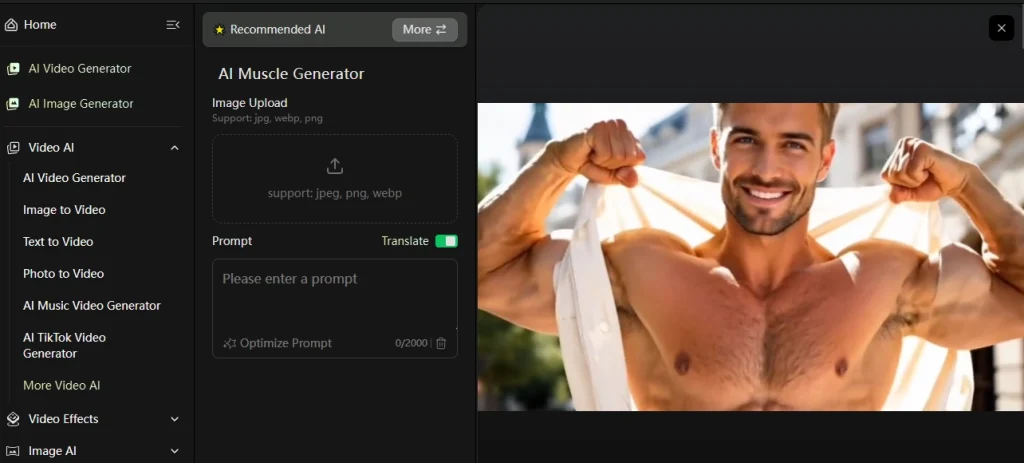
このツールはJPG、WebP、PNG形式のアップロードに対応しています。プロンプトフィールド(最大2,000文字)を使えば、最終出力を自由にカスタマイズできます。使いやすさとプロンプトベースのカスタマイズ性を両立させたAI筋肉増強ツールをお探しなら、VideoWeb AIはボディビルディングコンテンツ向けのショートフォームAIとして最適です。
3. EaseMate AI
EaseMate AIは、複数のモデルに対応した動画生成プラットフォームです。筋肉コンテンツを作成する際、Runway、Veo 3、Seedance、Kling、Wan 2.2といったモデルから選択できます。各モデルはそれぞれ異なる結果を生成するため、自分のスタイルに合った出力が得られるまで試行錯誤できます。また、このツールは複数のアスペクト比(16:9、9:16、1:1、4:3、3:4)に対応しているため、様々なソーシャルプラットフォームに柔軟に対応できます。
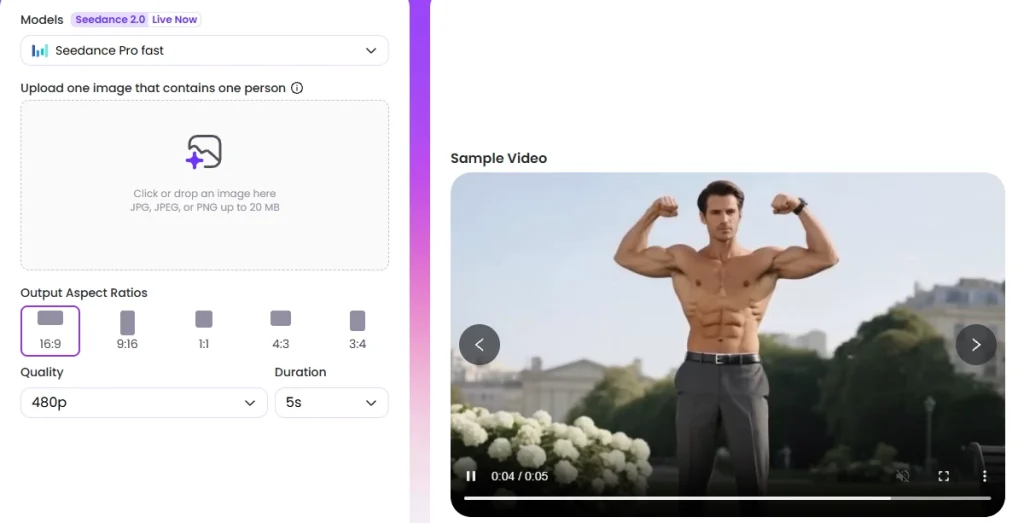
あらかじめ設定された筋肉のプロンプトが含まれていますが、自由に編集できます。デフォルトのプロンプトは、胸、腹筋、上腕二頭筋に焦点を当てており、クールな背景効果が付いています。モデルの選択と出力制御を求めるクリエイター向けのAI筋肉エンハンサーとして、EaseMate AIは単一モデルツールよりも柔軟性に優れています。無料版では、ダウンロードにウォーターマークは含まれません。
4. Flux AI Pro
Flux AI Proは、専用のAI筋肉生成機能を搭載したビデオエフェクトプラットフォームです。写真をアップロードし、変化のスタイル(筋肉のサイズ、引き締まり具合、特定の筋肉群など)を説明するプロンプトを入力するだけで、3~5分で720pのビデオが生成されます。出力結果は、微妙な変化よりも大胆で劇的な結果になる傾向があります。
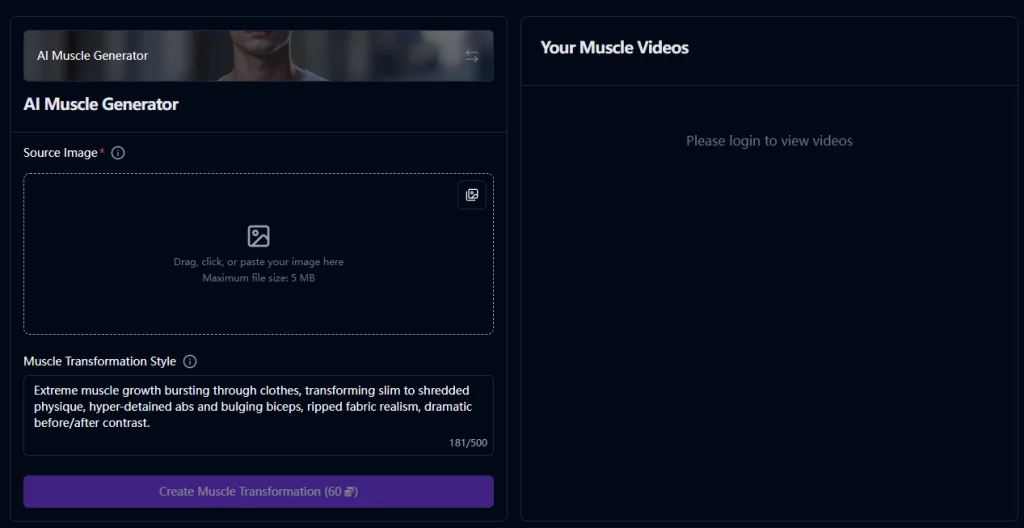
これは、劇的な体型変化を描いたコンテンツや、体格を際立たせる必要があるフィットネスプロモーションに最適です。スタイリッシュでコントラストの高い筋肉編集を実現するボディビルディング向けAIツールをお探しなら、Flux AI Proはまさにうってつけです。
4 AI Muscle Enhancers for Still Photos and Fitness Branding
写真ベースのツールは、静止画の筋肉の輪郭を強調します。これらは、サムネイル、ポスター、プロフィール画像、フィットネスのブランディングなどによく使用されます。画像に特化したオプションをより幅広く比較するには、ベストツールのリストをご覧ください。 AI筋肉ジェネレーター ツールにはさらに多くの選択肢があります。
5. Pixelcut (Pixa)
Pixelcut(最近Pixaにブランド名を変更)は、指示に基づいてAIエージェントが画像内の筋肉の輪郭を強調するサービスです。画像をアップロードし、「くっきりとした腹筋とより強い胸筋」や「上腕二頭筋と肩のサイズを大きくする」など、希望する内容を入力します。AIは、元の写真の照明や解剖学的構造を尊重しながら、指示内容を解釈します。
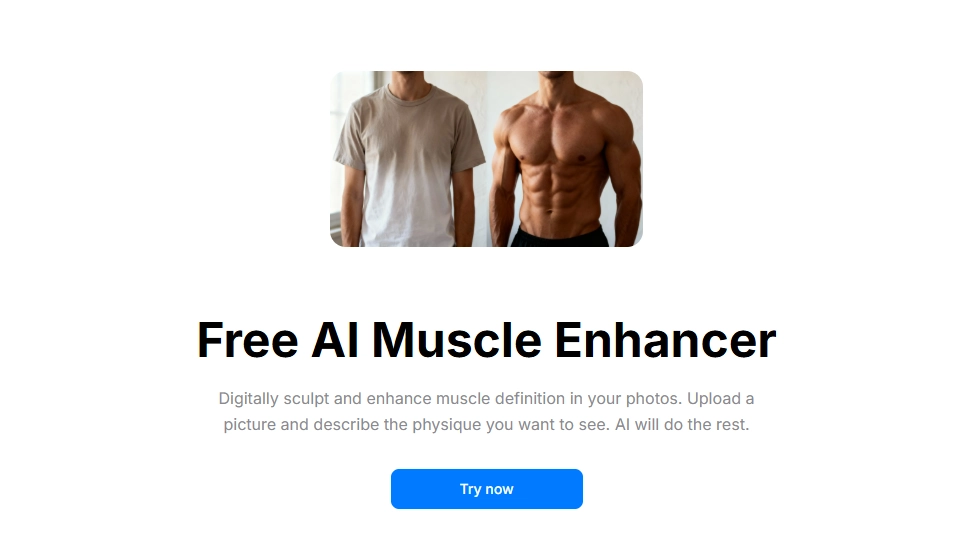
結果は高画質で透かしのないPNGファイルとしてダウンロードされます。迅速な処理により、微妙なトーン調整から本格的なボディビルダーのようなルックスまで、柔軟な調整が可能です。写真ベースの作業におけるAI筋肉強化ツールとして、Pixelcutは複雑な編集ソフトを習得することなく、迅速かつカスタマイズ可能な結果を求めるフィットネスクリエイターに最適です。
6. Airbrush
Airbrushは、包括的な写真編集スイートの一部として、無料のAI筋肉生成ツールを提供しています。このツールを使えば、腹筋、胸筋、腕などの筋肉群を写真に数秒でリアルに追加できます。編集スキルは一切不要です。Airbrushには既に顔編集、背景除去、体型補正ツールが搭載されているため、複数の編集作業を1か所で行うことができます。
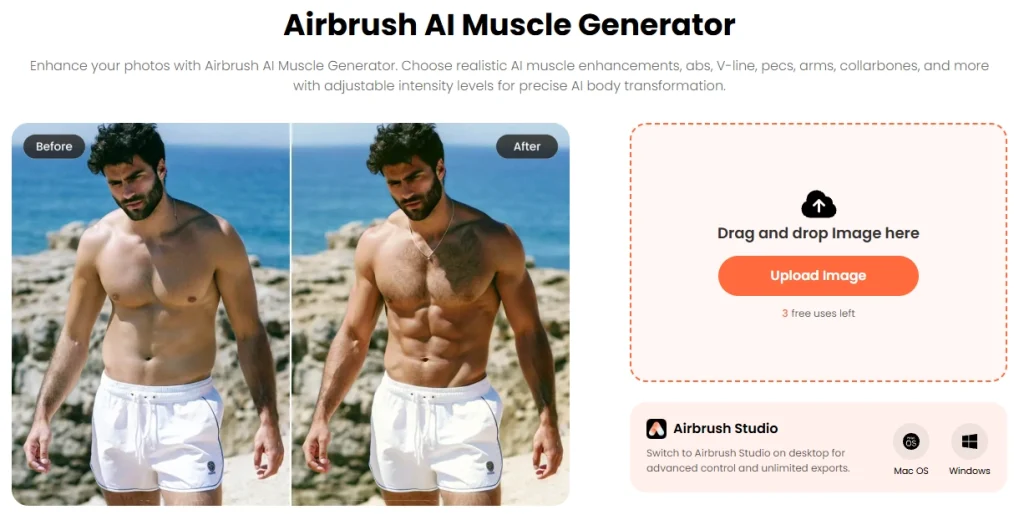
筋肉の強調と一般的な写真のレタッチの両方を必要とするクリエイターにとって、Airbrushはオールインワンソリューションとして機能します。ボディビルディング出力用のAIは、クリーンな肌の質感と自然な照明を維持するため、最終画像は過度に加工されたように見えません。また、 AI筋肉フィルター ワンタップで済ませたい場合は、別々に操作してください。
7. GigaBody
GigaBodyは、複数のAI筋肉フィルターを搭載したモバイルアプリ(iOSおよびAndroid対応)です。主なモードは、AIバルク&ステロイド(筋肉増強の視覚化)、AIカット(引き締まった体型)、AIスレンダー(下半身の体脂肪シミュレーション)です。さらに、顎のラインや顔の輪郭を強調する機能も備えており、フィットネスによる体型変化をトータルで実現できます。
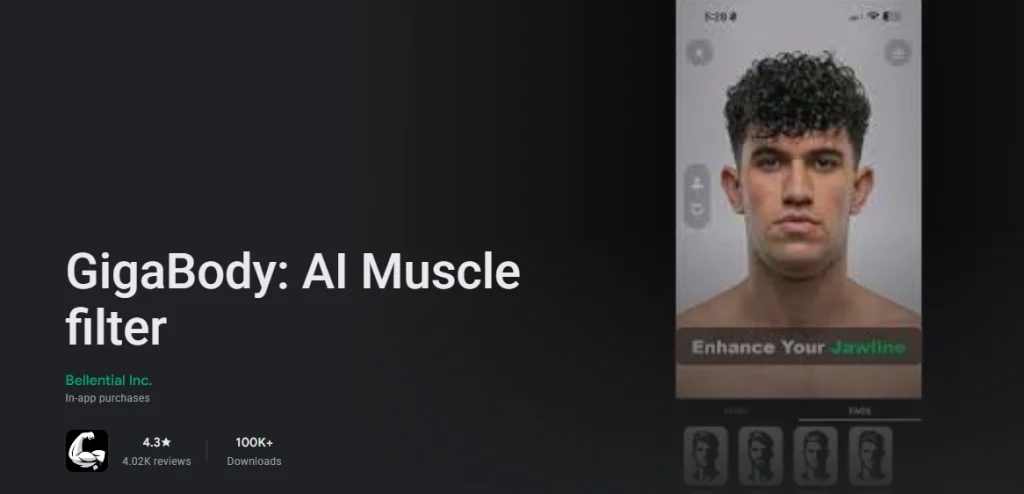
GigaBodyがこのリストにある他のツールと一線を画すのは、内蔵された体組成分析機能です。アプリはユーザーの写真をスキャンして体脂肪率と筋肉量を推定し、経時的な変化を追跡します。パーソナルトレーナーやジム経営者にとっては、クライアントのトレーニング状況を視覚化するツールとしても活用できます。モバイル向けのAI筋力強化ツールとして、GigaBodyはここに挙げたツールの中で最もフィットネスに特化した機能を備えています。
8. Dzine
Dzineは、プロンプトを通して筋肉の強調と抑制の両方をサポートするAI画像ツールです。この双方向の柔軟性により、さまざまなコンテンツスタイルに対応できます。微妙な筋肉の強調から、より力強い体型編集、さらには筋肉を抑制してよりスリムな体型に仕上げることも可能です。
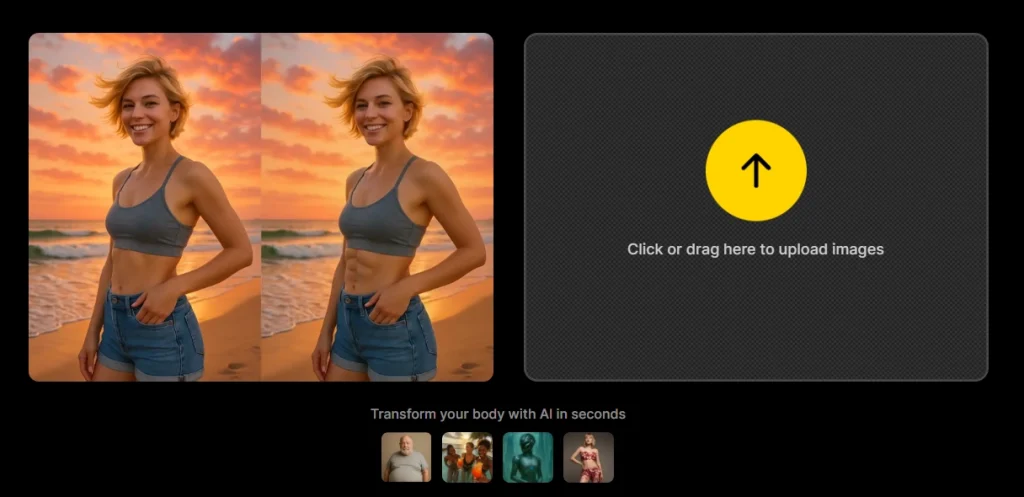
このツールは、ボディビルディングのポスター、フィットネスグラフィック、プロモーション用ビジュアルに対応しています。また、このリストにある他の多くのツールにはない、女性の筋肉生成機能もサポートしています。ボディビルディング画像作成のためのAIツールとして、Dzineは固定された出力スタイルに縛られることなく、クリエイティブな自由度を提供します。
Conclusion
AIを活用した筋肉トレーニングツールのおかげで、プロの編集スキルがなくても、インパクトのあるフィットネス動画を簡単に作成できるようになりました。動画ベースのツールは、ソーシャルメディアに投稿する短いビフォーアフター動画に最適で、写真ベースのツールは静止画、ブランディング素材、サムネイルの作成に適しています。
ここで紹介する8つのツールの中で、Mango AIは動画コンテンツ向けのAI筋肉増強ツールとして際立っています。無料で高速、編集経験も不要です。写真をアップロードして生成し、共有するだけ。ソーシャルメディア向けにボディビルディング関連のAIコンテンツを定期的に制作しているなら、まずはMango AIから始めて、他のツールは画像ベースの作業に活用してみてください。
Mango AIでAIマッスルビデオを作成
Frequently Asked Questions
AI筋肉増強ツールとは、人工知能を用いて写真や動画の筋肉の輪郭を強調したり、より鮮明にしたりするツールです。画像をアップロードすると、AIが体の構造を分析し、リアルな筋肉の成長を再現します。出力形式は、選択したツールによって静止画または短い動画クリップとなります。
いいえ。ボディビルディング用のAIツールのほとんどは初心者向けに設計されています。写真をアップロードすると、AIが自動的に筋肉の変化を処理します。一部のツールには、ターゲットとする特定の筋肉群を説明できる入力欄がありますが、手動でのレタッチやタイムライン編集は必要ありません。
ほとんどのツールはJPG、PNG、WebPファイルに対応しています。最適な結果を得るには、被写体が正面を向いている、明るく鮮明な写真を使用してください。衣服を最小限に抑え、背景をすっきりさせることで、AIが身体のランドマークを正確に検出し、よりリアルな筋肉の強調効果が得られます。
各ツールの利用規約によって異なります。Mango AIをはじめとするこのリストにあるほとんどのツールでは、生成されたコンテンツを個人用およびソーシャルメディア用プロジェクトに使用できます。有料プロモーションや商用広告に使用する場合は、公開前に各プラットフォームの利用規約を確認してください。