
静止画には丁寧な「いいね!」がつきます。短いトゥワーク動画は何度も再生されます。その揺れがジョークのポイントで、全身がフレームに収まっていれば最初の1秒で分かります。スタジオで撮影したり、ダンサーを呼んだりする必要はありません。手順は簡単です。AI Twerkで鮮明な写真を1枚撮影し、素早く生成した後、YouTube、TikTok、X、Facebook、Instagram用に縦にカットするだけです。
Why a Short Twerking Video Travels Better Than a Still
フィードはあっという間に流れます。腰の動きが早すぎると、人々はスワイプしてしまいます。トゥワーク動画が拡散される理由はまさにそこにあります。分かりやすく、少し滑稽で、簡単に完成できるからです。縦長の動画1本で、Shorts、TikTok、Reels、そしてFacebookやXの投稿まで、毎回撮影をやり直すことなく対応できます。
思っているよりも小さめの構図から始めましょう。大人一人を全身で写したショットは、人がぎこちなく写っているショットよりも常に効果的です。動きがぎこちなく見える場合は、フィルターをいじる前に写真を入れ替えましょう。雰囲気がしっくりこない場合は、BGMを反転させて再生成し、出来の悪いテイクを過度に編集しないようにしましょう。
Make the Clip in AI Twerk
ブラウザでAI Twerkを開きます。人物1人の鮮明な全身写真をアップロードし、内蔵ビートを使用するかどうかを選択してから、「Twerkビデオを生成」をクリックします。右側のプレビューが完了するまで待ってから、クリップを評価してください。
JPG、JPEG、PNG、WebP形式はすべて対応しています。アップロード時には人物の全身写真が求められるため、顔のアップ写真は通常アップロードできません。倫理的に問題のない写真のみを使用してください。成人向けの写真のみ、そしてアニメーション化する権利を有する写真のみを使用してください。
Photo to Twerking Video: Three Quick Steps
ツールページを開き、アップロード、生成、ダウンロードの3つの手順に従ってください。
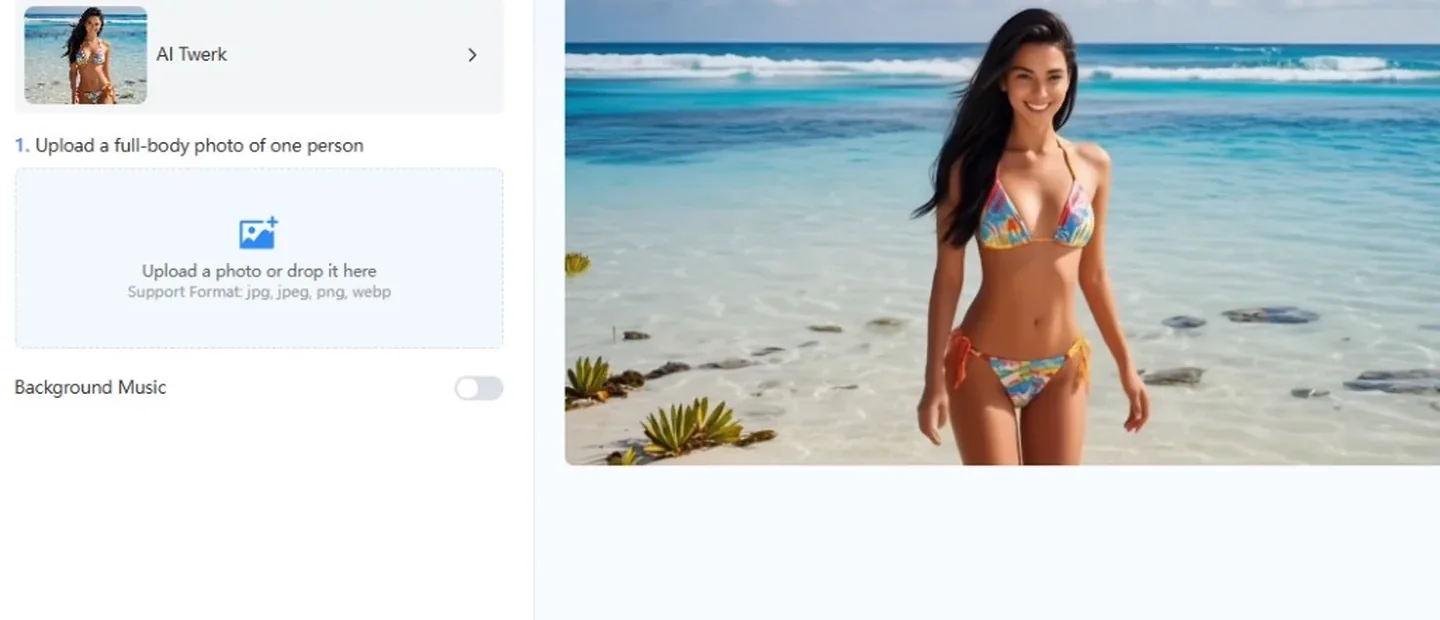
- 鮮明な全身写真を1枚アップロードしてください
鮮明な正面からの全身写真をアップロードエリアにドラッグ&ドロップするか、「写真をアップロード」をクリックしてデバイスからファイルを選択してください。柔らかな光が効果的です。より良い写真がある場合は、ぼやけた写真、腰が切れたようなトリミング、不自然な横顔の写真は避けてください。このツールは、フレーム内に大人1人が写っていることを想定しています。
- 音楽を設定して、生成する
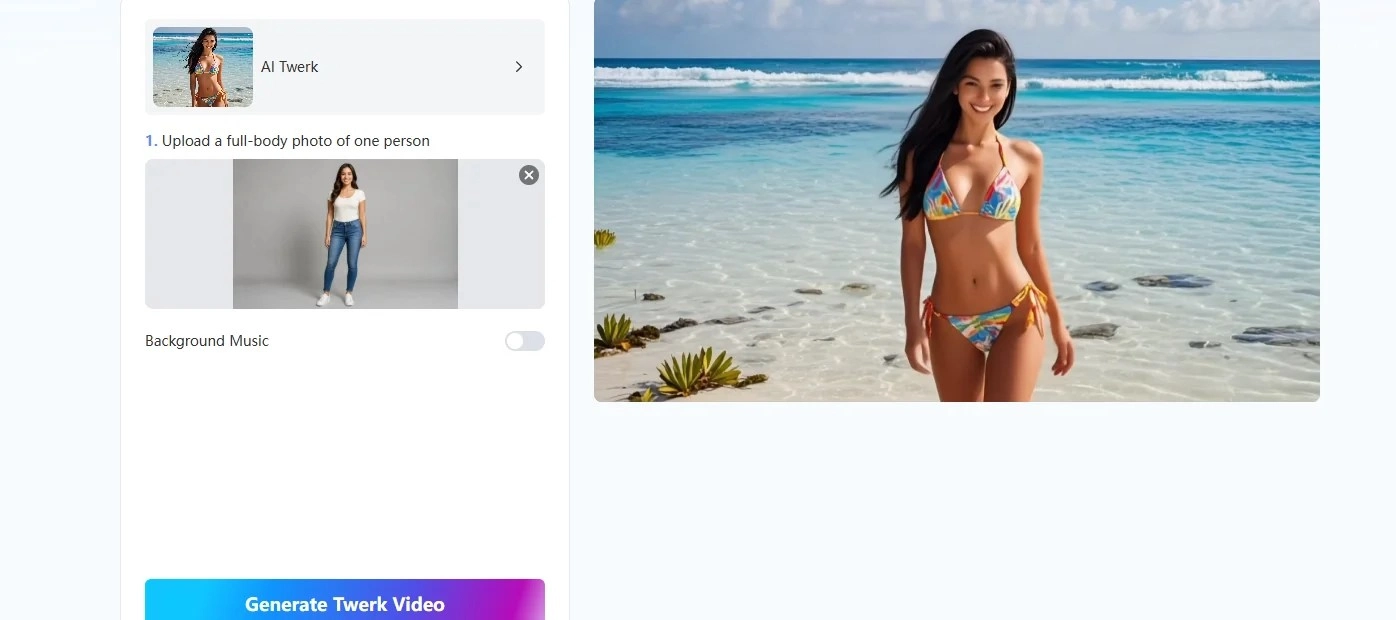
ファイルにビートを入れたい場合は、バックグラウンドミュージックをオンにしてください。後でTikTokやReelsで流行のサウンドをドロップする場合は、オフのままにしておいてください。「Twerkビデオを生成」をクリックし、プレビューが鮮明になるまで待ちます。ダウンロードする前に、腰の動き、バランス、構図を確認してください。
- プラットフォーム別エクスポートと投稿
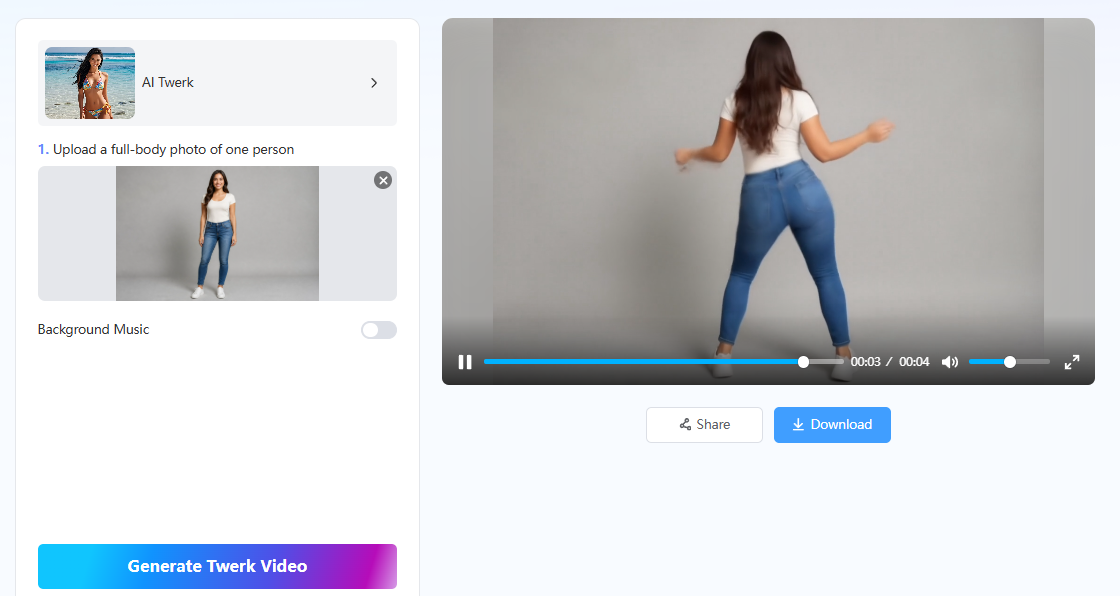
プレビューが適切であれば、ファイルをダウンロードしてください。縦型出力は、TikTok、Instagram Reels、YouTube Shorts、Facebookのトゥワーク動画、Xのショートクリップに適しています。最初の1秒で動きを前面に出してください。視聴者が誤解しないように、共有時にはAIコンテンツにラベルを付けてください。
Small Choices That Keep the Joke Working
どんな動きよりも、見やすい姿勢が重要です。腰と脚の周りにスペースを空けて、動きに余裕を持たせましょう。背景がごちゃごちゃしていると動きから注意が逸れてしまうので、できるだけシンプルな背景にしましょう。
プラットフォームに合わせてトリミングしましょう。ショート動画やリール動画では、すっきりとした終わりと中央に配置された被写体が求められます。TikTokでは、最初のフレームに動きがあると効果的です。Facebookでは、画面上に小さなフックが必要な場合が多く、Xでは、フィードのサムネイルで最初のフレームがきちんと読めるようにしましょう。最終的に納得のいく写真ができたら、そのファイルを保存し、次のドラフトでは音楽の変更やトリミングのみを行いましょう。
後で他のモーションスタイルを試したい場合は、 AIダンスジェネレーター または フェイス・ダンス写真からトゥワークのループを作成する場合は、バウンスが適切になるまでAIトゥワークを使用してください。
Wrap-Up
面白いトゥワーク動画を投稿するのに、ライブの振り付けは必要ありません。全身写真1枚とAIトゥワークを使えば、短い動画クリップが作成でき、確認後すぐに投稿できます。一度に1枚ずつ写真をテストしてみましょう。動きが始まれば、静止した立ち姿の写真でも十分な場合が多いです。
この後もさらにアイデアが必要な場合は、以下をご覧ください。 AIトゥワークダンス動画を数分で作成してオンラインで拡散する方法 と トゥワークAIジェネレーターを使ってトゥワークダンス動画をバズらせる方法.
Common Questions About a Twerking Video
カメラに向かって正面を向いた、成人1名の鮮明な全身写真を使用してください。腰回りや姿勢がはっきりとわかる場合は、上半身写真でも構いません。
はい、ブラウザ版は無料でご利用いただけます。必要に応じて、プレミアム版にアップグレードすると、より高い制限が解除されます。
はい。ダウンロードして、Shorts、TikTok、Instagram、Facebook、またはXに投稿してください。AI生成であることを明記し、使用許可を得ている写真のみをアニメーション化してください。
いいえ。無音で生成して後からプラットフォーム音を追加するか、生成ボタンを押す前にBGMをオンにしてください。
Mango AIで面白いトゥワーク動画を作成