
Bodybuilding content is no longer limited to static before-and-after photos. With AI, you can simulate muscle growth, add upper-body definition, and generate transformation visuals in seconds. These tools have changed how fitness creators produce content for TikTok, Reels, and YouTube Shorts.
Not all AI muscle tools work the same way. Some platforms generate animated videos with motion effects, while others create enhanced images for thumbnails and branding. If your goal is short-form video content, a video generator is the better choice. If you need high-impact visuals for posts or banners, an AI muscle enhancer may be more suitable. Understanding this difference helps you pick the right solution for your fitness content.
What Is Muscle AI Generator Used For
AI muscle tools are commonly used for:
- Creating transformation-style fitness videos for social media
- Visualizing potential physique goals before hitting the gym
- Improving bodybuilding thumbnails for YouTube and blogs
- Designing gym promotional content and banners
- Generating muscular character concepts for creative projects
Instead of manually editing body contours, AI generated muscle systems analyze posture and proportions automatically. The result is faster content creation without complex photo-editing software. If you want a quick preview of the available options, check out this roundup of the best AI muscle generator tools online.
5 Best Tools to Create AI Muscle Videos and Images
Below are five tools that help you produce AI muscle content. Some focus on generating animated transformation videos, while others specialize in adding muscle definition to still images. Each platform takes a different approach, so pick the one that fits your content format.
1. Mango AI
Creating a transformation-style AI muscle video takes only a few steps with Mango AI. After uploading a clear front-facing photo, the system automatically detects body proportions, including shoulder alignment, chest width, and arm positioning. You then click the generate button, and the AI muscle engine refines upper-body areas like chest, arms, shoulders, and abs.
Instead of placing a flat filter, the transformation applies with natural progression, producing a smooth AI generated muscle animation. The final video exports as an MP4 file optimized for sharing on TikTok, Instagram, and Facebook. Mango AI also offers optional background music to make your clips more engaging. The entire process finishes in seconds, requires no editing skills, and supports JPG, PNG, and WebP formats.
2. Pollo AI
Pollo AI offers an AI muscle video generator within its video effects section. Upload an image of anyone, and the tool analyzes the body shape to create a video that bulks up the subject into a muscular version of themselves. A prompt input box lets you customize the transformation to match your preferences.
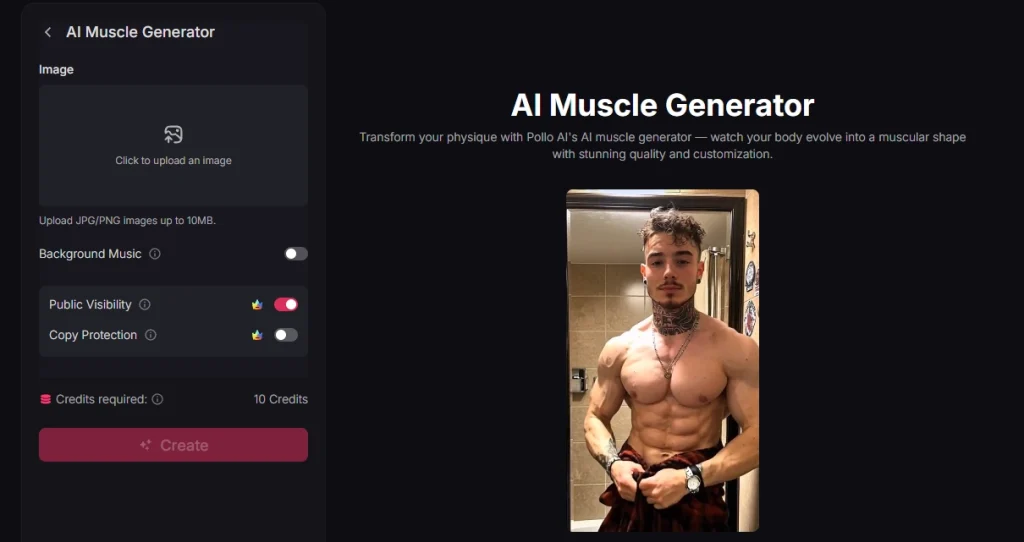
The AI generated muscle output emphasizes bold contours with lifelike definition and movement. Generation typically takes a few minutes depending on server demand. This makes it suitable for creating dramatic gym edits and high-impact transformation clips when you want an AI muscle video with extra visual punch.
3. Pixelcut
Pixelcut focuses on still-image muscle enhancement using text prompts. After uploading a photo, you describe the physique changes you want in plain language, such as “Make my biceps larger and add a defined six-pack” or “increase shoulder and chest size.” The AI interprets your prompt and applies targeted muscle definition that respects the original photo’s lighting and anatomy.
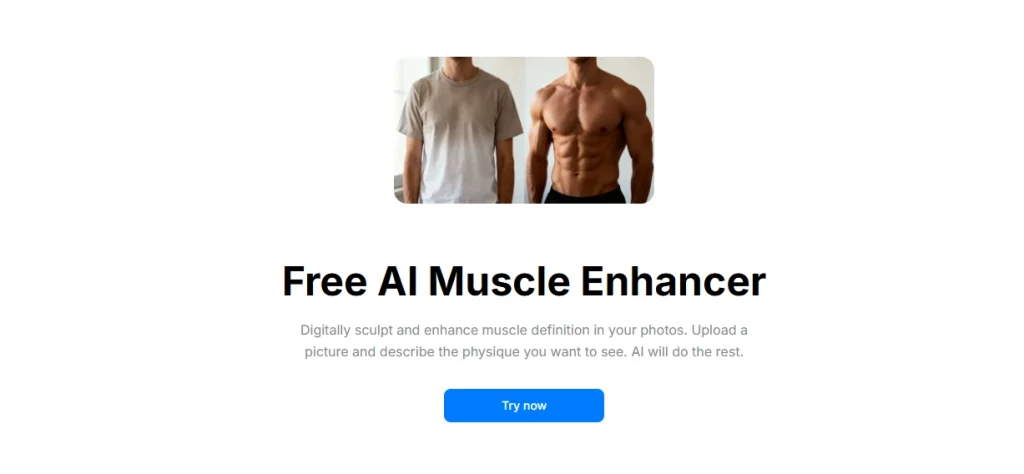
The AI generated muscle results download as high-resolution, watermark-free PNG files. This approach gives you specific control over which muscle groups to emphasize, making it useful for YouTube thumbnails, social media banners, and fitness motivation posts. If you are looking for an AI muscle filter that works on photos rather than video, Pixelcut is a solid option.
4. Logo AI
Logo AI (AiDesign) provides a free online AI muscle generator that adds realistic muscles to body photos. Upload an image and the tool adds defined abs, arms, and chest definition naturally. The platform processes images in about 2 to 3 minutes and aims for natural-looking results rather than exaggerated effects.
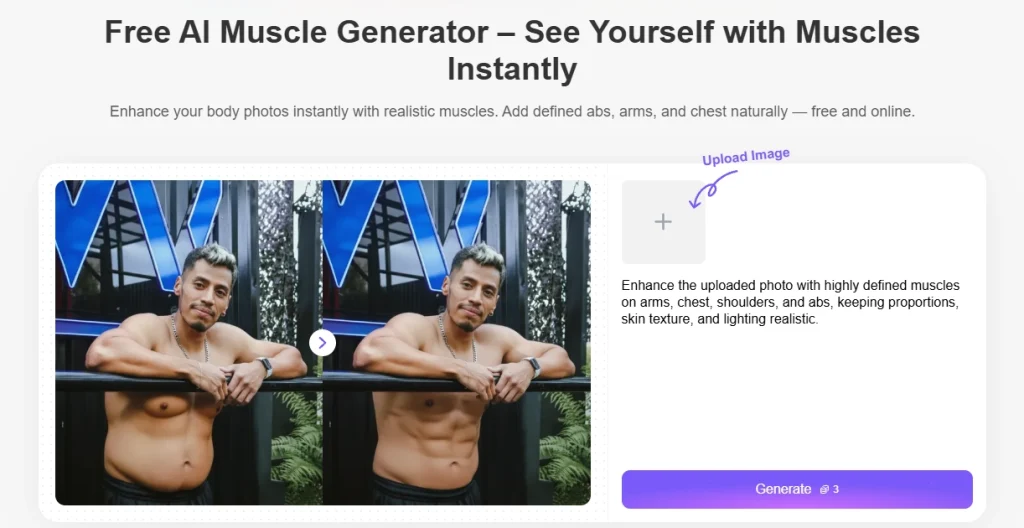
The site also links to related body transform tools like a fat generator and full body generator, which makes it useful if you want to experiment with multiple physique variations in one session.
5. Easy-Peasy AI
Easy-Peasy AI takes a different approach by generating AI muscle images from scratch rather than modifying an existing photo. You describe the physique and scene you want, and the system creates a new image that highlights muscular definition and physical detail.
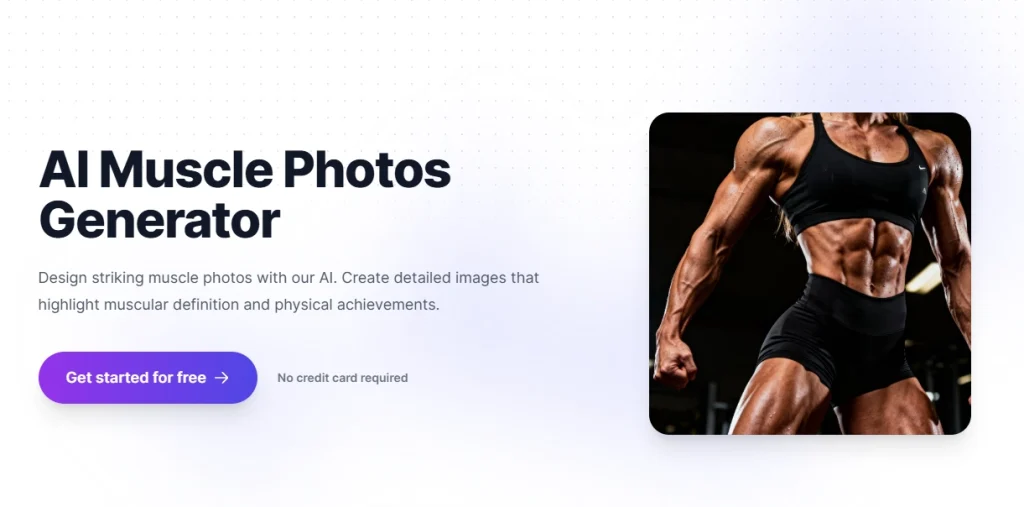
This AI generated muscle approach works well for conceptual content, blog illustrations, and creative projects where you need a muscular figure without uploading personal photos. It is free to start and requires no credit card. For those exploring AI muscle video generator options as well, Easy-Peasy AI covers the image side of the equation.
How to Create an AI Muscle Video in 3 Steps
Here is how to create an AI muscle video using Mango AI as an example. The process is straightforward and finishes in under a minute.
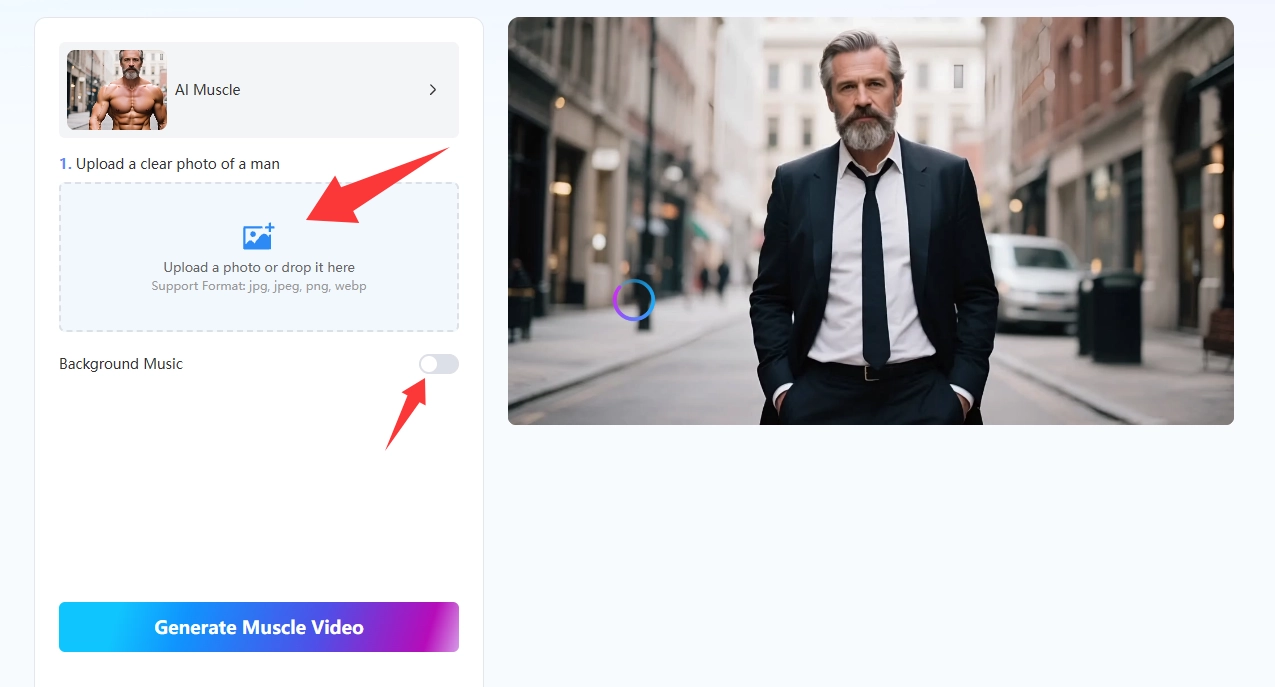
- Upload a Photo of a Man
Go to the Mango AI muscle generator page and upload a clear, front-facing photo. The AI reads the body shape and posture from your image, then maps out where to place muscle definition so it lines up with the subject’s natural proportions. JPG, PNG, and WebP files all work.
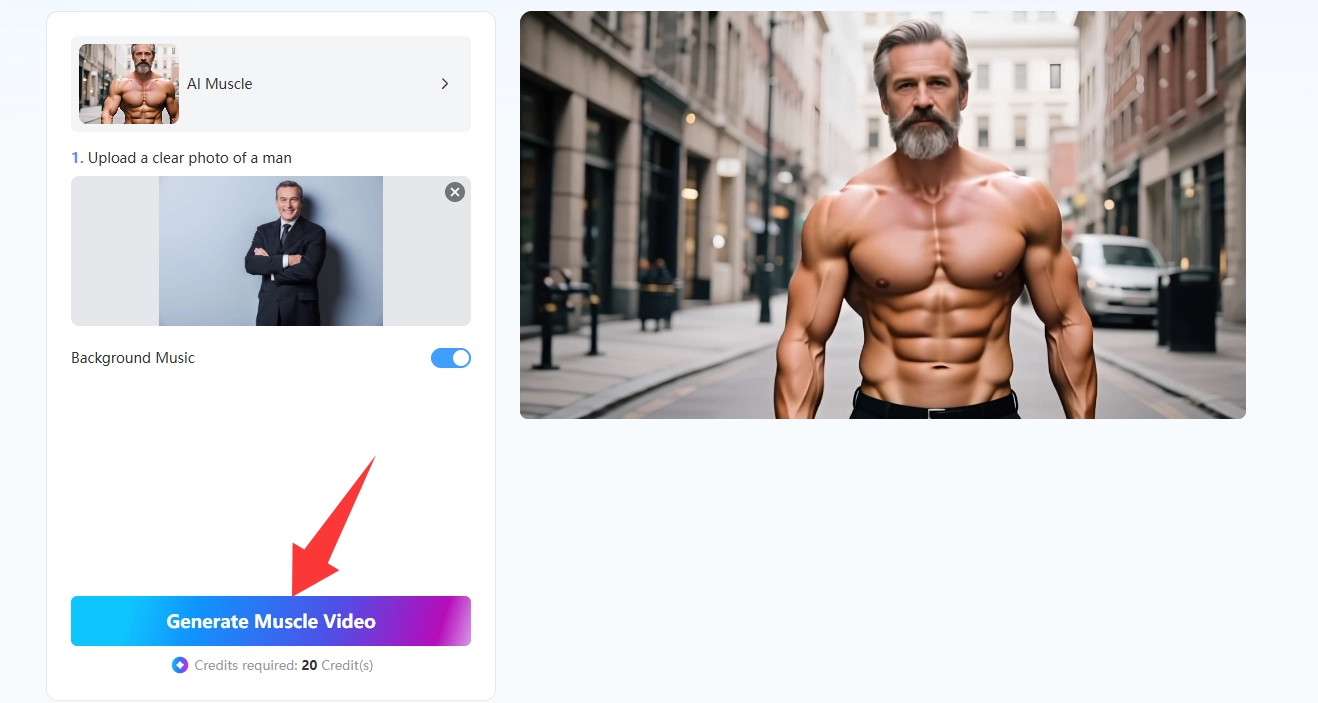
- Generate AI Muscles
Hit the “Generate Muscle Video” button and let the AI do its work. Mango AI turns your photo into an AI generated muscle transformation with realistic bulk added to the chest, arms, shoulders, and abs. The processing usually finishes within a couple of minutes, and you can preview the result before saving.
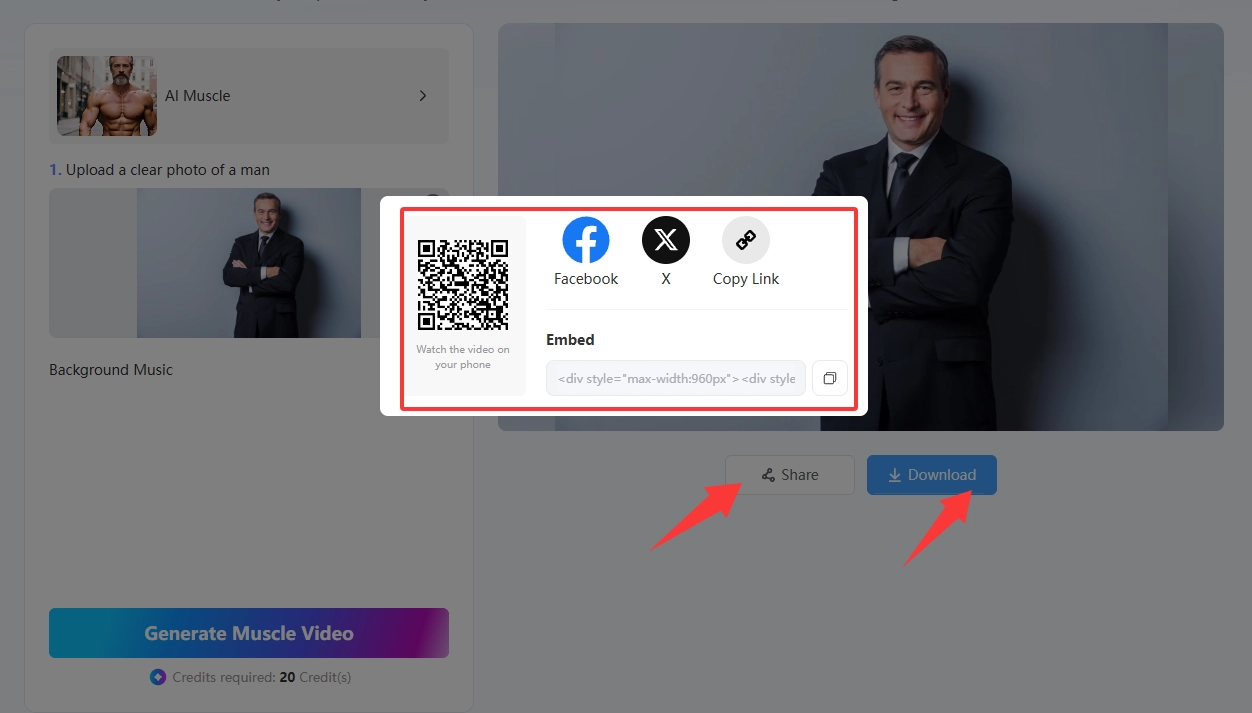
- Share Your AI Muscle Video
Once the AI muscle video is ready, download it as a high-quality MP4 file. From there you can post it directly to Facebook and X to show off the transformation. Or download it and publish on TikTok. The video is formatted for vertical social feeds, so no extra cropping or editing is needed.
Create AI Muscle Videos with Mango AI
Conclusion
AI muscle tools simplify fitness content creation by automating muscle enhancement in both video and image formats. Whether you need animated AI muscle videos for social media or AI generated muscle images for branding, these five platforms offer fast and accessible solutions.
Among all the options, Mango AI stands out as the top choice for video-based muscle transformations. It processes photos in seconds, requires no editing experience, and outputs social-media-ready MP4 files with natural-looking muscle growth. Try Mango AI’s AI muscle generator for free and create your first bodybuilding transformation video today.
Frequently Asked Questions
Mango AI is the most beginner-friendly option. You only need to upload a photo and click one button. The AI handles all body detection and muscle enhancement automatically, with no editing skills required. The final video downloads as an MP4 ready for social media sharing.
Yes. Modern AI muscle generators analyze body landmarks, proportions, and lighting from your original photo. They apply muscle definition that follows the natural contours of the body, producing results that look convincing rather than cartoonish. Using a well-lit, clear photo improves the realism.
AI muscle video tools produce animated clips showing a transformation from the original photo to a muscular version. Image enhancers generate a single enhanced photo with added muscle definition. Video tools are better for TikTok and Reels content, while image enhancers work well for thumbnails, banners, and profile pictures.
Most tools offer free tiers with basic functionality. Mango AI lets you generate AI muscle videos for free, though premium plans remove watermarks and unlock full-quality downloads. Pixelcut and Easy-Peasy AI also provide free access for basic use without requiring a credit card.