
Would you like to create an AI Earth zoom-in video? Many people are finding the value and benefit of creating AI earth zoom-in videos for their social media channels, websites, and other digital platforms. All types of audiences are drawn to these videos because they are captivating, original, and eye-catching. Once you see the first frame of the video, you cannot look away until the very end.
How the Earth Zoom In Effect Adds Excitement to Any Video
The first three seconds of a video are what determine whether someone continues to watch or if they look away. In almost every AI Earth zoom-in video, the audience will continuously watch from start to finish. Why is that?
Well, the first three seconds feature the camera quickly zooming in from Earth’s orbit all the way through the clouds down toward a particular subject on the ground. The subject could be anything featured in a photograph, such as a person, pet, object, landmark, location, or building. The choice is absolutely yours.
The fast-paced, high-quality animation from outer space to Earth’s surface is something that always brings excitement and fun to the audience. All you need to do is use an AI Earth zoom-in video generator to apply an Earth zoom-in effect to your uploaded photo. Then, in an instant, it will create an exciting AI Earth zoom-in video to share on social media and anywhere else.
Use Mango AI to Create a Video with AI Earth Zoom In Effect Free
Mango AI is the most recommended AI Earth zoom-in video generator online. It features a user-friendly interface and powerful AI technology that can quickly apply an Earth zoom-in effect to any photo within seconds. Before you know it, you will have a highly entertaining AI Earth zoom-in video that has the potential to go viral. Here are the simple steps involved in using the Mango AI Earth zoom-in video generator.
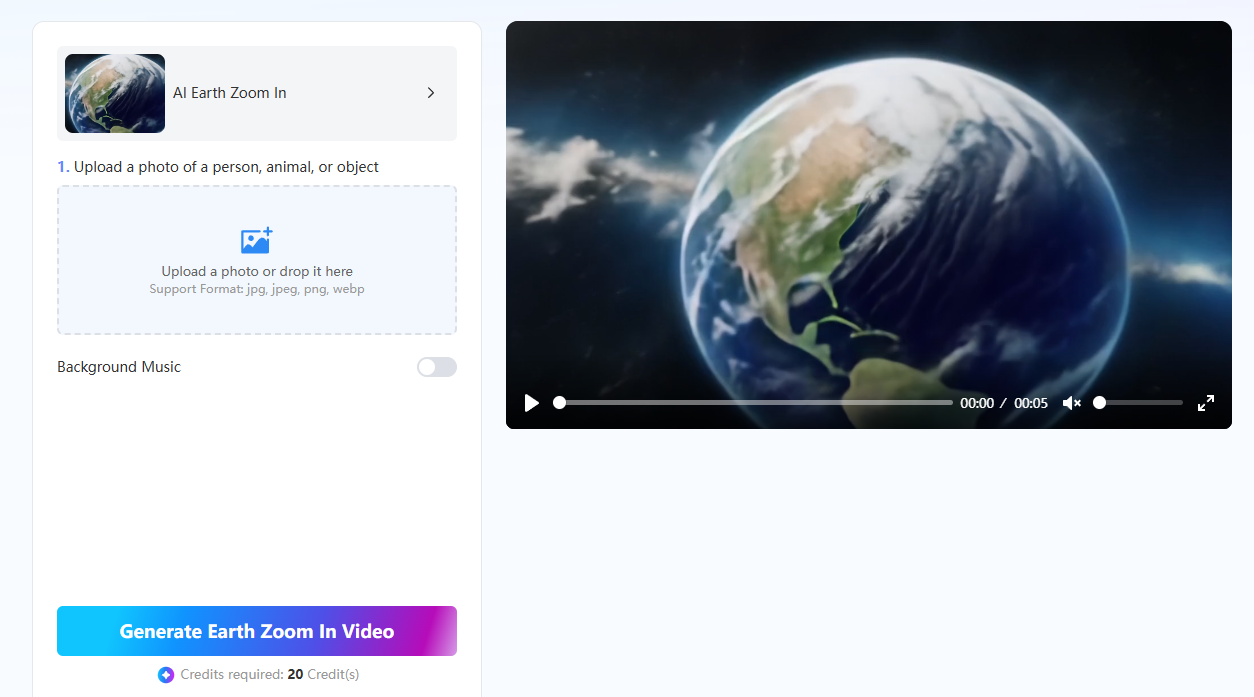
- Select Your Image
The first step is to select and upload the image of the subject for your AI Earth zoom-in video. It can be a photo of a person, animal, or object.
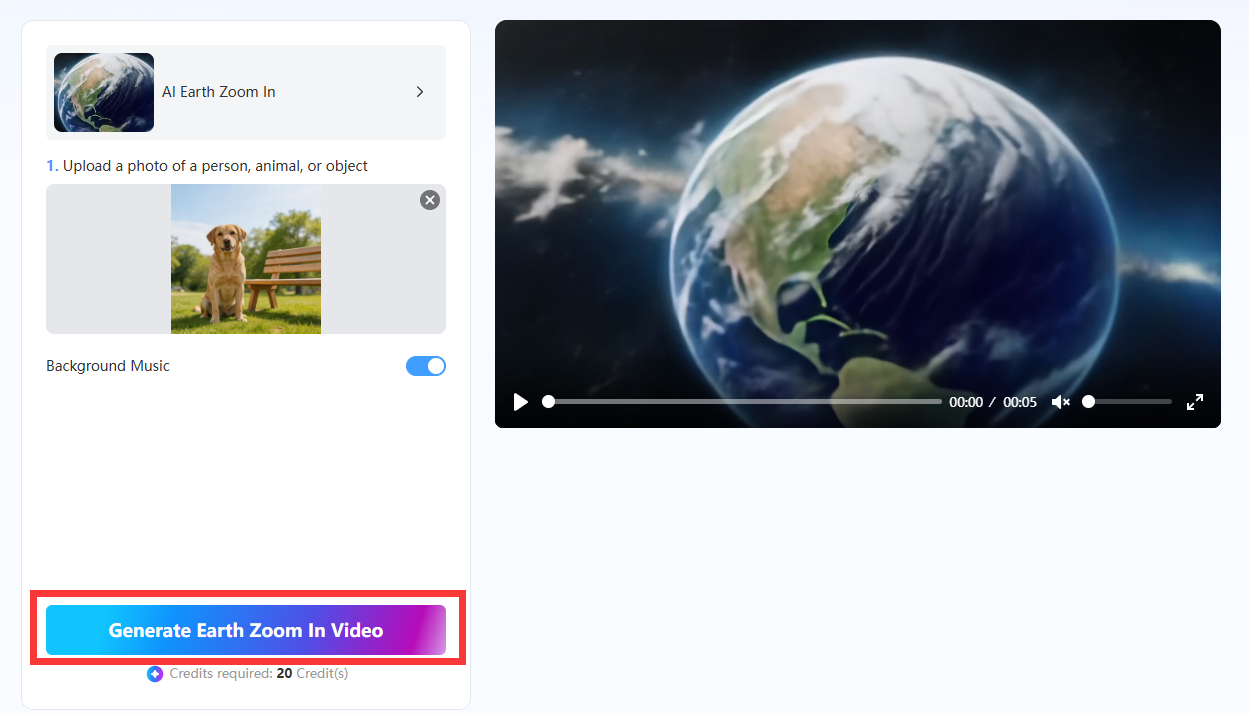
- Apply the Earth Zoom In Effect
Click the “Generate Earth Zoom In Video” button to apply the Earth zoom-in effect free template to your photo. The entire process should only take seconds.
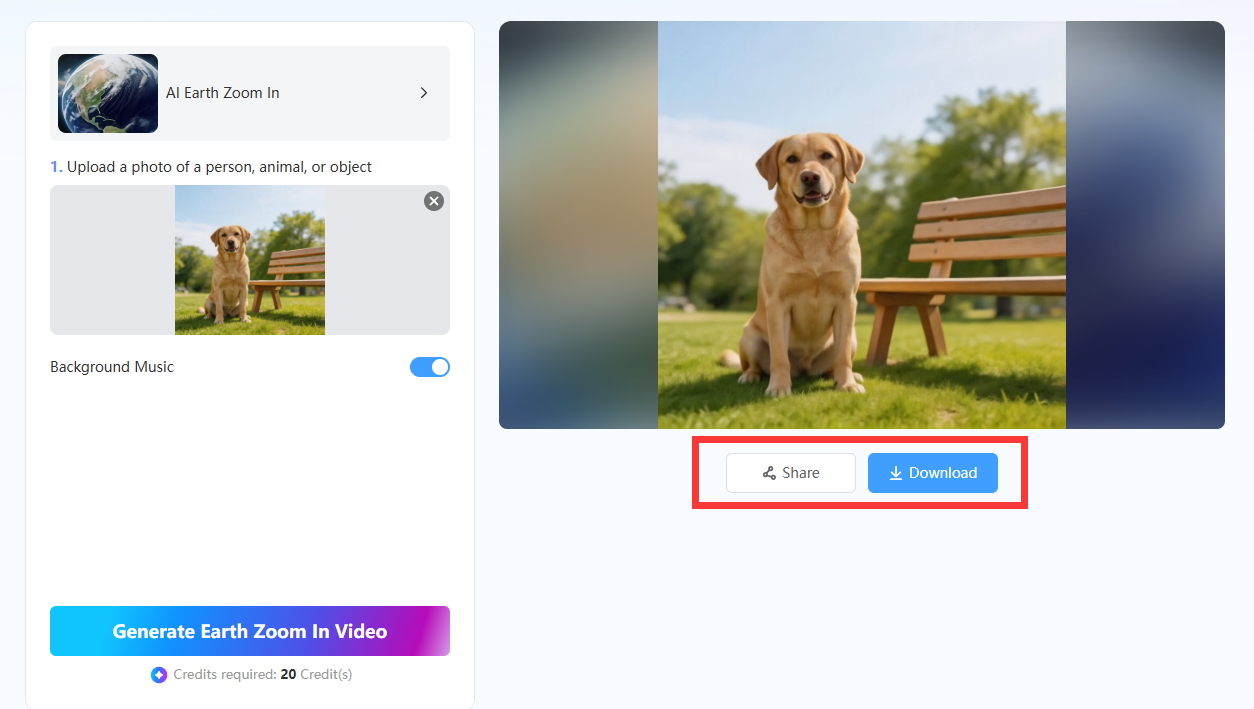
- Download Your Video
Now you can download your AI Earth zoom-in video to your computer. Share it on your social media channels and anywhere else you want to entertain people.
Best Practices for Using Earth Zoom In Effect
The AI Earth zoom-in video generator will do most of the video creation work for you. However, there are still some things that you can do to improve the outcome of the AI Earth zoom-in video generation even more.
Here are some of the best practices for how to do that below:
1. Choose High-Resolution Images
One of the best practices is to upload high-resolution images. If you can upload a photo that is at least 1080p or 4K resolution, it will give you the best possible video quality. A clear, high-resolution photo will translate into a clear, high-resolution video. Avoid blurry, low-quality images because they won’t give you good results.
2. Avoid Cluttered Images
It is better to upload images containing a clear focal point of the subject without any distractions or clutter around them. In other words, upload a photo with a clear frontal visual of a person, building, or animal with a minimal background and nothing else around them. If the subject remains the focal point, it will be featured well in the AI Earth zoom-in video.
3. Combine with Sound Effects or Music
Don’t forget that Mango AI lets you choose a background music option. If you select this option, the AI will automatically generate background music for your AI Earth zoom-in video. It helps to combine music or sound effects with your video to enhance its entertainment quality for the audience.
4. Consider the Aspect Ratio
Figure out where you are going to post your video. Is it going to be on YouTube, a social media channel, or your personal website? Once you know this, you can choose an aspect ratio that will make the video appear in the best quality for the platform where it is being published.
5. Match the Effect to the Video’s Theme
Apply an Earth zoom-in effect that matches the video’s theme. For instance, the AI Earth zoom-in video effects work best for videos depicting travel, real estate, or action-related themes. Since the camera zoom-in animation is fast-paced and involves the entire Earth, these themes are the most relevant to the AI Earth zoom-in effect.
Conclusion
An AI Earth zoom-in video generator is a powerful tool that can create entertaining AI Earth zoom-in videos online for free. Mango AI is the most popular option because it can easily create stunning Earth zoom-in videos quickly and professionally. You don’t need any special skills or experience to operate it. All you need is a good photo and an audience to share your video with.
Transform Photos into Stunning Zoom-from-Space Videos with Mango AI