
क्या आप किसी स्थिर तस्वीर को एक ऐसे हिलते-डुलते वीडियो क्लिप में बदलना चाहते हैं जो स्क्रॉल को रोक दे? एक जिंगल एआई जनरेटर यही काम करता है। एक तस्वीर अपलोड करें, एआई को शरीर की बनावट पहचानने दें, और आपको एक छोटा एनिमेटेड क्लिप मिलेगा जिसमें वास्तविक उछाल भौतिकी अपने आप लागू हो जाएगी। फ्रेम-दर-फ्रेम एडिटिंग की ज़रूरत नहीं, मोशन ग्राफिक्स कौशल की ज़रूरत नहीं, महंगे सॉफ़्टवेयर की ज़रूरत नहीं। पूरी प्रक्रिया में कुछ ही सेकंड लगते हैं।
ये उपकरण एक ही छवि से शरीर की संरचना का मानचित्रण करके और विशिष्ट क्षेत्रों पर भौतिकी-आधारित गति का अनुकरण करके काम करते हैं। आउटपुट एक तैयार MP4 फ़ाइल होती है जिसे आप सीधे TikTok, Instagram Reels या YouTube Shorts में डाल सकते हैं। यदि आप खोज रहे हैं एआई जiggle पहली बार, इस सूची में नौ ऐसे प्लेटफॉर्म शामिल हैं जो एनीमेशन को अलग-अलग तरीके से संभालते हैं।
9 Best Jiggle AI Generators to Make Realistic Jiggling Videos Online
1. Mango AI
मैंगो एआई एक समर्पित सेवा प्रदान करता है। एआई जिगल जनरेटर यह एनिमेशन विशेष रूप से एक ही फोटो से सहज और स्वाभाविक दिखने वाले बाउंस एनिमेशन बनाने के लिए बनाया गया है। पूरे शरीर या आधे शरीर की तस्वीर अपलोड करें, और सिस्टम गति लागू करने से पहले शरीर की मुद्रा, अनुपात और स्पष्ट आकृति का विश्लेषण करेगा। एनिमेशन इंजन अतिरंजित विकृति के बजाय यथार्थवादी समय को प्राथमिकता देता है, इसलिए आउटपुट में पूरे समय शरीर के उचित अनुपात बने रहते हैं।
इस जिंगल एआई को अन्य विकल्पों से अलग बनाने वाली बात इसकी प्रोसेसिंग स्पीड और आउटपुट क्वालिटी का बेहतरीन मेल है। बिना फिजिक्स पैरामीटर कॉन्फ़िगर किए या शरीर के हिस्सों को मैन्युअल रूप से चुने, आपको कुछ ही सेकंड में एक शानदार MP4 फ़ाइल मिल जाती है। यह टूल एक ही बार में डिटेक्शन और एनिमेशन का काम कर देता है। यह JPG, PNG और WebP अपलोड को सपोर्ट करता है, और एक्सपोर्ट किया गया वीडियो पहले से ही सोशल मीडिया प्लेटफॉर्म के लिए उपयुक्त साइज़ का होता है। अगर आपने गले लगने या किस करने जैसे इफेक्ट्स के लिए Mango AI पर अन्य AI वीडियो जेनरेटर आज़माए हैं, या फिर कोई वीडियो बनाया है, तो यह टूल आपके लिए बेहतरीन विकल्प साबित होगा। उड़ान वीडियो इस प्लेटफॉर्म के साथ, जिगल वर्कफ़्लो उसी सरल अपलोड-और-निर्यात पैटर्न का अनुसरण करता है।
2. DreamShootAI
DreamShootAI सूक्ष्म यथार्थवाद के बजाय नाटकीय गति पर ज़ोर देता है। यह जिंगल AI जनरेटर तीव्र उछाल प्रभाव और तेज़ समयबद्ध बदलाव लागू करता है, जिससे देखने में आकर्षक परिणाम मिलते हैं जो तुरंत ध्यान खींचते हैं। उपयोगकर्ता प्रोसेसिंग से पहले तीव्रता के विभिन्न स्तर चुन सकते हैं, इसलिए आप तय कर सकते हैं कि क्लिप हल्की रहे या पूरी तरह से ध्यान खींचने वाली हो। यदि आप ऐसा कंटेंट चाहते हैं जो स्क्रॉल करते-करते रुक जाए और जिसमें ज़बरदस्त उछाल हो, तो यह टूल आपको वह ऊर्जा प्रदान करता है।
3. AIReel
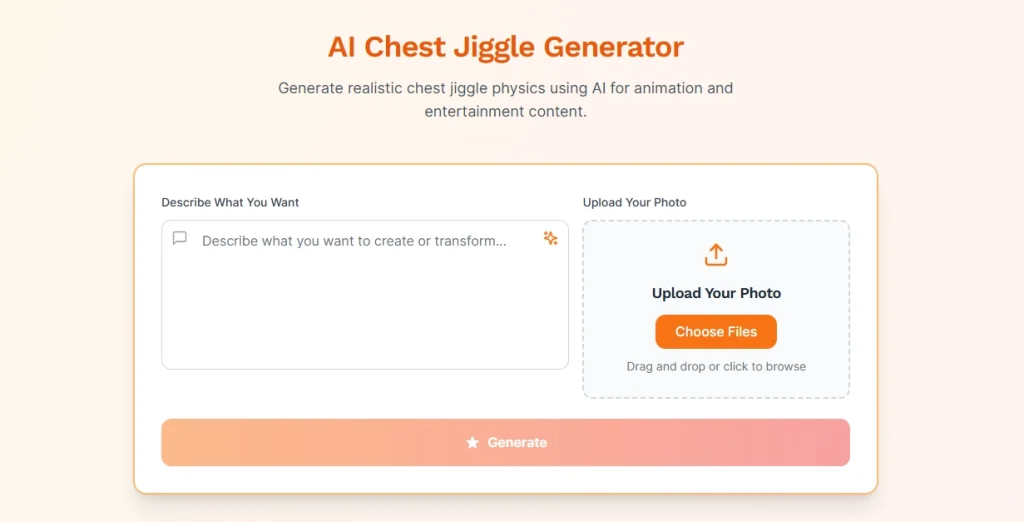
AIReel टेक्स्ट प्रॉम्प्ट और इमेज अपलोड दोनों के साथ काम करता है, जो इसे अधिकांश जिंगल AI टूल्स की तुलना में अधिक लचीलापन प्रदान करता है। एक निश्चित बाउंस एनीमेशन लागू करने के बजाय, सिस्टम आपके विवरण के आधार पर गति उत्पन्न करता है। आप स्टाइल को आकार दे सकते हैं, बाउंस की तीव्रता और लय को समायोजित कर सकते हैं, या अंतर्निहित जिंगल प्रीसेट से शुरुआत करके उसमें बदलाव कर सकते हैं। सहेजे गए प्रोजेक्ट आपको प्रॉम्प्ट को परिष्कृत करने और हर बार नए सिरे से शुरू किए बिना विभिन्नताओं के साथ प्रयोग करने की सुविधा देते हैं।
4. VideoPlus.ai
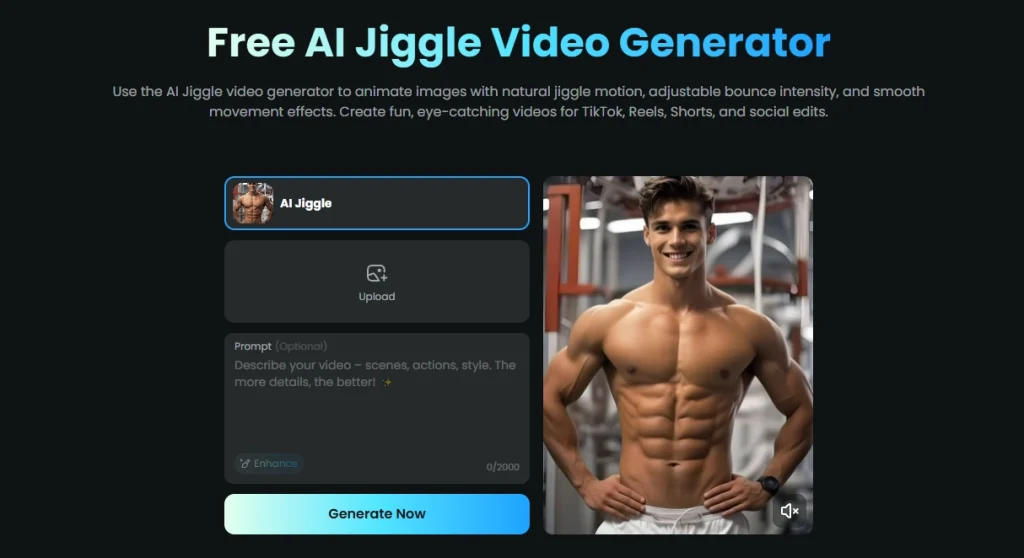
VideoPlus.ai स्पीड को ध्यान में रखकर बनाया गया है। एक प्रीसेट एनिमेशन स्टाइल चुनें, अपनी इमेज अपलोड करें और लगभग तुरंत ही एक जिंगल AI क्लिप प्राप्त करें। अन्य टूल्स की तुलना में कस्टमाइज़ेशन विकल्प सीमित हैं, लेकिन प्रोसेसिंग का समय काफी कम है। अगर आप बैच में कंटेंट बनाते हैं और आपको जल्दी परिणाम चाहिए, तो यह आपके लिए बेहतरीन विकल्प है। झिलमिलाहट प्रभाव गति संबंधी सूक्ष्म समायोजनों पर समय खर्च किए बिना, यह काम को बखूबी अंजाम देता है।
5. AISora2
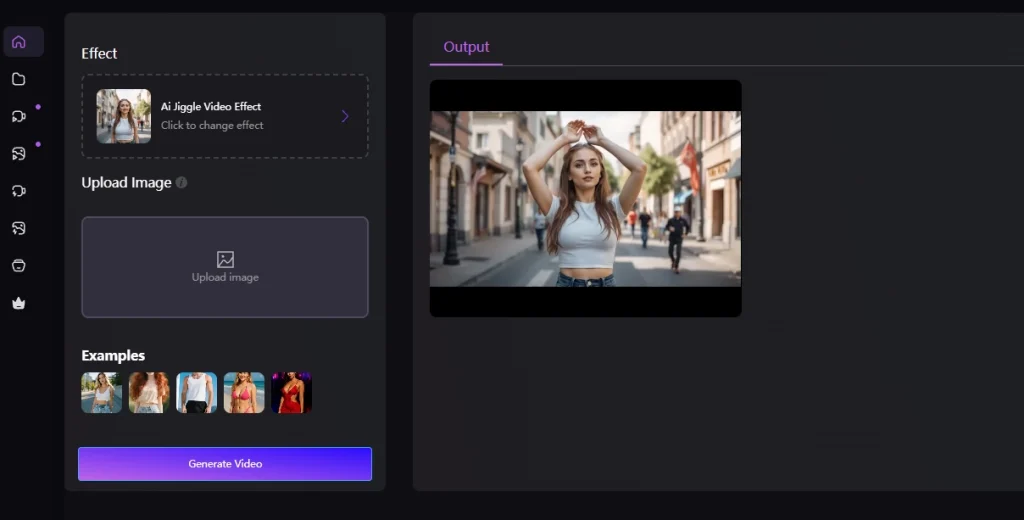
AISora2, जिंगल AI क्लिप बनाने के लिए इमेज-टू-वीडियो और टेक्स्ट-टू-वीडियो दोनों वर्कफ़्लो को सपोर्ट करता है। एक फ़ोटो अपलोड करें या अपनी इच्छानुसार मोशन प्रॉम्प्ट टाइप करें, और यह टूल बिना वॉटरमार्क के एक HD वीडियो तैयार कर देगा। यह कई तरह के जिंगल स्टाइल प्रदान करता है, जिनमें हल्के उछाल से लेकर ऊर्जावान डांस मूवमेंट तक शामिल हैं। प्रोसेसिंग तेज़ है और पूरी तरह से ब्राउज़र में चलती है। अगर आप जल्दी से कुछ बनाना चाहते हैं, तो यह टूल आपके लिए उपयुक्त है। स्तन उछालने का वीडियो बिना कोई सॉफ्टवेयर डाउनलोड किए, AISora2 इसे शुरू से अंत तक ऑनलाइन ही संभाल लेता है।
6. Glima AI
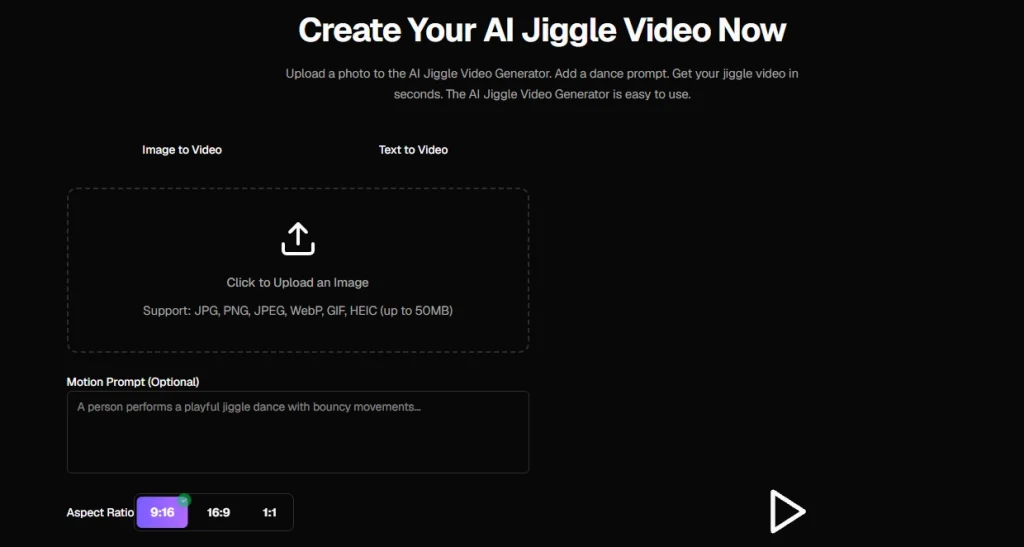
ग्लिमा एआई आपको मोशन आउटपुट पर पूरा नियंत्रण प्रदान करने पर केंद्रित है। फ़ोटो अपलोड करने के बाद, आप जनरेट करने से पहले मूवमेंट की तीव्रता, एनिमेशन की गति और स्टाइल को समायोजित कर सकते हैं। इसका परिणाम सहज, स्वाभाविक दिखने वाला बॉडी मोशन होता है जो वास्तविक समय का अनुसरण करता है। यह जiggle एआई टूल उन क्रिएटर्स के लिए उपयोगी है जो अंतिम क्लिप में उछाल की मात्रा को बारीकी से नियंत्रित करना चाहते हैं, न कि एक निश्चित परिणाम को स्वीकार करना चाहते हैं। आउटपुट रील्स, मीम्स और सोशल कंटेंट के लिए अनुकूलित है।
7. GoEnhance
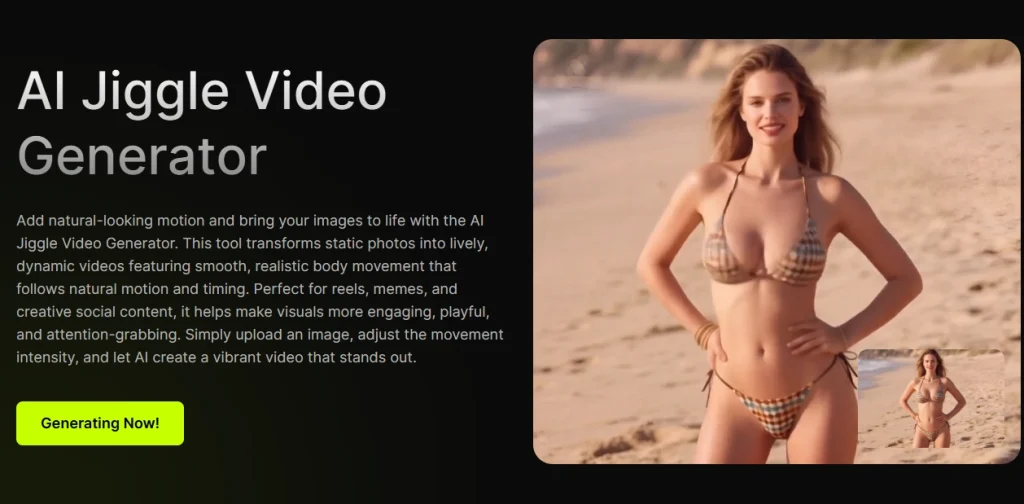
GoEnhance आउटपुट की स्पष्टता पर सबसे ज़्यादा ध्यान देता है। उछाल की तीव्रता बढ़ाने के बजाय, यह फ़्रेमों के बीच धुंधलापन रोकने के लिए फ़्रेम इंटरपोलेशन को परिष्कृत करता है। जिगल AI एनिमेशन HD एक्सपोर्ट में भी नियंत्रित और स्पष्ट रहता है। जो क्रिएटर बिना ज़्यादा गति के पॉलिश किए हुए, पेशेवर दिखने वाले परिणाम चाहते हैं, वे यहाँ संयम की सराहना करेंगे। कुछ लोग जिस तरह से इसका उपयोग करते हैं, उसी तरह GoEnhance भी करता है। एचडी वीडियो क्लिप के लिए एआई उपकरणGoEnhance नाटकीय प्रभावों की तुलना में दृश्य गुणवत्ता को प्राथमिकता देता है।
8. AnimateMyPic
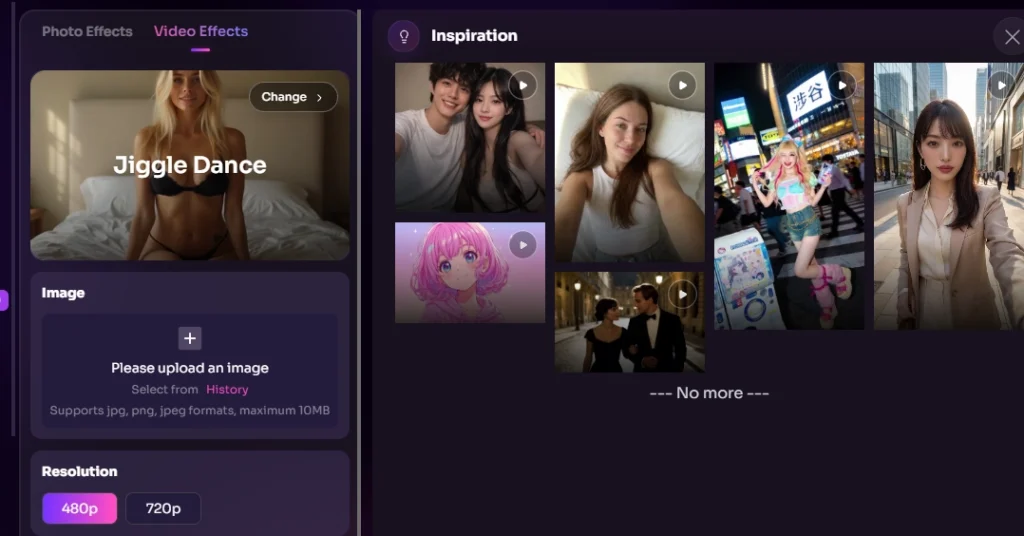
AnimateMyPic, जiggle इफेक्ट्स उत्पन्न करते समय गुरुत्वाकर्षण, त्वरण और शरीर की गति को ध्यान में रखते हुए भौतिकी-आधारित सिमुलेशन का उपयोग करता है। यह विभिन्न प्रकार के कपड़ों को भी सपोर्ट करता है, जिससे यह एडजस्ट हो जाता है कि सब्जेक्ट ने टाइट स्पोर्ट्सवियर पहना है या ढीले कपड़े, उसके अनुसार बाउंस कैसा दिखेगा। रेंडरिंग से पहले आप इंटेंसिटी, वेट और रिस्पॉन्सिवनेस को कस्टमाइज़ कर सकते हैं। यह टूल अल्फा चैनल सपोर्ट के साथ 4K रिज़ॉल्यूशन तक एक्सपोर्ट करता है, जिससे यह Premiere या After Effects में क्लिप कंपोज़िट करने वाले क्रिएटर्स के लिए उपयोगी है। एआई जिगल जनरेटर यह टूल भौतिकी मापदंडों पर सबसे अधिक नियंत्रण प्रदान करता है।
9. PXZ.AI
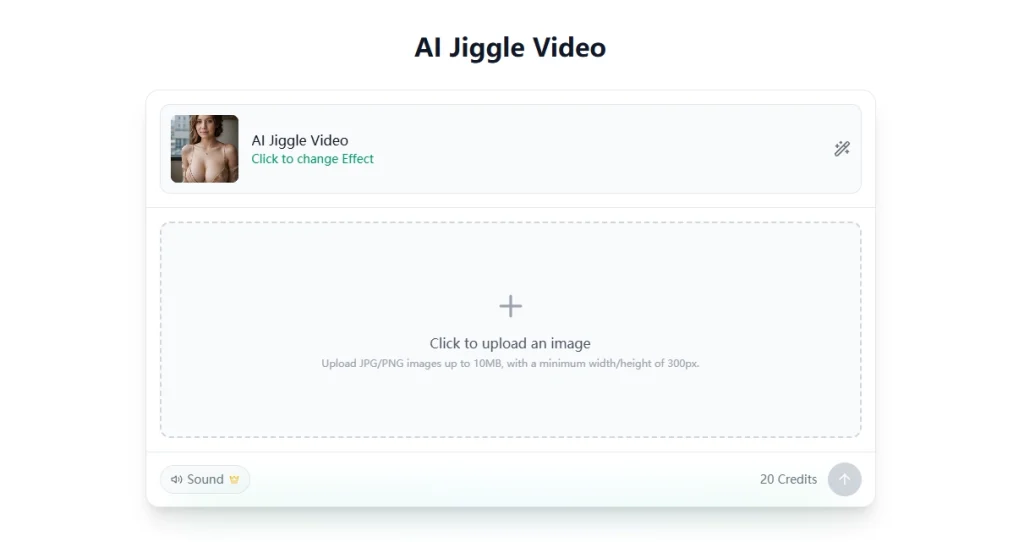
PXZ.AI किसी भी गति को लागू करने से पहले शरीर की संरचना का मानचित्रण करने के लिए कंकाल मुद्रा ट्रैकिंग का उपयोग करता है। यह पहचान विधि एनीमेशन के दौरान अप्राकृतिक खिंचाव को कम करती है क्योंकि जिंगल AI जनरेटर जोड़ों की स्थिति को समझता है। यह गति की तीव्रता बढ़ने पर भी शरीर के अनुपात को स्थिर बनाए रखता है। यदि आपकी स्रोत छवियों में जटिल मुद्राएँ या असामान्य कोण शामिल हैं, तो यह उपकरण सरल क्षेत्र-पहचान विधियों की तुलना में उन्हें बेहतर ढंग से संभालता है।
Conclusion
इस सूची में मौजूद प्रत्येक जिगल एआई जनरेटर एनीमेशन को अलग-अलग तरीके से हैंडल करता है। कुछ गति को प्राथमिकता देते हैं, जबकि अन्य आउटपुट की स्पष्टता या समायोज्य तीव्रता पर ध्यान केंद्रित करते हैं। चाहे आपको सूक्ष्म एनीमेशन चाहिए हो या नहीं। एआई उछलते स्तन चाहे क्लिप हो या नाटकीय फुल-बॉडी मोशन, Mango AI उन क्रिएटर्स के लिए सबसे बेहतरीन विकल्प है जो बिना किसी सेटिंग के रियलिस्टिक बाउंस फिजिक्स चाहते हैं। एक फोटो अपलोड करें और कुछ ही सेकंड में सोशल मीडिया पर शेयर करने लायक वीडियो पाएं। और भी दमदार इफेक्ट्स के लिए, DreamShootAI और AnimateMyPic मोशन स्ट्रेंथ पर ज़्यादा कंट्रोल देते हैं। अपनी कंटेंट स्टाइल के हिसाब से जिंगल AI टूल चुनें, कुछ इमेज पर टेस्ट करें और पोस्ट करना शुरू करें।
Mango AI के साथ दिलचस्प जिंगल वीडियो बनाएं
Frequently Asked Questions
जिगल एआई जनरेटर एक ऐसा टूल है जो एक स्थिर छवि लेता है और शरीर के विशिष्ट हिस्सों पर भौतिकी-आधारित उछाल एनीमेशन लागू करता है। यह आकृति और अनुपात का पता लगाने के लिए एआई का उपयोग करता है, फिर एक छोटा वीडियो क्लिप बनाने के लिए प्राकृतिक गति का अनुकरण करता है। इसमें मैन्युअल फ्रेम संपादन की आवश्यकता नहीं होती है।
नहीं। ज़्यादातर जिगल एआई जनरेटर एक सरल अपलोड-और-एक्सपोर्ट प्रक्रिया पर काम करते हैं। आप एक फ़ोटो देते हैं, एआई अपने आप बॉडी डिटेक्शन और मोशन सिमुलेशन करता है, और आप तैयार एमपी4 फ़ाइल डाउनलोड कर लेते हैं। मैंगो एआई जैसे टूल में इमेज चुनने के अलावा किसी कॉन्फ़िगरेशन की ज़रूरत नहीं होती।
JPG, PNG और WebP फॉर्मेट जिगल AI प्लेटफॉर्म पर व्यापक रूप से समर्थित हैं। सर्वोत्तम परिणामों के लिए, स्पष्ट तस्वीरें इस्तेमाल करें जिनमें शरीर की आकृति स्पष्ट दिखाई दे और रोशनी अच्छी हो। सामने से ली गई या थोड़ी झुकी हुई मुद्राओं वाली तस्वीरें, कटी-फटी या कम रिज़ॉल्यूशन वाली तस्वीरों की तुलना में अधिक सहज एनिमेशन उत्पन्न करती हैं।
जी हां। ये टूल TikTok, Instagram Reels और YouTube Shorts के लिए MP4 फॉर्मेट में वीडियो एक्सपोर्ट करते हैं। आउटपुट रेज़ोल्यूशन और आस्पेक्ट रेशियो आमतौर पर मोबाइल पर वर्टिकल व्यूइंग के लिए ऑप्टिमाइज़ किए जाते हैं, इसलिए आप बिना किसी अतिरिक्त एडिटिंग के सीधे अपने पसंदीदा प्लेटफॉर्म पर अपलोड कर सकते हैं।