
Ever dreamed of soaring above the clouds like a superhero or gliding through a futuristic skyline without the need for a green screen or expensive stunt wires? That dream is just an app away. The “AI Flying” trend has taken social media by storm, turning ordinary vacation photos and portraits into cinematic videos that capture the pure magic of flight. In this guide, we’ve curated the 5 best “Make Yourself Fly” apps that combine ease of use with stunning visual output, helping you transform static images into impressive flying videos in seconds.
What Makes the Best AI Flying Video Generator
Choosing the best AI flying video generator for cinematic storytelling starts with understanding what sets top tools apart. You want your AI flying video to look stunning and feel authentic, so focus on these essential criteria.
1. AI Quality & Realism
Lifelike visuals and smooth animation are essential for cinematic storytelling. The best AI flying video generator may use advanced models like Veo 3.1 or Seedance 1.5 Pro, which deliver naturally cinematic footage and realistic physics. High-resolution output and seamless camera movement make your flying video generator stand out for visual storytelling.
2. Ease of Use
A Make Yourself Fly app should be as effortless as it is exciting. With an intuitive interface that requires zero technical skills, you can transform a simple photo into an impressive AI flying video in just a few taps. Beyond creativity, these tools deliver fast rendering and a streamlined workflow that saves you time.
Quick setup and instant results help you share your creations faster.
Non-technical users benefit from clear navigation and helpful prompts.
3. Customization & Output
Customization powers your storytelling. The top AI flying video generator may include flexible options for background music, private sharing, high-quality output, and versatile export options.
4. Price & Value
The best AI flying video generator should offer free trials, affordable plans, and premium features. Stability, technical support, and user feedback ensure you get the most out of your chosen AI video generator.
Top 5 AI Tools to Turn Your Photos into Realistic AI Flying Videos
1. Mango AI Flying Generator
Mango AI, an all-in-one AI video generation platform, stands out as the best AI video generator for transforming your photos into dynamic scenes where you appear to fly. This AI flying video generator uses advanced technology to create smooth, natural motion and lifelike animation. Mango AI also offers a suite of creative effects, including AI kissing, AI jiggle, AI hug, and AI bikini. You can even try features like Talking Photo, Avatar Dialogue, and Video Translator for more engaging content.
Key Features:
- Transforms still images into realistic flying animations.
- Recognizes individuals, crops backgrounds, and adds flight movement.
- Enables background music integration.
- Supports creative effects such as AI kissing, AI twerk, and more.
- Cloud-based platform for easy video sharing via URL.
- Reference to Video features helps generate a consistent video from reference images.
How to Create AI Flying Videos with Mango AI
Start by uploading a clear, full-body photo of yourself, be it in JPG, JPEG, PNG, or WebP format. Mango AI’s advanced algorithms automatically detect your figure and isolate it from the background. Then it applies dynamic AI flying effects, seamlessly animating your body to simulate lifelike flight. You will get the flying video in seconds, and have the option to share it online with its URL, QR code, or embed code, or directly post it on Facebook and X.
Pricing Overview
Mango AI offers a flexible pricing structure with a Free plan (180 credits) and paid tiers—Starter ($12.90/mo), Pro ($19.90/mo), and Enterprise ($99/mo)—with annual billing providing up to 50% off. The video generation is managed through a credit-based system that deducts credits based on your usage.
Best For
- Creating viral flying videos for social media
- Startups that need affordable, creative content
- Experimenting with AI talking avatar content for business
Create Cinematic Flying Videos with Mango AI
2. Media.io AI Flight Video Generator
Media.io AI Flight Video Generator stands out as a versatile choice for anyone who needs high-resolution AI flying video results. The intuitive, web-based tool designed to animate static portraits into cinematic flight sequences, allowing anyone to “take flight” without the need for expensive drones or complex green-screen setups.
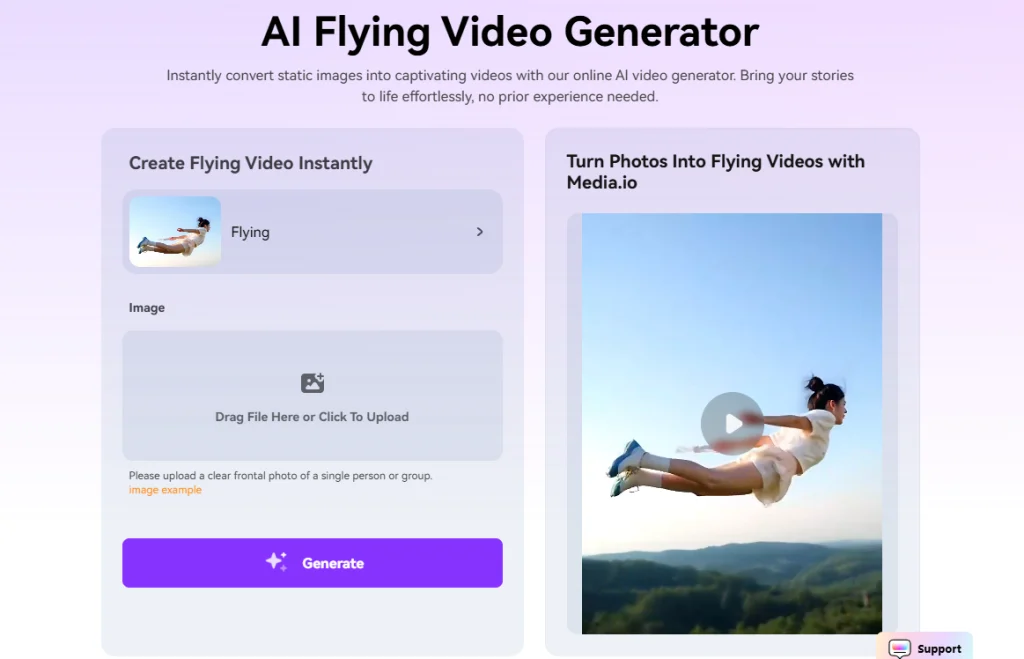
Key Features:
- AI Effects for both video and images.
- Automatically isolates subjects to create seamless, realistic motion effects.
- Supports high-quality vertical video export for TikTok and Instagram Reels.
- Generates unique flight scenarios by describing your desired adventure.
How to Use Media.io to Make Yourself Fly
Upload a clear, full-body or half-body portrait, and generate the video in minutes. You can also generate AI flying videos with its image to video tool by uploading a photo and describing your desired flying scene.
Pricing Overview
Media.io operates on a freemium, credit-based system. New users can get started with a Free Plan that includes basic credits to test the generator. For professional, watermark-free results and higher resolutions, paid plans typically start at $9.99/month (billed annually) or through Credit Packs starting at approximately $11.99 for 100 credits, allowing you to pay only for what you create.
Best For
- Social media creators who are looking to jump on viral “helicopter escape” or “superhero flight” trends.
- For those who want to add a touch of magic or fantasy to their personal digital albums.
3. Pollo AI Flying Video Generator
Push creative boundaries with Pollo AI flying video generator! It gives you unmatched flexibility by integrating multiple AI engines, letting you experiment with diverse styles and effects. You can animate your character across scenes, transform videos into anime or comic art, and automate soundtracks for a complete cinematic experience. This platform stands out as the best AI video generator for users who crave artistic control and variety.
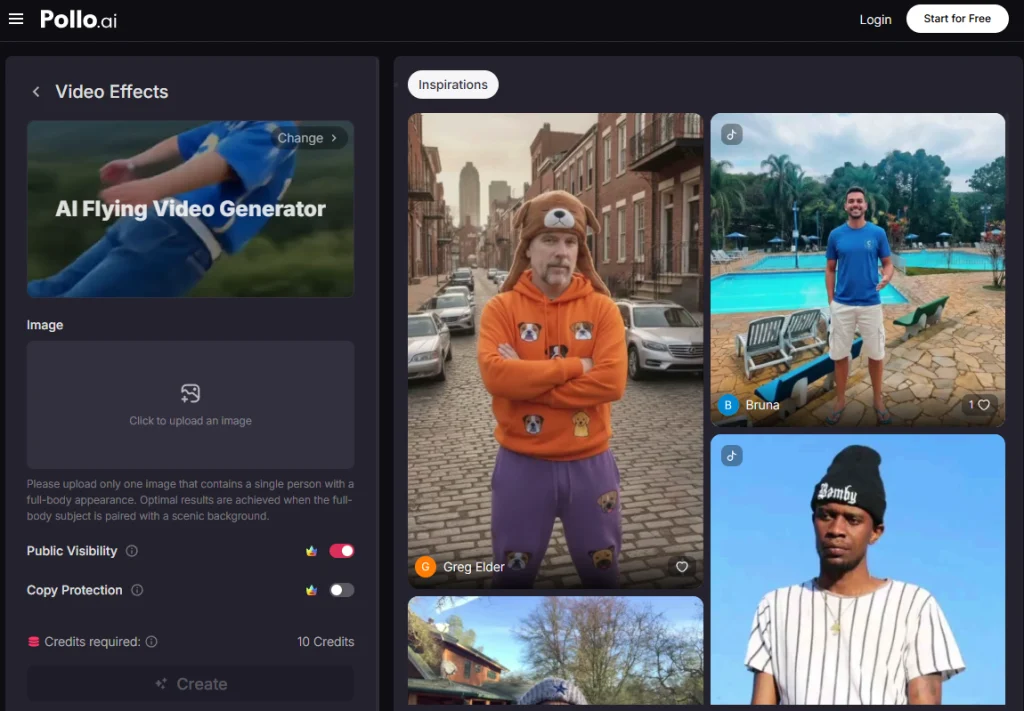
Key Features:
- Advanced algorithms ensure your body movements look fluid and natural.
- Every flying sequence is processed with crisp, cinematic visual clarity.
- Integrates multiple AI models to give you more creativity in video creation.
How to Use Pollo AI to Create Flying Videos
Start by selecting a clear, well-lit photo of yourself and uploading it to the platform. Enable public visibility and copy protection if needed. Tap the “Create” button to start AI flying video generation. You can preview the flying video and download it for sharing on social media or campaigns.
Pricing Overview
Pollo AI utilizes a subscription-based model that operates on a credit system. Users can explore the tool with a limited Free Plan with 20 credits to test its capabilities. For those needing more volume and higher resolution, paid tiers typically start at $23.2 per month (billed monthly), providing a monthly allowance of credits that are deducted as you generate and export your videos.
Best For
- Experimenting with creative or surreal flying videos.
- Influencers who want to stand out with gravity-defying viral clips.
4. YouCam AI Video Generator
YouCam AI Video Generator gives you the power to create viral flying videos with ease. You can turn simple photos into dynamic clips that grab attention on social media. YouCam stands out with its intuitive design and flexible editing options, making it a favorite for users who want quick results without a steep learning curve.
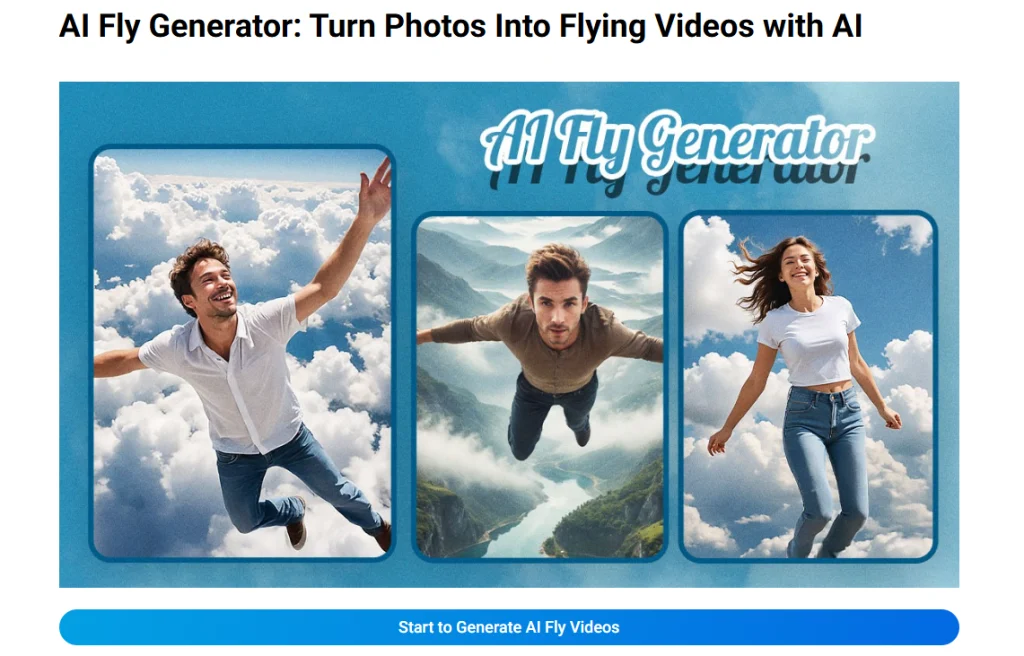
Key Features:
- Drag-and-drop interface for fast video creation
- AI-powered enhancement for crisp visuals
- High-fidelity visual output that maintain your photo’s original detail.
YouCam receives praise for its simplicity and output quality. Users report that you can understand the platform quickly and produce high-quality results. However, you may notice some limitations in features and slower processing speeds.
How to Use YouCam AI Flying Maker
Two ways to create AI flying videos with YouCam.
- Upload your photo –> Select AI model –> Enter a prompt to describe what you want –> Enter nagative prompt to inform AI not to generate content you don’t want to –> Adjust the slider to control how well the generated video matches the prompts –> Choose the video duration, 5 seconds or 10 seconds –> Click to generate
- Upload your photo –> Select a template –> Click to generate
Pricing Overview
YouCam operates on a freemium model using a credit-based system. You can sign up for the platform to get free credits and access basic trials. Premium features require subscription plans or credit packs, starting around $77.49 per month(billed monthly). Unused credits can be rolled over to the next month.
Best For
- Perfect for creating eye-catching, magical content for Instagram Stories or Pinterest Pins.
- Ideal for users who prefer editing on-the-go without needing a desktop setup.
5. Somake AI Flying Video Maker
Somake offers a specialized AI flying video generator that is both powerful and accessible. This platform excels at taking static photos and injecting them with cinematic motion, allowing you to soar through clouds or hover in magical environments. It’s designed to bridge the gap between simple photo editing and complex visual effects, making the “Make Yourself Fly” trend available to everyone with a single click.
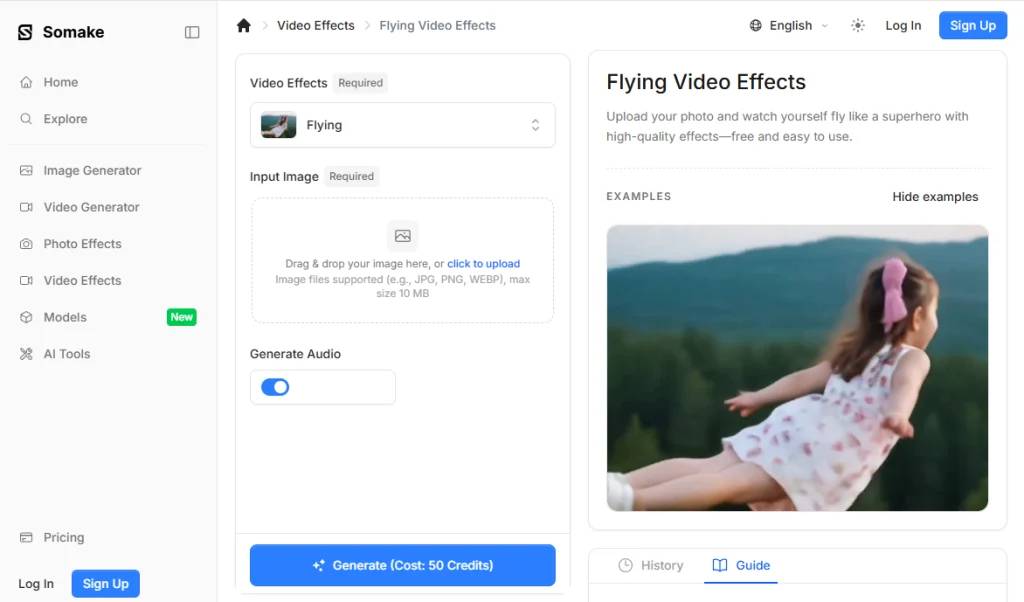
Key Features:
- Seamlessly merges your figure with breathtaking, high-altitude aerial landscapes.
- Generates fluid flight paths that mimic realistic physical movement.
- Automatically detects and cuts out figures with professional-grade accuracy.
How to Use Somake AI to Make Yourself Fly
Select a high-resolution photo from your device and upload it to the Somake AI Flying tool. Click to let the AI process the animation, then preview and download your high-definition flying clip.
Pricing Overview
New users can often explore the tool with a limited amount of free trial credits. For those seeking higher volume or premium output, the platform offers subscription tiers and credit bundles, typically starting at competitive rates like $9.90 per month, allowing you to pay for exactly the amount of video you generate.
Best For
- Great for creators who need cinematic flying results without spending hours on manual video editing.
- Perfect for individuals who want to see themselves in imaginative scenarios.
AI Flying Video Generator Comparison
The following table helps you compare the top five options side by side. You can see which flying video generator offers the features and pricing that fit your goals.
| AI Flying Tool | Key Features | Free Trial | Starting Premium Price |
| Mango AI | Intelligent motion synthesis; synced facial movements. | Limited free credits (with watermark). | $12.90/month (Billed monthly) |
| Media.io | Prompt-based flight customization; vertical exports for TikTok. | Free trial with basic credits. | $10..99/month (Billed monthly) |
| Pollo AI | Seamless background integration; high-definition rendering. | Limited Free Plan available. | $23.20/month (Billed monthly) |
| YouCam | One-tap mobile animation; advanced portrait segmentation. | Free basic features (with watermark). | $77.49/month (Billed monthly) |
| Somake | Precision subject isolation; cinematic motion paths. | Limited free trial credits. | $9.90/month (Billed monthly) |
How to Choose the Best AI Video Generator
1. Match to Your Skill Level
Choose a tool that matches your experience. If you are new to video editing, pick a platform with a simple interface and clear instructions. Many apps let you create flying videos with just a few clicks. Advanced users can explore platforms with more customization and editing options for creative storytelling.
2. Consider Your Budget
You should set a budget before you choose. Free trials let you test features without risk. Paid plans unlock premium effects and higher resolution. Compare pricing tables to find the best value. Some platforms offer modular pricing, so you only pay for what you use.
3. Pick Features You Need
You must decide which features matter most. Do you want HD downloads, instant results, or unique effects? The best AI video generator gives you options for visual storytelling and brand identity. Look for tools that support your goals, whether you want viral content or professional campaigns.
Conclusion
The era of complex green screens and expensive stunt wires is officially behind us. As we’ve explored, the “Make Yourself Fly” trend is more accessible than ever, thanks to powerful AI video generators like Mango AI. Whether you want to create a viral TikTok, a sentimental anniversary surprise, or an eye-catching marketing clip, these AI flying video generators leverage advanced motion synthesis to make anyone take flight. Pick one of the tools to empower your next video!
Create Awesome AI Flying Videos with Mango AI