
Digital training videos have become essential in delivering fast and efficient education to employees, customers, and anyone else with an incentive to learn. You no longer need to deal with the expense and lengthiness of traditional video production. Whether you are a business owner or content creator, you can easily use an AI training video generator to create your training video quickly and effectively. No technical experience is required. In this article, we are going to walk you through how to create a free AI training video with Mango AI.
1. Benefits of Using AI to Create Training Videos
The popularity of AI technology has risen over the past several years. Anyone can use a free online AI training video generator to create professional talking avatar videos for training purposes. Here are the benefits of using this AI tool to deliver free AI training to your target audience:
(1) Affordability
Most AI-powered video generators typically offer free trials, giving you the opportunity to explore their features before committing to a subscription. In addition to this, they provide a range of affordable subscription tiers to choose from. This allows you to bypass the exorbitant costs associated with traditional video production, such as purchasing expensive camera equipment, hiring actors, and employing professional videographers.

(2) Fast Video Production
It will no longer take you hours or days to produce a single training video. Your training videos AI production will streamline the video creation process, enabling you to create your videos within minutes. That way, you can make a larger quantity of free AI training videos or frequently produce updated videos quickly.
(3) Personalized Videos
Create AI training videos that reflect your personal brand or voice. They may contain personal mascots, avatars, or people who represent your business or brand. By doing this, your audience will associate your free AI training videos with your brand, enhancing its recognition and credibility.
4) Multiple Languages
Do you need your training videos AI production to feature multiple languages? The best AI training video generator tools generate AI voices that speak your scripted text in over 120 different languages. That makes it easier to train people who speak languages other than English as their native language.
How to Create Free AI Training Videos with Mango AI
Mango AI is the best AI training video generator, allowing you to create AI training videos from scratch for free. All you need to do is execute the following simple steps to enable your training video AI production:
- Define a Topic and Video Objective
The first step in creating free AI training videos is to define your topic and overall objective. Ask yourself, why am I making these training videos? Which specific lessons do I want to teach to my audience?
For instance, the topics of your training videos for employees could include safety instructions, product tutorials, workplace guidelines, and ethical standards, among other relevant subjects. Define at least one topic and objective for each video you wish to produce.
- Write a Video Script
The next step is to write a video script for your training videos AI production. The script will feature the dialogue that you would like the avatar to speak in your videos. This should be the dialogue that resonates with your audience and teaches them a specific lesson.
Write the video script in a conversational and engaging tone using simple words and short sentences. That will make it easier for your audience to understand, especially when using AI to translate into other languages.
- Paste Your Script into Mango AI
Once you have finished writing your script, the next step is to paste it into Mango AI’s Talking Photo tool online. You will see a section with the subtitle “Enter What You Want to Say” with the “Input Text” tab highlighted underneath. Paste the script text into this box.
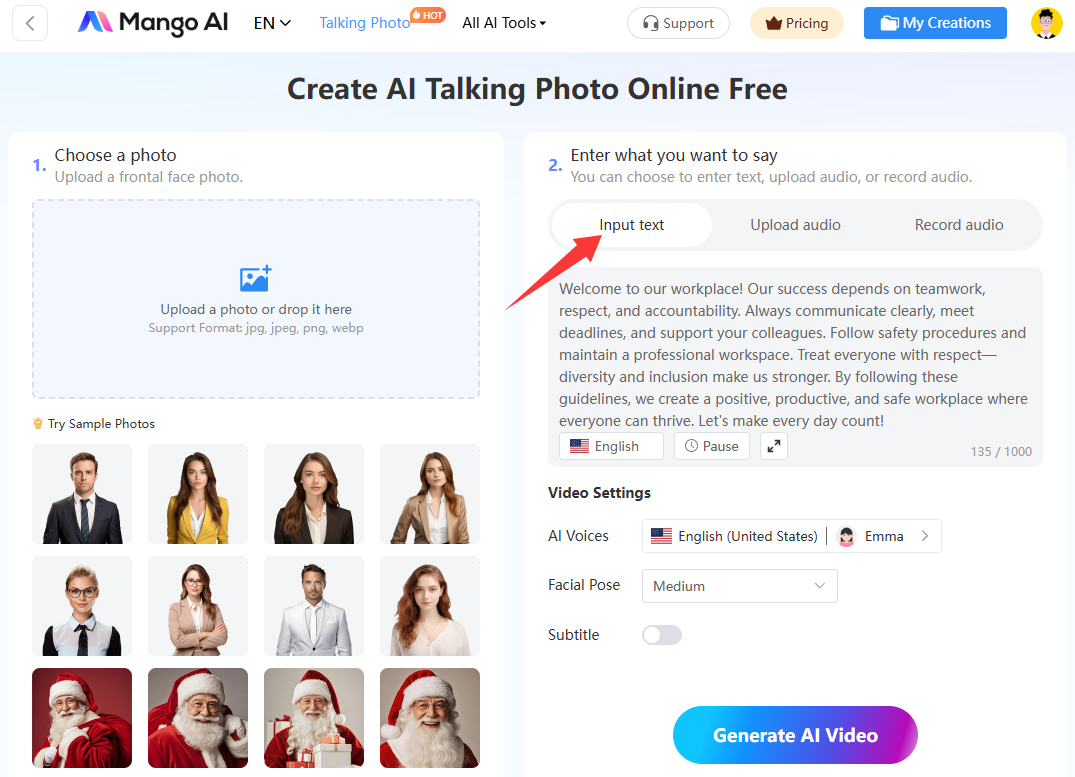
- Upload Your Photo
Go back to the first section entitled “Choose a Photo”. This is where you need to upload a full-frontal face photo showcasing your avatar for your free AI training videos. Click on the box labeled “Upload a photo or drop it here” to begin uploading your photo.
Alternatively, if you don’t have a photo to use, select one of the sample photos displayed underneath.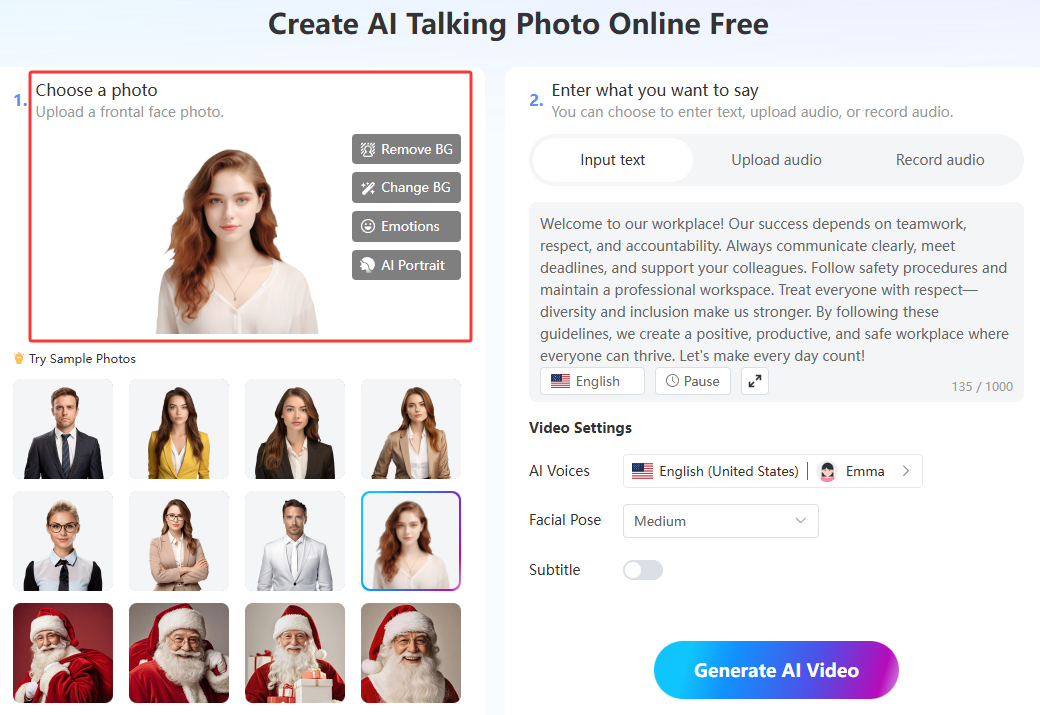
- Select an AI Voice
Now is the time to give a voice to the avatar of your training videos AI. If you want to use your own voice, you may upload an audio recording or record audio using the “Upload Audio” or “Record Audio” tabs featured in the second section.
On the other hand, if you wish to use an AI voice to speak your input text, click on the AI voices box to select a specific AI voice reflecting a particular nationality, language, and gender. With over 120 language options available, you are able to choose AI voices speaking different languages, such as English, Spanish, French, Italian, Japanese, Mandarin, and many others.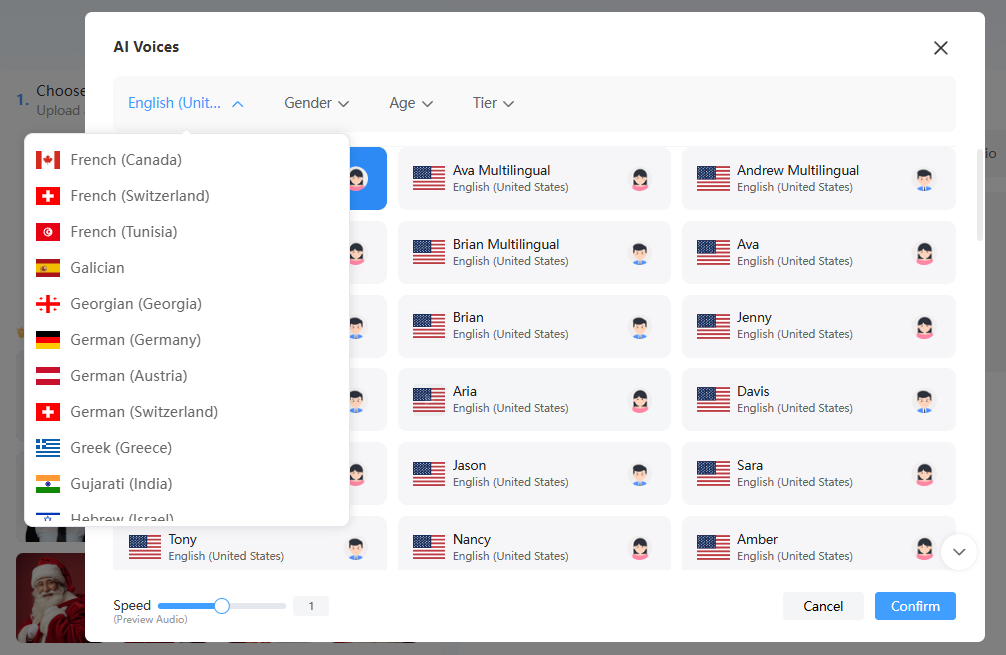
- Generate an AI Training Video
You are almost finished! The final step is to click the “Generate AI Video” button to begin creating your training videos AI. The video creation process will take no more than a few minutes to complete. Then, download your free AI training videos.
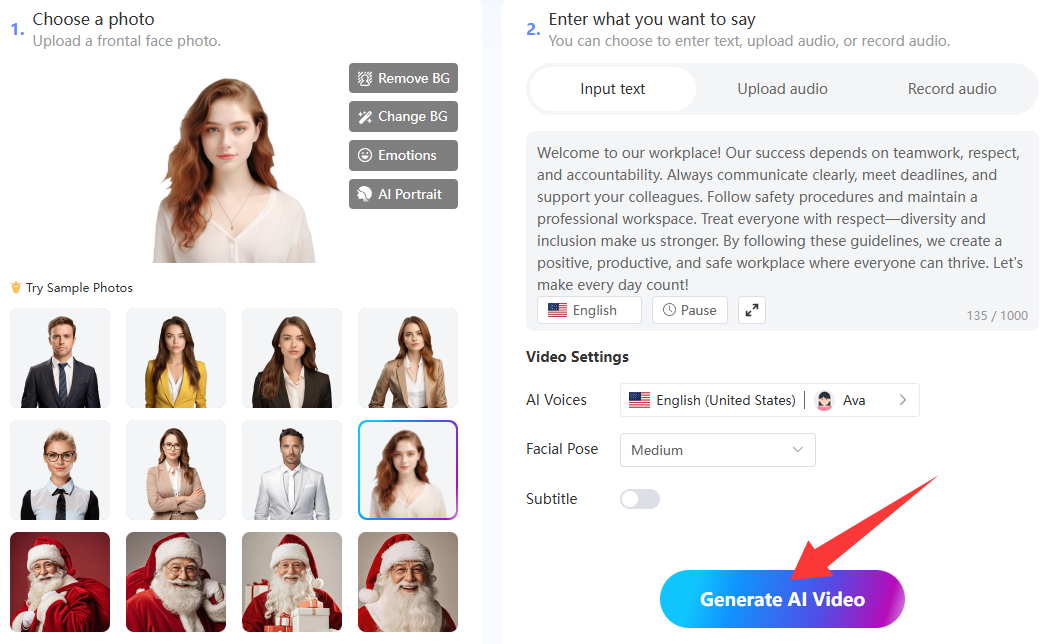
Mango AI: Best Free AI Training Video Generator
Mango AI may offer the best free AI training video generator, but that is not all it has to offer. You can also find other easy-to-use tools that help you create training videos with AI.
Take a Look at Mango AI’s Other Training Video AI Tools
1. Text to Animation
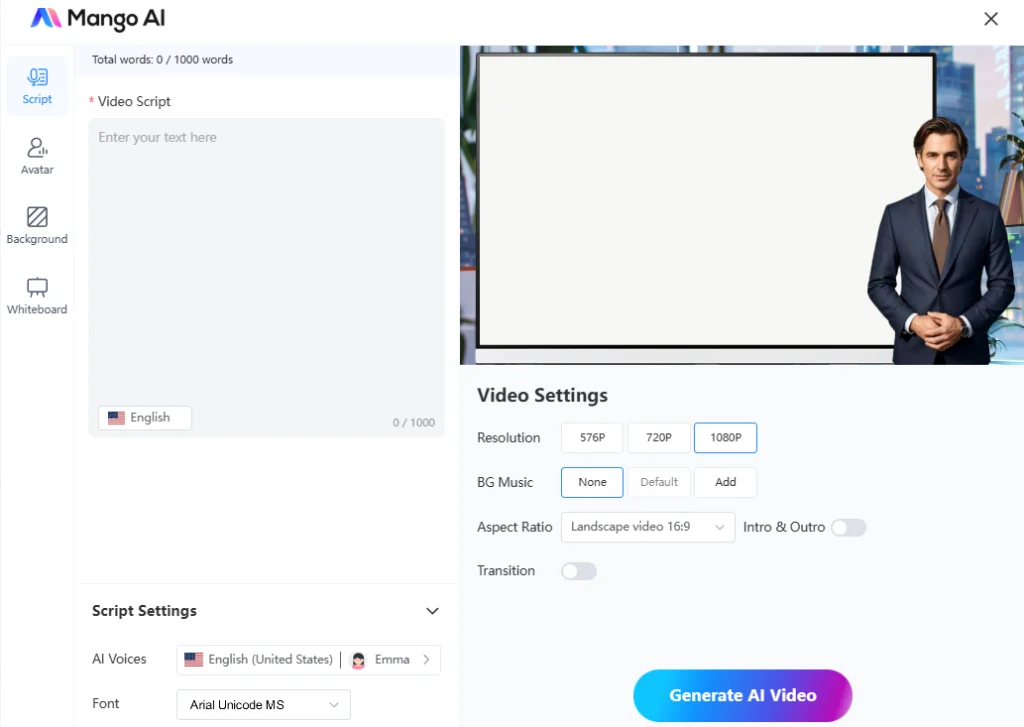
The text-to-animation feature enables you to convert words into a video without needing a photo. Simply select one of the custom templates and enter your text to transform it into an animated video. There are also options to choose from, including facial pose, background image, background music, and AI voices.
2. Avatar Dialogue
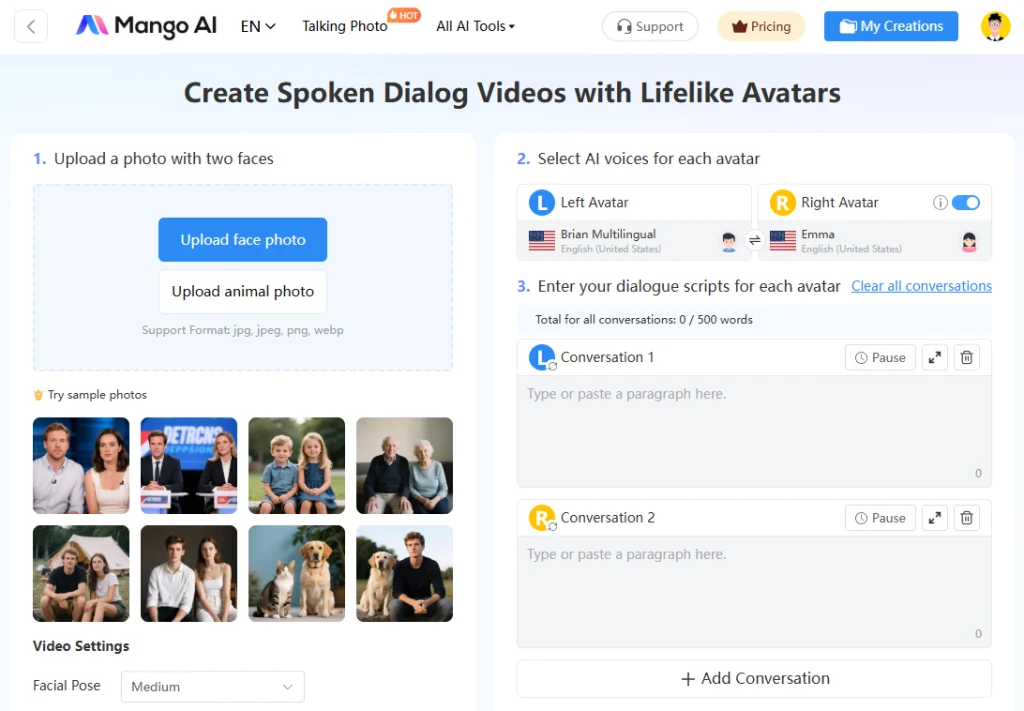
The avatar dialogue tool generates AI talking videos using realistic avatars. You can create a conversation between two avatars using dialogue scripts that you enter in the designated avatar conversation boxes. Each avatar even has a unique AI voice tailored to a specific language, nationality, and gender.
Best Practices for Creating AI Training Videos
Here are some additional tips regarding the best practices for creating free AI training videos:
- Understand the interests, motivations, desires, and needs of your target audience.
- Keep your training video AI speeches short, concise, and to the point.
- Create AI training videos with consistent logos, tones, and colors for branding purposes.
- Enhance your free AI training videos to make them more engaging and interactive, thereby better connecting with your audience.
To Wrap Up
AI technology makes it easier than ever to generate free AI training videos for your employees, students, or customers. Mango AI stands out as the number one AI training video generator due to its professional, free, and easy-to-use features. Get started to create an AI training video within minutes to share with your audience today!
Create Free AI Training Videos with Mango AI