
Face swapping in videos has become a game-changer for creating engaging content across various use cases. It captivates audiences with humor, surprise, or personalized storytelling, making it ideal for entertainment, education, and marketing. With the right face-swapping tool, you can seamlessly replace multiple faces in videos to connect with your target audience in a memorable and impactful way. In the following sections, we’ll introduce a powerful multiple video face swap tool and guide you through how to use it effectively.
AI-Powered Multiple Face Swap Tool: Mango AI
Mango AI is an AI-powered multi-face swap video tool. It is capable of swapping out multiple faces in a single video with other faces from target photos. You can replace faces in video with ease, as the AI does most of the work for you. The AI animates the face swaps with realism and precision so that no one can tell the faces were swapped with others. This makes it perfect for group settings, such as swapping faces in family gatherings, team meetings, or social event footage, while maintaining seamless, natural movements and expressions.
Key features:
- 100% free to use
- User-friendly interface
- Swap multiple faces from photos to video within minutes
- Sample photos available
- Download and share the multiple face swap video
You only need to supply the video and the target photos (unless you want to use the sample photos provided). The AI will do the rest.
How to Replace Multiple Faces in Videos with Mango AI
Mango AI is a user-friendly online tool. No technical skills or experience are necessary to operate it. All you need to do is learn the basic steps of using Mango AI to perform a multiple face swap from a video. Here are the 3 easy steps.
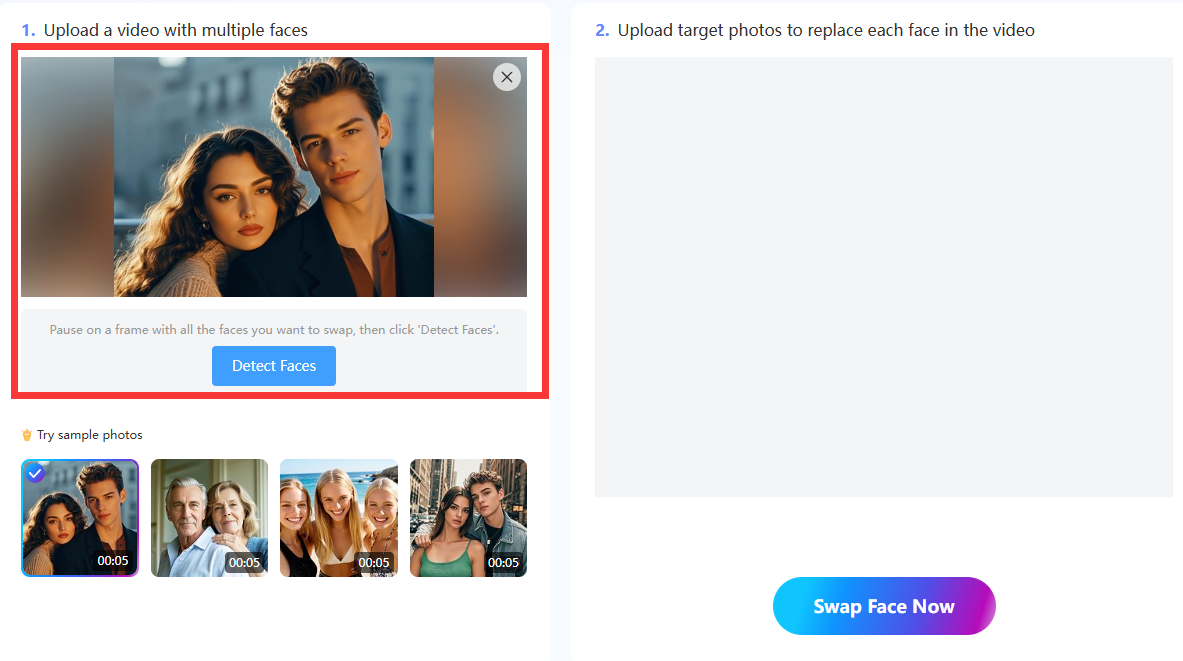
- Upload Your Video
The first step is to upload a video that shows the full frontal faces of two or more people. They need to look directly into the camera to achieve optimal multi-face swapping results.
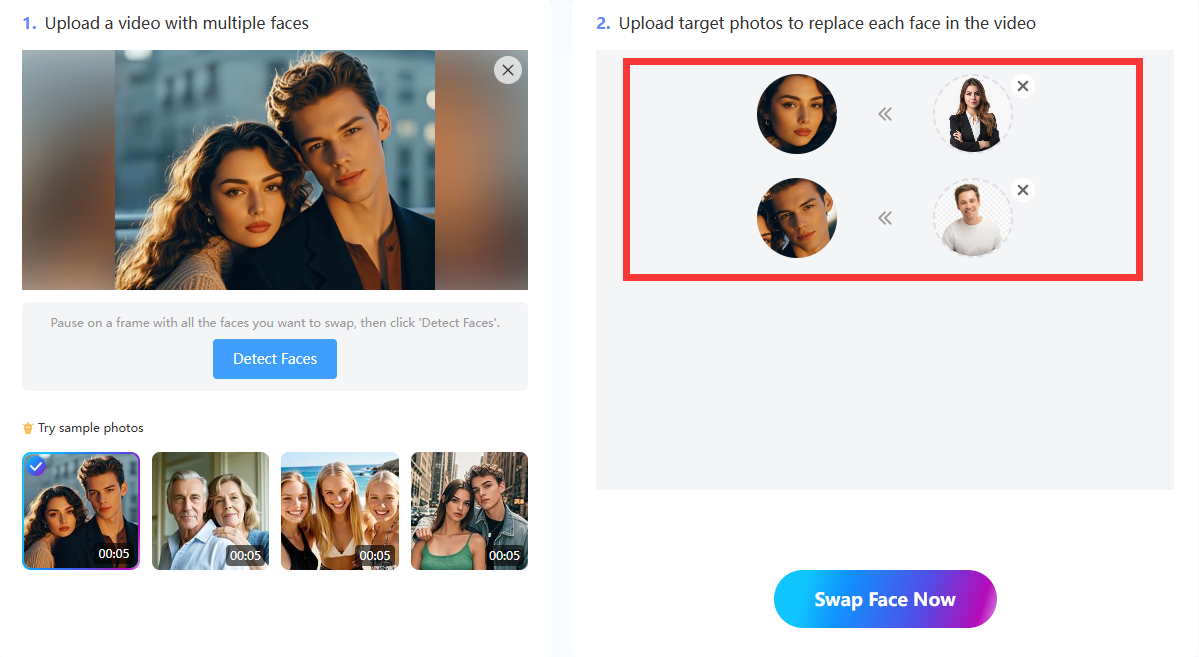
- Select Target Photos
The next step is to upload the target photos that contain the replacement faces to animate over the other faces in your video. You must upload a target photo for each face you want to swap in the video. Ensure that the person in each image shows a full frontal facial view, looking directly at the camera.
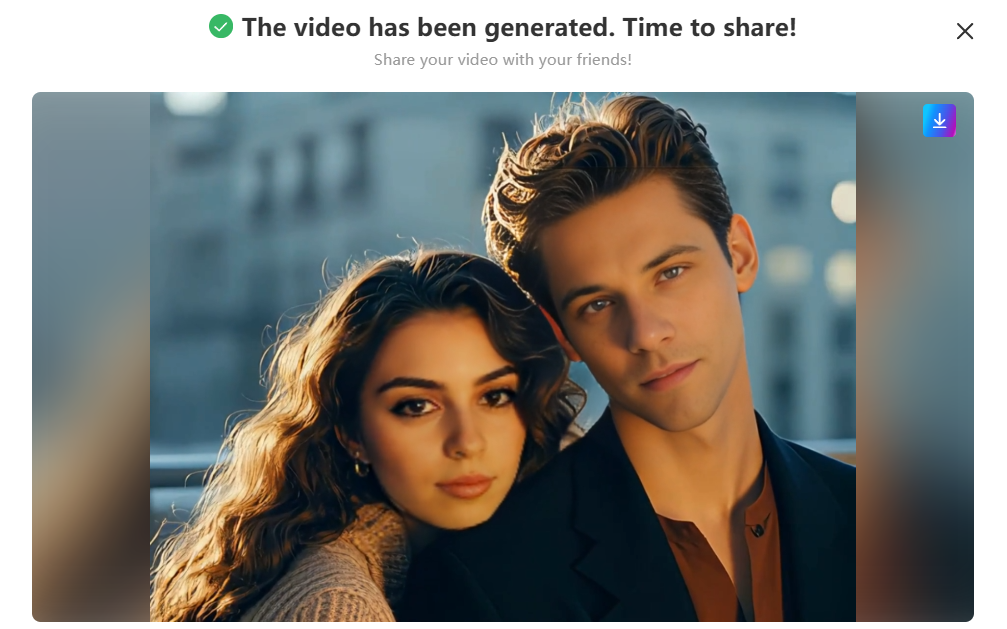
- Swap Multiple Faces in Videos
Click on the “Swap Face Now” button to begin the multi-face swapping process. The AI will need a couple of minutes to analyze the faces in the video and photos. It will even track facial expressions and attempt to mimic them on the new faces while preserving quality and realism. Now you can download the multi-face swap video and share it on social media or wherever else you want.
Pro Tips for Seamless Face Swaps
AI makes it easier than ever to replace faces in video. However, the quality of your video and target photos will determine the accuracy and realism of the multiple face swap video. That is why you must take the necessary preparations to produce seamless face-swapping results for your videos. Below are recommended tips and techniques to achieve the most naturally looking face-swapping results possible with Mango AI.
1. Use High Resolution Video
Please avoid using low-quality video with a resolution under 720p. You won’t get quality results if you use video with a resolution of 240p or 480p. You should use a video resolution of at least 720p, but it is highly recommended to use 1080p for the best results. The AI will have an easier time scanning the faces in the video if they are clear and crisp.
2. Use Photos with Similar Lighting
Your target photos cannot be brighter or darker than your video. It is best to use images with similar lighting levels to your video. The multi-face swap will look much better because the lighting on the new faces will match the surrounding lighting of their bodies. That is what you need to capture realism.
3. Match the Facial Angles and Positions
One of the most critical tips is to match the facial angles and positions in the photos to those in the video. If the angle and position of the head and faces align with the people’s head and facial positions in the video, the AI multiple face swapper can easily transplant those faces without any imperfections.
4. Match the Skin Tones
The facial skin tones are another aspect to consider when swapping the faces in your video to the targeted photos. You cannot swap faces with people who have different skin tones because the final results will look fake and ridiculous. Instead, you must do your best to match the skin tones to preserve the realism factor of the multi-face swap.
5. No Jewelry or Obstructions
No one in your videos or target photos should have any jewelry or other obstructive materials showing on their faces or hair, such as eyeglasses or nose rings. Obstructions can distort the face swap appearance once the new faces are animated onto the video. Maintain a clean look to achieve the best possible face-swapping results for everyone.
6. Use Videos with High Frame Rates
The AI can conduct multi-face swaps more successfully if the videos have a high frame rate of at least 30 fps or higher. Higher frame rates provide the AI with more frames to analyze and work with, enabling it to track facial expressions more effectively. It also helps to have smoother motion rather than fast motion in your videos.
Conclusion
Individuals and businesses want to frequently replace faces in video to bring humor, excitement, and engagement to their target audiences. Face-swapping videos have historically gone viral, drawing viewers to businesses and social media channels. They could do the same for you. Powerful AI tools like Mango AI can empower anyone to replace multiple faces in a video with minimal skill or experience. This free tool allows you to create multi-face swap videos for distribution on any online platform of your choice in minutes.
Instantly Replace Multiple Faces in Videos with Mango AI