
The fitness industry is highly competitive. If you want to create high-quality fitness content for your audience, you need to display the perfect bodies and physiques in your videos. Since most content creators don’t have the time to follow a strict diet or the money to hire a professional fitness model, the best solution is to use an AI muscle video generator to create fitness content.
How AI Generates Realistic Muscle Videos?
An AI muscle body generator uses artificial intelligence technology to automatically transform ordinary static photos of people into AI muscle videos. It doesn’t matter if your pictures showcase individuals who are fat or out of shape. An AI bodybuilder transforms a person’s physique from average to muscular within seconds. It is a fast, cost-effective way to turn anyone into a fitness model without hiring a real one for your videos.
When you upload your photo to the AI muscle video generator, the AI will scan all the core features of your body, such as the chest, shoulders, biceps, triceps, and abdominals. Then it will apply specialized muscle effects to these core areas to make them look muscular and strong, resembling a bodybuilder’s or an athlete’s physique. The best part is that you don’t need any technical skills or experience to get started.
Creating an AI Muscle Video with Mango AI (Step-by-Step)
Mango AI is the most recommended AI muscle video generator. In only three easy steps, beginners and experts can generate AI muscle videos from their static photos. These steps include the following:
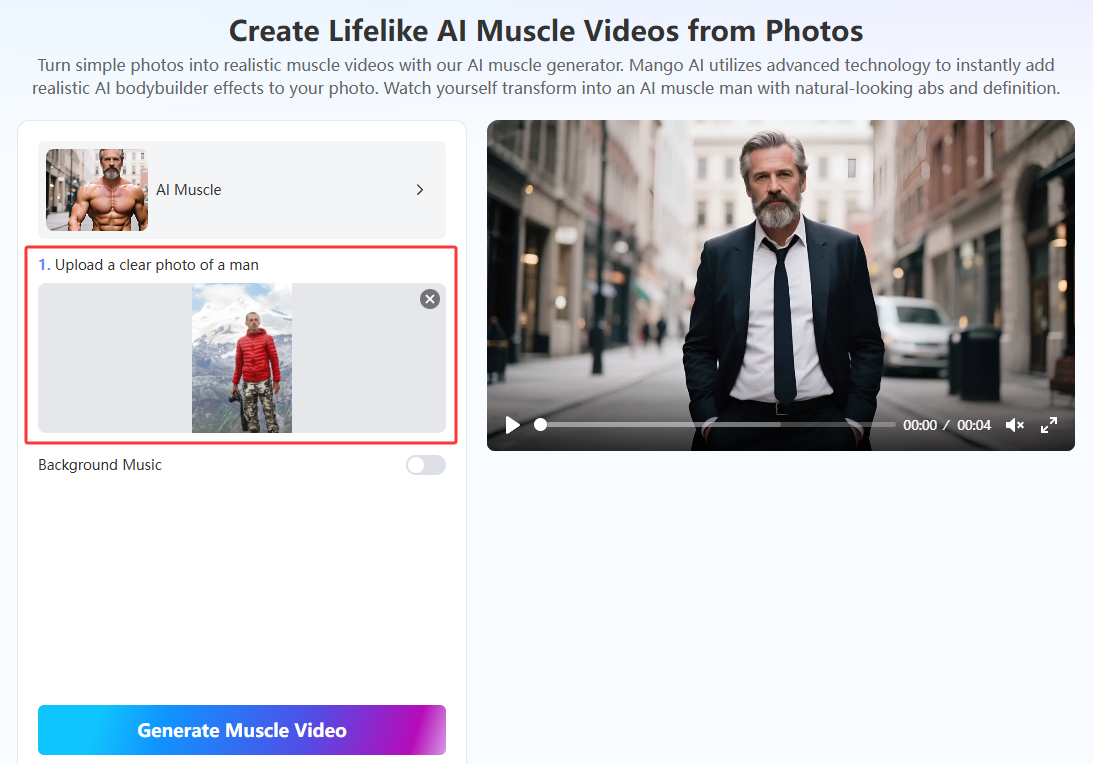
- Upload a Photo of a Man
The first step is to upload a clear image of a man in JPG, JPEG, PNG, or WebP format. It doesn’t matter whether the man in the photo is wearing clothes, because the AI will remove them in the final video.
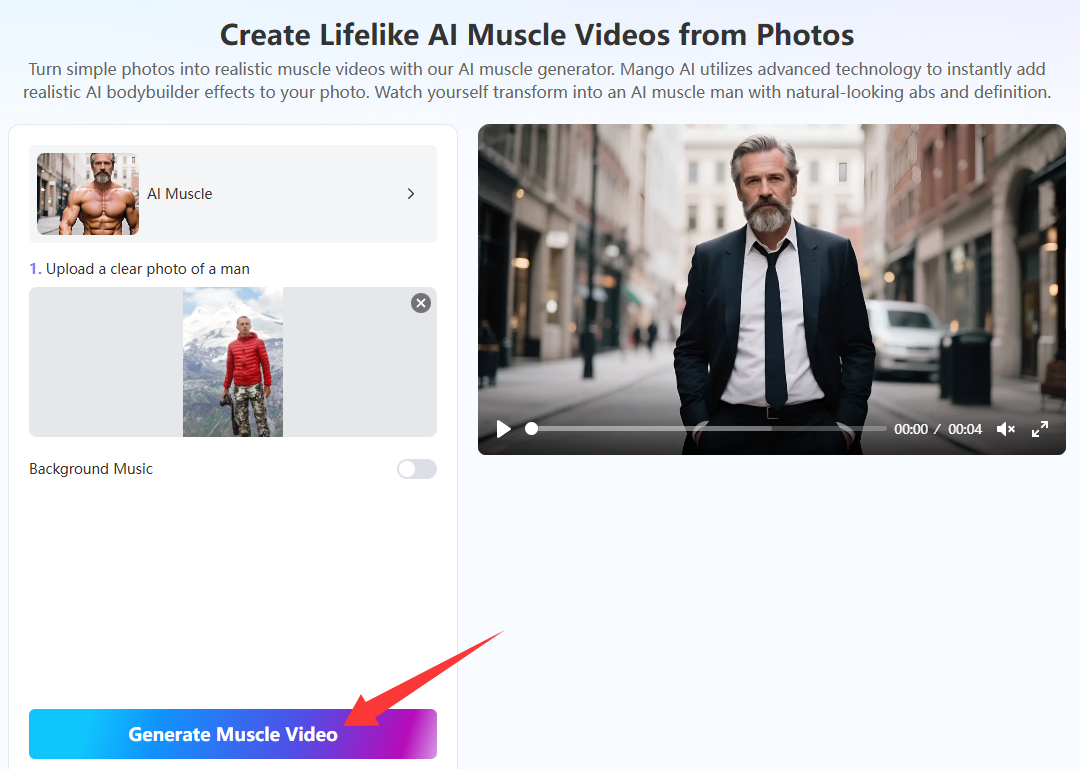
- Click the “Generate Muscle Video” Button
Next, click the “Generate Muscle Video” button at the bottom. Wait a few seconds for the AI muscle body generator to work its magic and create your AI muscle video.
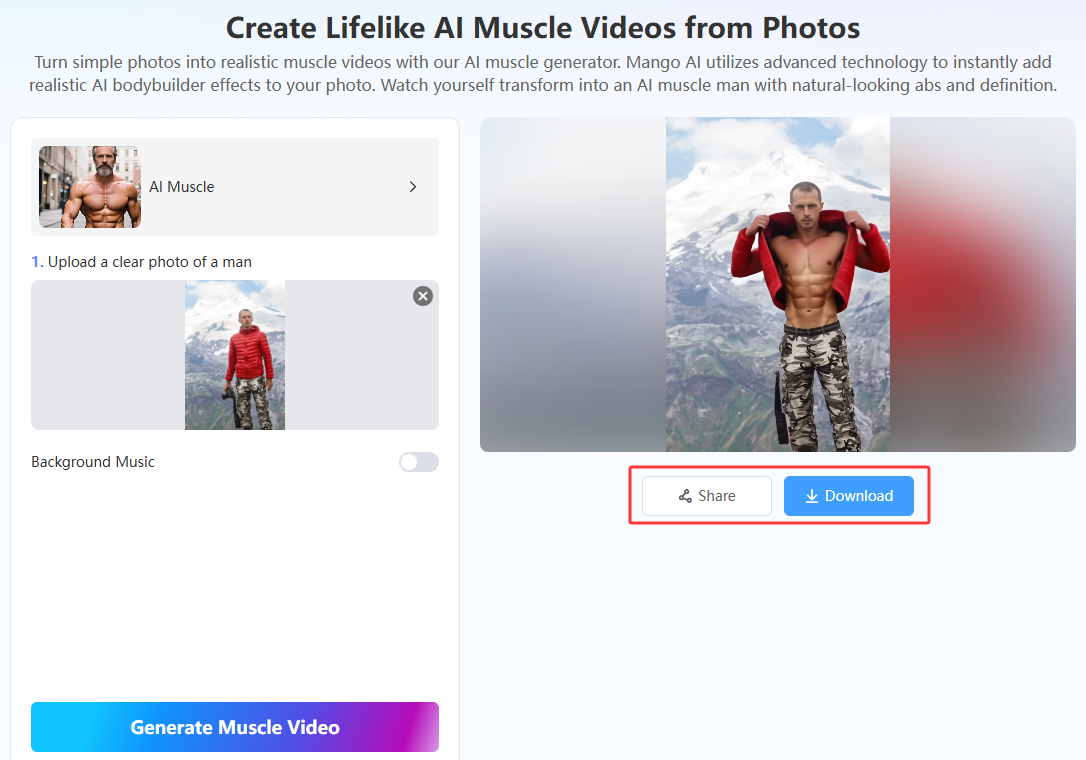
- Download or Share Your Video
Click the “Download” button to download the AI muscle video. Save it to a folder on your computer or mobile device. You can also share the video on any platform you want, including your social media channels, websites, forums, or wherever your audience is.
Tips for More Natural and Accurate Results
Do you want to know the best ways to make somebody look like the ideal AI body builder? Below are six helpful tips for achieving more natural, accurate results with the AI muscle video generator.
1. Use a High-Quality Photo
One of the highest recommended tips is to upload a high-quality photo rather than a low-quality image. A high-quality photo means the imagery is clear, bright, and high resolution in 1080p or higher. The AI will have an easier time scanning a picture if it can clearly detect the person’s physical details. Then it will make a better-looking AI muscle video.
2. Simplify the Background
Use a photo with a simple background, preferably one that is blurry or with fewer colors and details. The AI muscle body generator will find it easier to separate the subject from the background when there is a stark contrast in color and detail. Then, the subject’s AI-generated muscular physique will appear more realistic in the AI muscle video.
3. Add Background Music
Mango AI muscle video generator gives you the option to add background music to your AI muscle video. Consider selecting this option to make your video more engaging and captivating for your audience. The AI will generate the music for you, so you don’t even need to supply your own.
4. Frontal Photos are Better
Ensure your photo shows a full frontal view of the subject, at least from the waist up. The AI will do a better job of detecting the subject’s physical features if it can easily detect those details in the photo. A frontal view enables the AI to quickly detect these features.
5. Use Outdoor Photos
Being a professional photographer who knows about good lighting is difficult. If you struggle to capture good lighting in your photos, one of the easiest ways around it is to take outdoor shots of the subject during the day. Outdoor shots offer natural lighting from the sun, so you don’t have to stress over setting up lighting equipment.
Final Thoughts
An AI muscle body generator is the best way to generate fitness content for social media, websites, and online courses since it creates an AI muscle video from a photo of any person to impress your audience.
For instance, you can use an AI muscle body generator to make people laugh or show them “before-and-after” photos of what their bodies could look like if they stick to a specific fitness plan. An AI muscle video generator opens up many opportunities to market your brand and grow your social media following.
Mango AI is the most preferred AI muscle video generator for beginners and experts. It only takes seconds for the AI to create a stunning AI muscle video from your static photo. And remember, you don’t need any technical skills to get started. So, act now!
Create Awesome AI Muscle Videos with Mango AI