
You may have noticed that many YouTubers are now presenting themselves in videos using virtual avatars. You might feel surprised by how lifelike avatars seem. AI creations are the latest craze in online expression. Imagine being able to snap a selfie and instantly turn it into a completely editable replica of yourself, one that embodies your own personality. The greatest part is that making an AI virtual avatar from scratch using an AI avatar builder like Mango AI is easier than ever. In this article, I will show you how to create a virtual avatar that reflects your persona in just minutes!
What is an AI Virtual Avatar?
An AI virtual avatar is a digital character generated using artificial intelligence technology. It could take the form of a cartoonish figure or a 3D model. In addition, it acts as a way for people to speak, blink, and move in the virtual world. By mimicking human expressions and movements, AI avatars provide depth and personality.
AI virtual avatar makers provide new possibilities for digital self-expression by streamlining the creation process and letting users construct dynamic, unique identities. Using a character avatar creator is as easy as clicking a few times, letting your imagination run wild. Moreover, it cuts down the marketing expense for your social events by more than half! From making the most of AI avatars to designing the perfect digital character, you will find incredible possibilities for these virtual identities.
Mango AI — Best AI Virtual Avatar Maker
Even if there are a lot of AI avatar generators out there that create human-like avatars, very few of them are easy to use and affordable. Among other things, Mango AI has been offering first-rate AI solutions to users without charging exorbitant prices.
Mango AI comes with more than 150 unique digital personas. If you want to create a digital twin of yourself, the avatar maker from photo leverages cutting-edge AI algorithms to bring your portrait to life. Everything is possible with the range of AI services offered by Mango AI.
How To Make a Virtual Avatar with Mango AI
If you are looking to reflect your unique style on social media platforms, a custom virtual avatar is becoming an excellent medium for promoting and advertising. Fortunately, you don’t need to spend tons of time and money when using Mango AI’s avatar builder.
- Visit Mango AI virtual avatar maker
The first step is to access Mango AI virtual avatar maker at https://mangoanimate.com/ai/avatars. If you don’t have an account, please sign up for Mango Animate first.
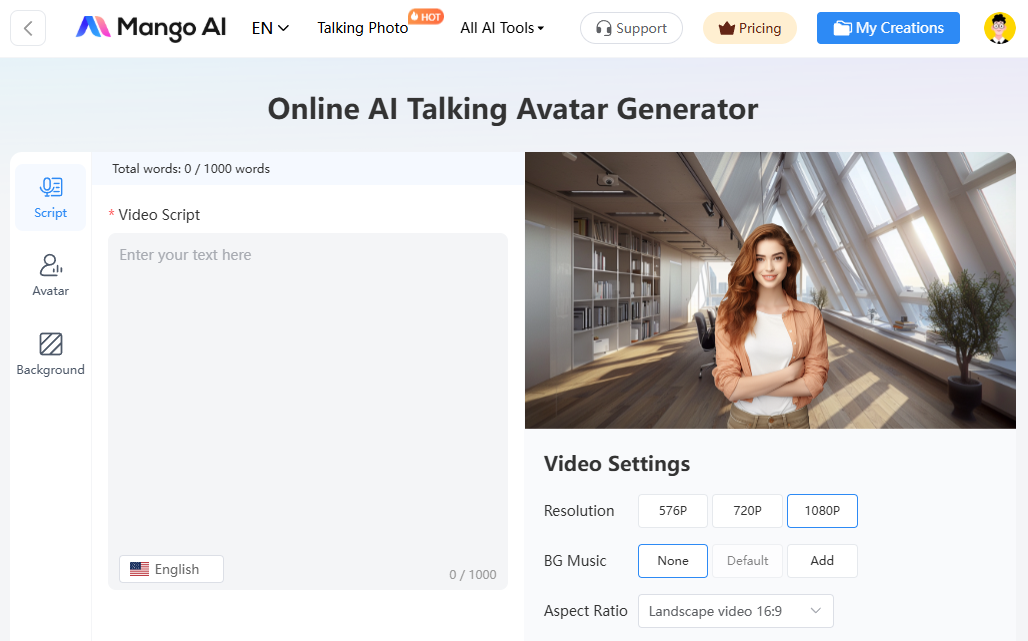
- Upload your photo
Import one of your portraits from your device. Mango AI supports various image types, including JPG, JPEG, PNG, and WebP. To create optimal results, please make sure your photo includes a clear face.

- Input a video script
Mango AI harnesses the latest text-to-speech technology to make your virtual avatar speak what you want. Just enter your video script and choose an AI voice that perfectly matches the avatar.
There are hundreds of studio-quality AI voices covering multiple languages, such as Arabic, Spanish, Japanese, and Turkish. You can filter these AI voices according to gender, age, and tier. In addition, Mango AI enables you to change the speed of the speech, giving you complete control over your video content.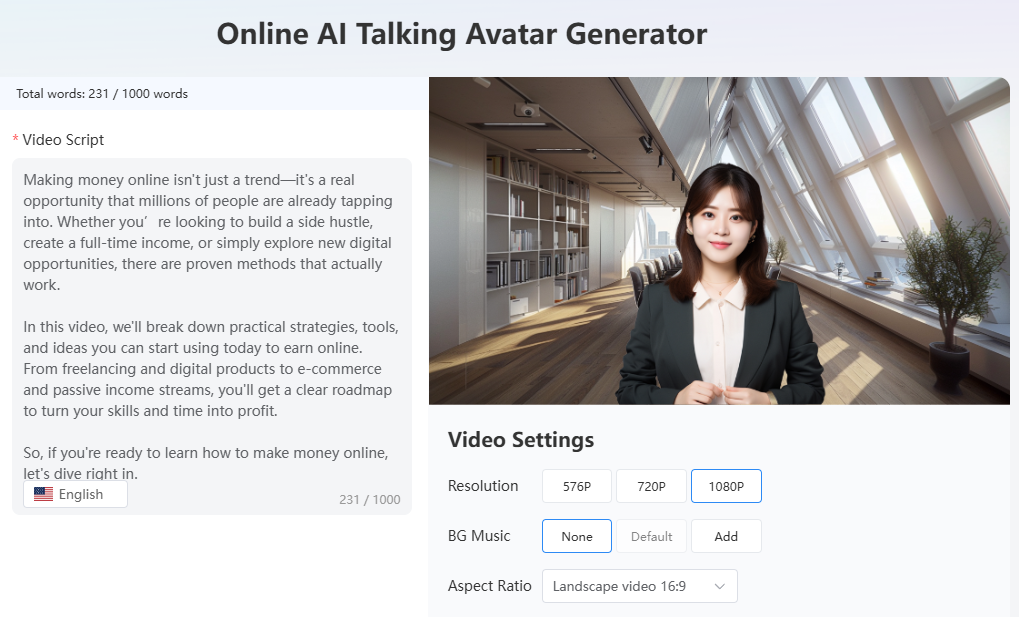
- Customize advanced settings
To give your virtual avatar video a more personal touch, Mango AI provides a variety of customization options:
(1) Background
(2) Resolution (576P, 720P, and 1080P)
(3) Background music
(4) Aspect ratio (16:9, 9:16, 1:1, 4:5, and 5:4)
(5) Intro & Outro
(6) Transition
(7) Subtitle
(8) Subtitle Style
(9) Font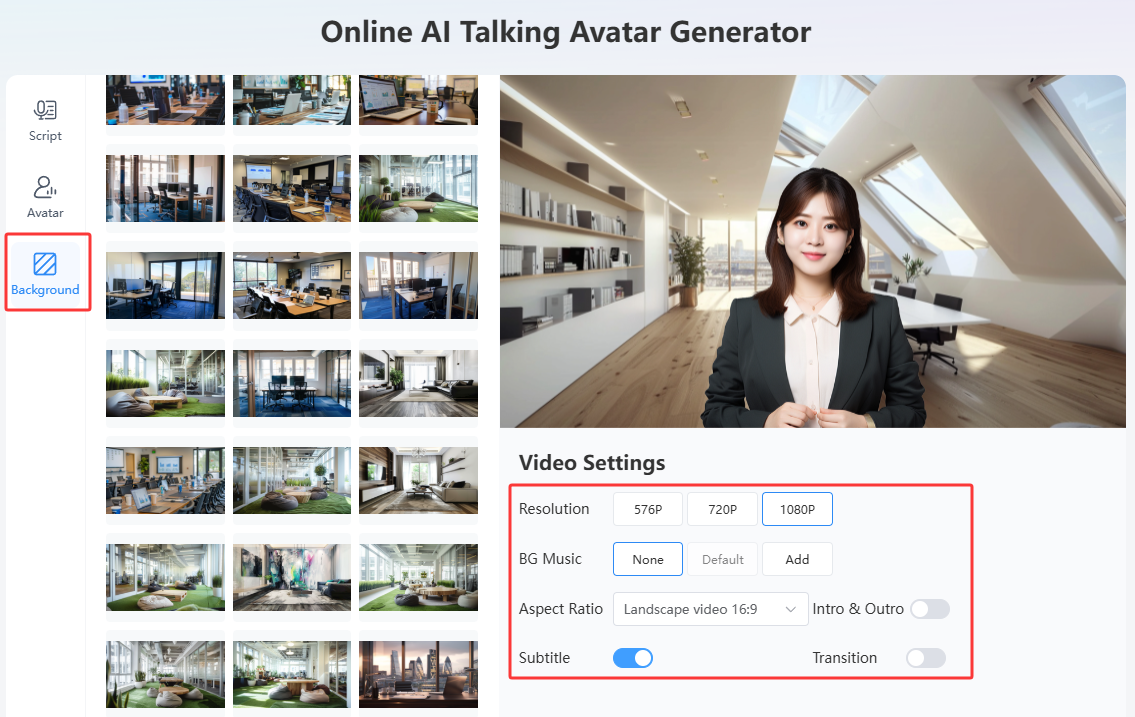
- Generate a virtual avatar video with AI
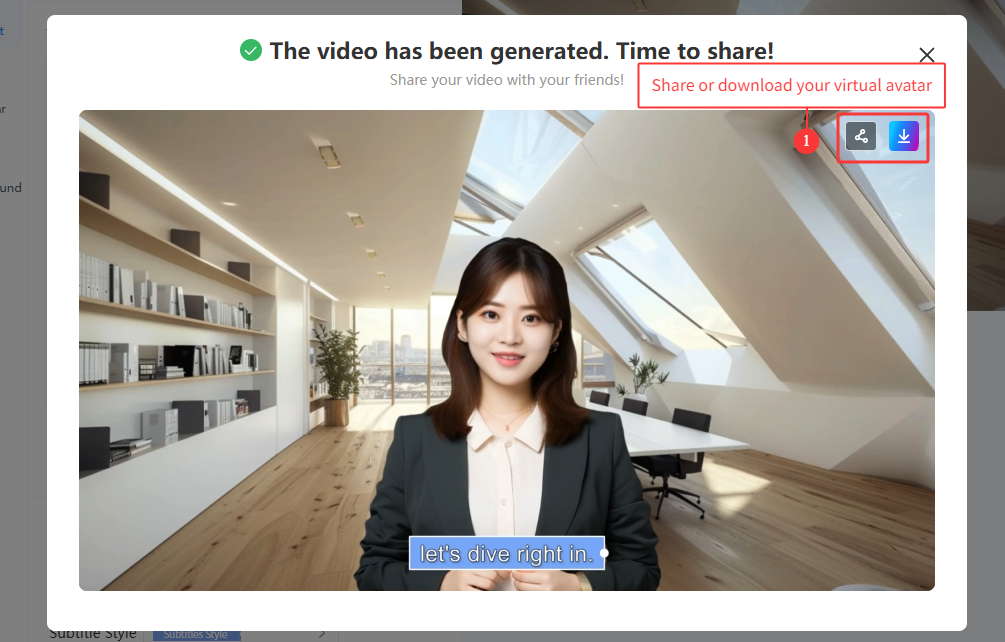
When it comes to the final step, all you need to do is hit the “Generate AI Video” button. Within minutes, a lively virtual avatar that looks like you is created!
Note: If you don’t have a ready-to-use photo, browse Mango AI’s vast AI avatar library and pick a suitable one. You are allowed to adjust the intensity of the avatar’s facial pose from None to Big, making it appear realistic.
How to Share Your AI Avatar Video for Social Events
Mango AI provides multiple sharing options. Each produced video comes with a unique link and QR code. Just send the link and QR code via email or messaging apps to share your virtual avatar with family and friends. You can also post it through social media channels like Facebook and Instagram to captivate more followers. Otherwise, export the virtual avatar video in MP4 format and upload it to YouTube.
Bottom Line
When combined with any kind of social event, a virtual avatar can make a big splash. So long as you do it in an illuminating way, you may create and display whatever you want. Now is the time to take advantage of Mango AI’s virtual avatar maker! It eliminates the video editing process. What you need to do is upload your image and input a video script. Making virtual avatars is now a piece of cake thanks to Mango AI. Why not give it a try and let the AI run its magic?
Create Awesome Virtual Avatars with Mango AI