
Brands and individuals are continually seeking new ways to connect with their audiences in a personal and relatable manner. One of the best ways to do this is through small talk videos. Instead of just using plain text or normal visuals, you can use conversational avatars to make your content more friendly to build connections with your viewers. These AI avatars imitate real conversations with realistic gestures, facial expressions, and accurate lip movements. In this guide, we’ll walk through everything you need to know to get started with a small talk video, including its features, how to use it, and real-world examples.
Why Small Talk Videos Matter?
Small talk might look easy, but it plays a big part in how we connect with others. Think about how a friendly greeting, a simple question, or a casual comment makes conversations flow better in real life. Bringing this idea online with small talk videos gives your content a more personal and inviting vibe. Instead of sounding like a lecture, you’re starting a conversation that feels natural and casual.
Using a conversational avatar takes things up a notch. Conversational avatars are AI-powered digital characters capable of engaging in dialogue with each other, simulating natural human conversations in a visual or animated format. These avatars can imitate people or fun animal characters through voice, gestures, and expressions. They replicate how humans interact, giving your content an engaging and relatable vibe. This method helps catch attention and ensures your message sticks with people in today’s endless scrolling world.
Mango AI: Your Ideal Conversational Avatar Creator
Mango AI offers a specialized platform for bringing digital conversations to life. Its AI Avatar Dialogue Maker is designed to create natural, two-way exchanges between avatars. Unlike the usual talking avatar tools that focus only on monologues, this feature allows you to create interactive chats where avatars move their lips and use realistic gestures.
Here are some of the key features:
- Photo-to-Avatar Conversion – You can upload a picture of a person or even an animal to instantly turn them into AI talking avatars.
- Dual-Avatar Conversations – Sync two avatars so they talk to each other, giving your videos a chat-like feel.
- AI Voice Options – Assign different voices to each avatar, choosing from multiple languages and accents.
- Personalize Gestures and Poses – Include movements, facial expressions, or small pauses to make the delivery feel natural.
- Quick Preview & Export – Generate high-quality videos in only minutes, suited for websites, social platforms, or customer support.
These features make creating AI talking videos simple, enjoyable, and very effective.
How to Make Small Talk Videos with Mango AI Avatar Dialogue Maker
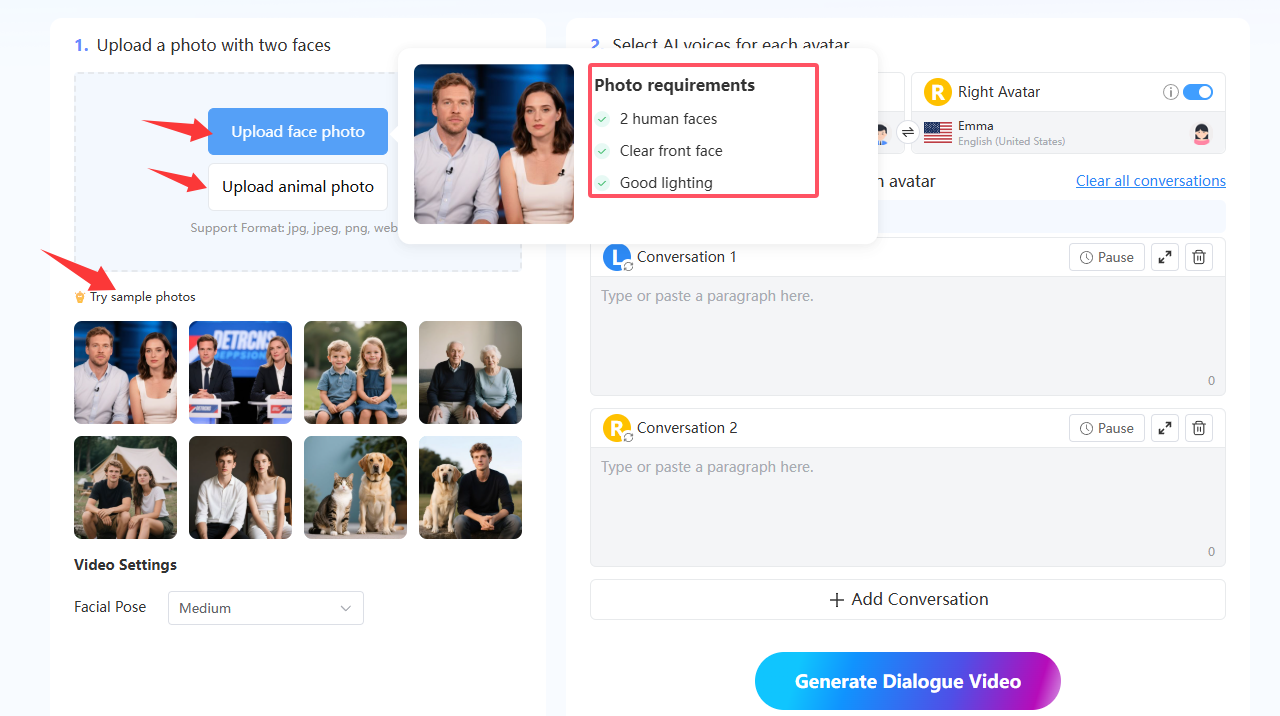
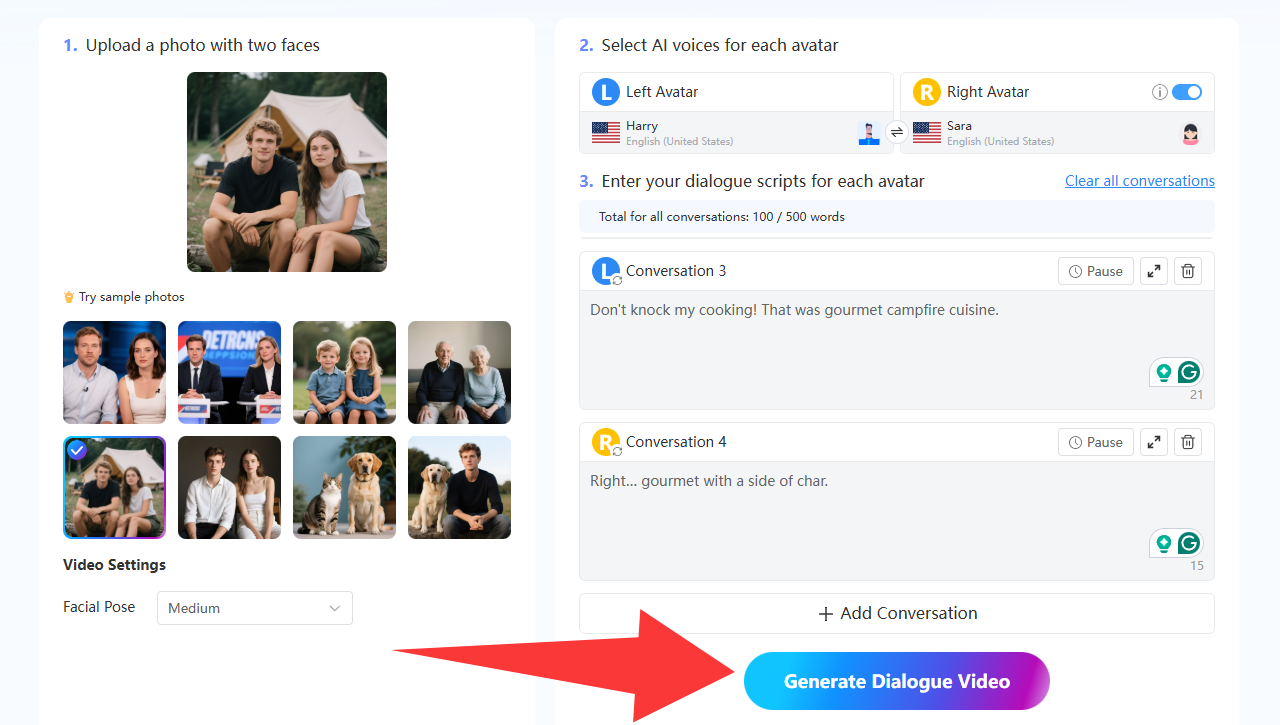
- Upload a Photo with Two Faces
Start by uploading a picture of two faces. This could be colleagues, brand mascots, or even animal photos if you’re creating something more fun. Mango AI accepts file types like JPG, JPEG, PNG, and WEBP. The system turns your images into talking avatars to get them ready to animate.
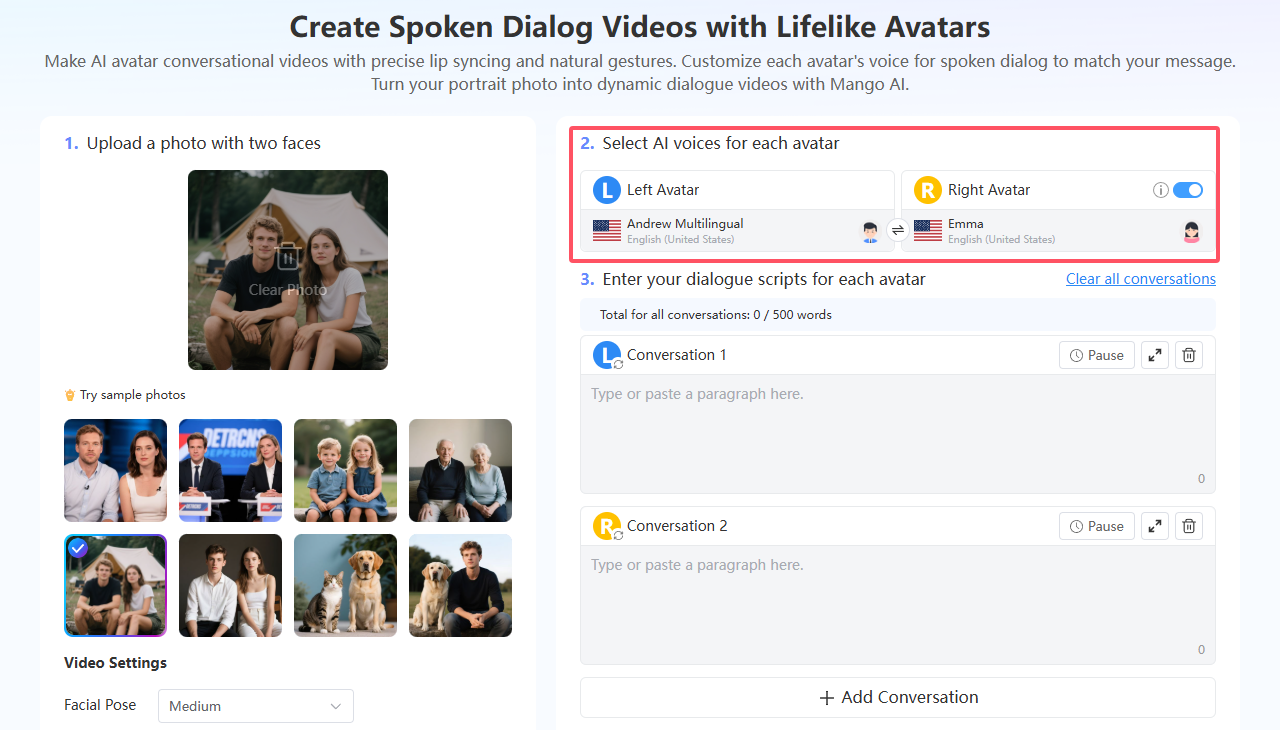
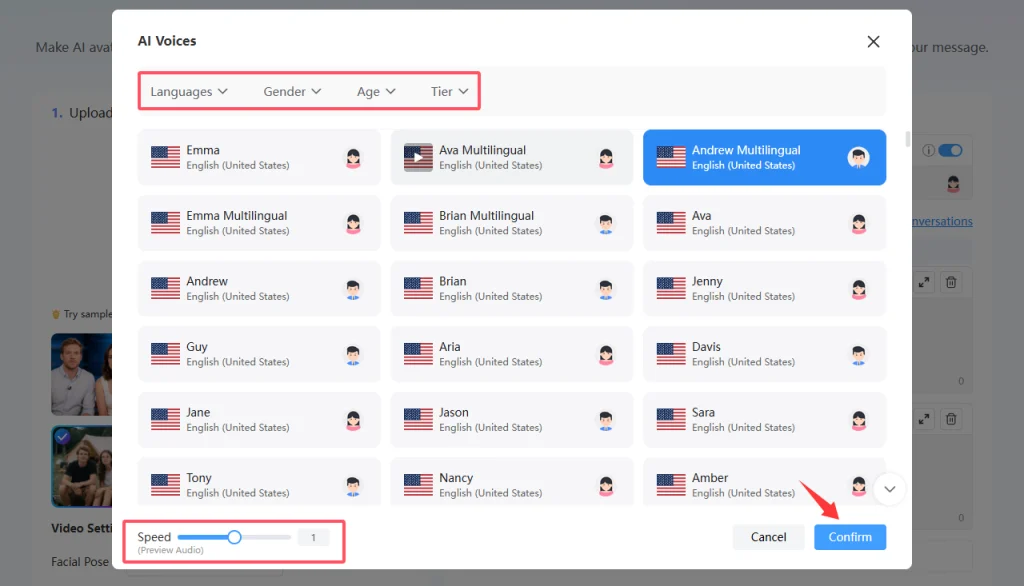
- Pick AI Voices to Match Each Avatar
Next, choose the AI-generated voices for your avatars. The AI Avatar Dialogue Maker lets you pick from various tones, accents, and languages for every character. This makes your simple chats feel real, whether you’re using everyday English, mixing languages, or including region-specific phrases.
- Enter Your Dialogue Scripts
In the avatar AI dialog editor, write the script for both avatars. The left and right avatars can exchange lines seamlessly, creating a smooth back-and-forth conversation.
For small talk videos, keep scripts simple and fun; Add things think greetings (“Hi, how’s your day going?”), quick questions, or easygoing icebreakers that fit the brand.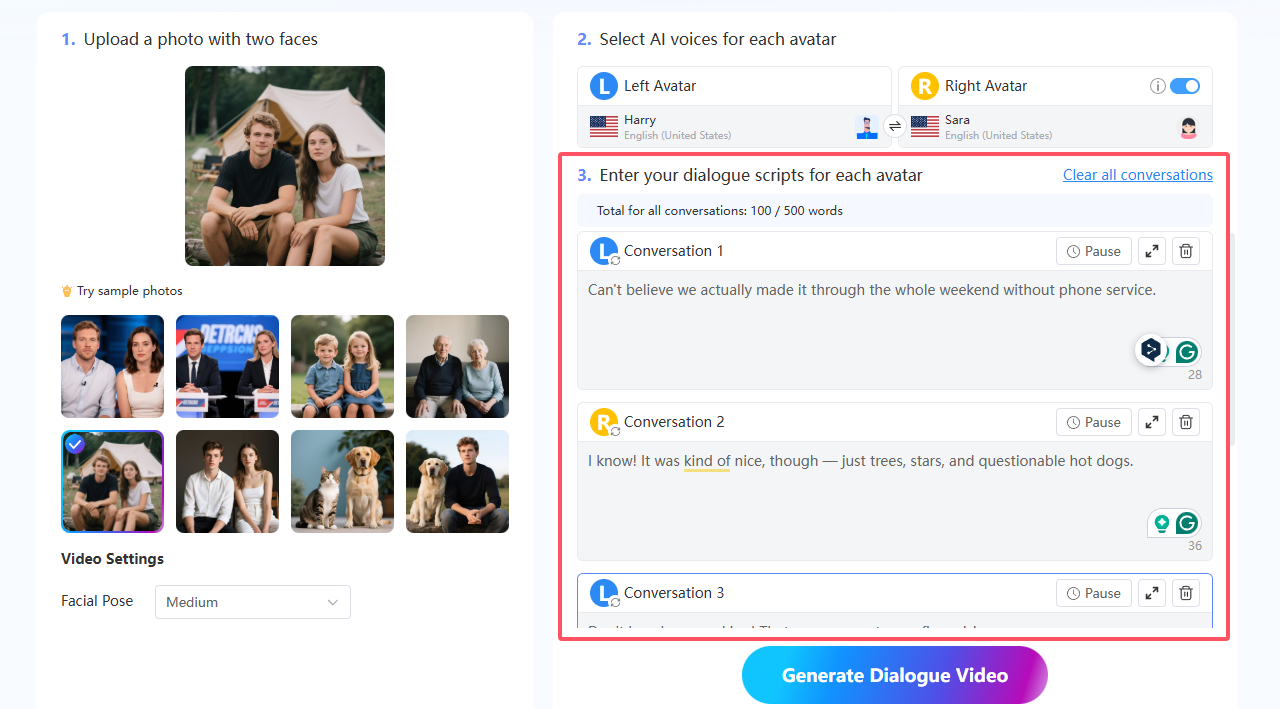
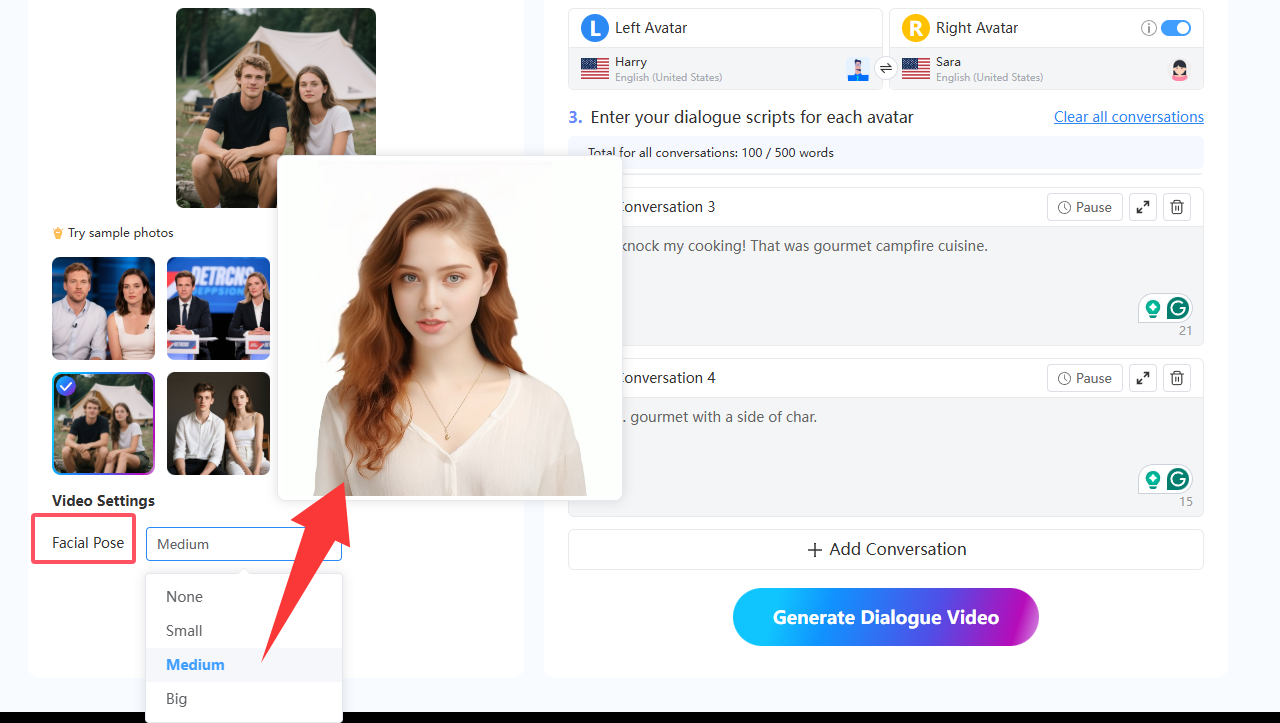
- Customize Facial Poses and Other Settings
Just words aren’t enough to make things feel real; realistic facial poses make communication believable. With Mango AI, you can fine-tune the facial expressions and head tilts of the conversational avatars, adjusting them to small, medium, or big. These subtle details make your talking avatars more expressive, ensuring the dialogue feels authentic rather than robotic.
- Preview and Export Your Dialog Video
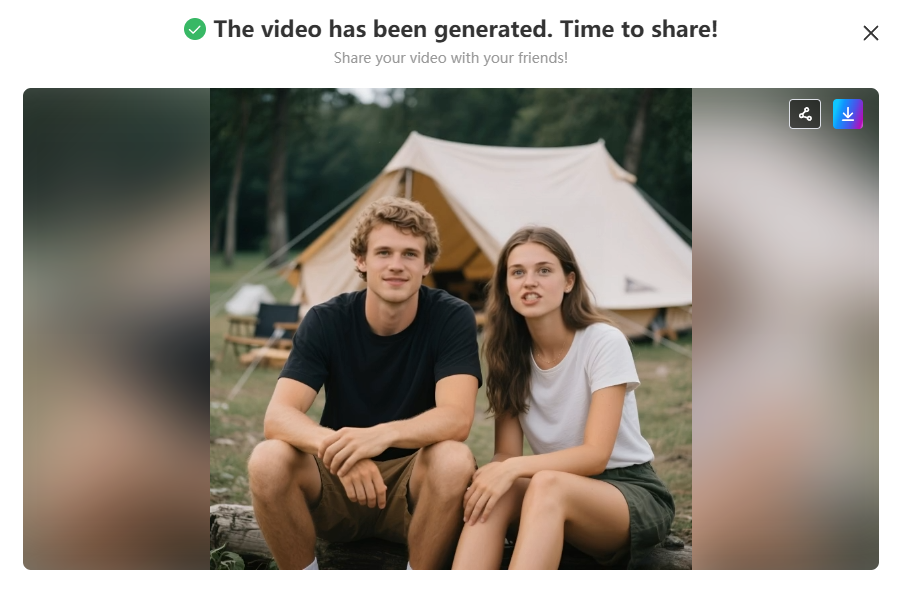
Once you’ve set up your script and chosen your settings, preview the video to ensure everything flows smoothly. If needed, adjust voices, poses, or timing. When it looks good, export the video in top quality. Your small talk videos are now ready to post on social media, add to websites, or include in campaigns to engage customers.
Step-by-step video tutorial to make an avatar dialogue video
Benefits of Creating Small Talk Videos with Conversational Avatars
Using Mango AI’s Avatar Dialogue Maker comes with several advantages:
- Realistic Interactions – It ensures smooth lip syncing and natural gestures for realistic conversations.
- Time-Saving Process – Unlike traditional methods that involve actors and filming, AI generates these videos in no time.
- Global Communication – Multilingual voice options let you produce content for international audiences.
- Cost-Effective – There is no need to pay for actors or production teams. Scripts and images are all you need.
- Flexible Applications – Conversational avatars work well in a range of settings, from casual social videos to formal training sessions.
These advantages make small talk videos a clever option for businesses, teachers, and creators of content alike.
Practical Applications of Small Talk Videos
The versatility of conversational avatars makes them suitable for countless scenarios:
- Customer Greetings – Use a friendly and warm avatar to welcome visitors to your website or app.
- Social Media Engagement – Post quick and fun chats on platforms like TikTok, Instagram, or YouTube to catch attention.
- Casual Brand Introductions – Use small talk videos to make your brand feel relatable and connect with people in a friendly way.
- Education & Training – Teach others with bite-sized lessons using laid-back conversations to make learning more enjoyable.
- Entertainment & Storytelling – Craft creative characters that share fun and relaxed stories to entertain your audience.
Extra Features to Enhance Your Videos
Mango AI gives you more than just basic features. It includes tools to make your small talk videos stand out:
- Multilingual Support – Create conversational avatars that speak in various languages.
- AI Voice Library – Use voices in different genders and tones to match the mood and expression of your video.
- Fast Rendering – Create polished shareable videos in no time.
- Flexible Export Options – Post your videos on Facebook and Twitter, share with QR codes or video links, embed on your site, or download for further editing.
These features add extra style and personality to videos to help you connect with different audiences.
Conclusion
To change how you communicate, try using small videos with conversational avatars. These videos work well to make your message or brand seem approachable, memorable, and easy to connect with. Making simple small talk videos is now super easy. Mango AI’s Avatar Dialogue Maker allows you to design avatars that speak, move, and engage with others in ways that plain text or static images just can’t achieve. Whether you want a cheerful greeting or a message that grabs attention, this tool helps you bring conversations to life without much effort. Craft smooth small talk videos with conversational avatars right now!
Create Interactive Small Talk Videos with Mango AI