
Creating video content for marketing, storytelling, and social media doesn’t need to be a difficult task. If you have static images, you can turn them into moving photos through the power of AI technology. There are AI online tools that can turn a still picture into a moving image within seconds. It doesn’t require any special skills or experience to operate such a tool. All you need is a static photo and a creative vision to get started.
Mango AI: Best AI Tool to Add Motion to Still Pictures
Mango AI is widely regarded as the best AI tool for adding motion to still images. Within a few clicks, it can create captivating AI moving pictures with authentic facial movements and expressions.
Here are some of the key features and benefits of Mango AI:
- AI-Driven Animation
Mango AI is an AI photo animator that adds dynamic motion to still images by animating facial expressions, head movements, and lip movements onto the faces. After the static pictures are converted into AI moving pictures, they will retain their original visual quality.
- Moving Pictures Up to 15 Seconds Long
Mango AI can create moving pictures up to 15 seconds long, which is much longer than many comparable tools for creating AI moving pictures. The animations you can apply to your static images can feature various effects, such as blinking eyes, smiling, looking in a different direction, speaking, moving lips, turning the head, and more.
- User-Friendly Interface
You don’t need any unique technical training to operate the platform. Its user-friendly interface is self-explanatory and easy to use for creating moving pictures in a few simple steps. You will have your moving picture created in just a few clicks and seconds.
- Realistic Motion Generation
Mango AI features realistic motion generation technology to ensure the animation applied to the static images looks lifelike. None of your viewers will be able to tell the difference, as they will assume it is a real motion picture captured on camera.
- Royalty-Free Rights
You will have complete royalty-free rights to all the AI moving pictures made on the platform. That means you are free to use your newly created motion pictures for personal or commercial purposes.
- Responsive Design
The platform features a responsive design that is fully accessible and compatible with all computers, smartphones, and tablets. If you want to create AI-generated moving pictures on your mobile device remotely, you have the option to do so.
How to Create AI Moving Pictures Online Free
Creating animated pictures with Mango AI online is free and easy. Below are the five primary steps on what to do to create moving pictures from static ones with Mango AI.
- Upload Your Image
Upload the static image that you want to animate with Mango AI. It can be a selfie image or a commercial-quality photo that shows the full face of whichever person or fictional character you want to bring to life.
Mango AI can animate a full frontal image of a person, animal, or cartoon. If you don’t have a picture to provide, the platform offers a series of sample pictures to use for your moving photos.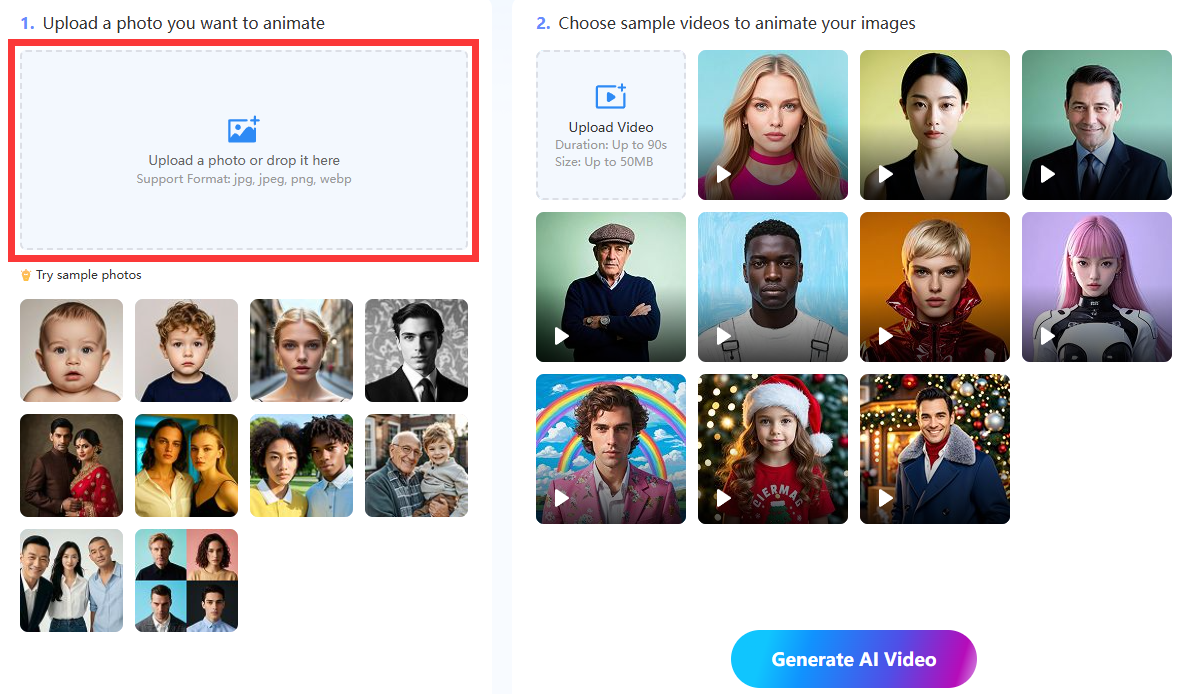
- Choose an Animation Style
Choose the animation style to apply to your static photo. Mango AI offers over 10 animation templates to choose from for your photo.
However, if you have your own animation sample video that you would like to use in your moving picture, you can upload that sample instead. The AI will apply the animation to your static image just the same.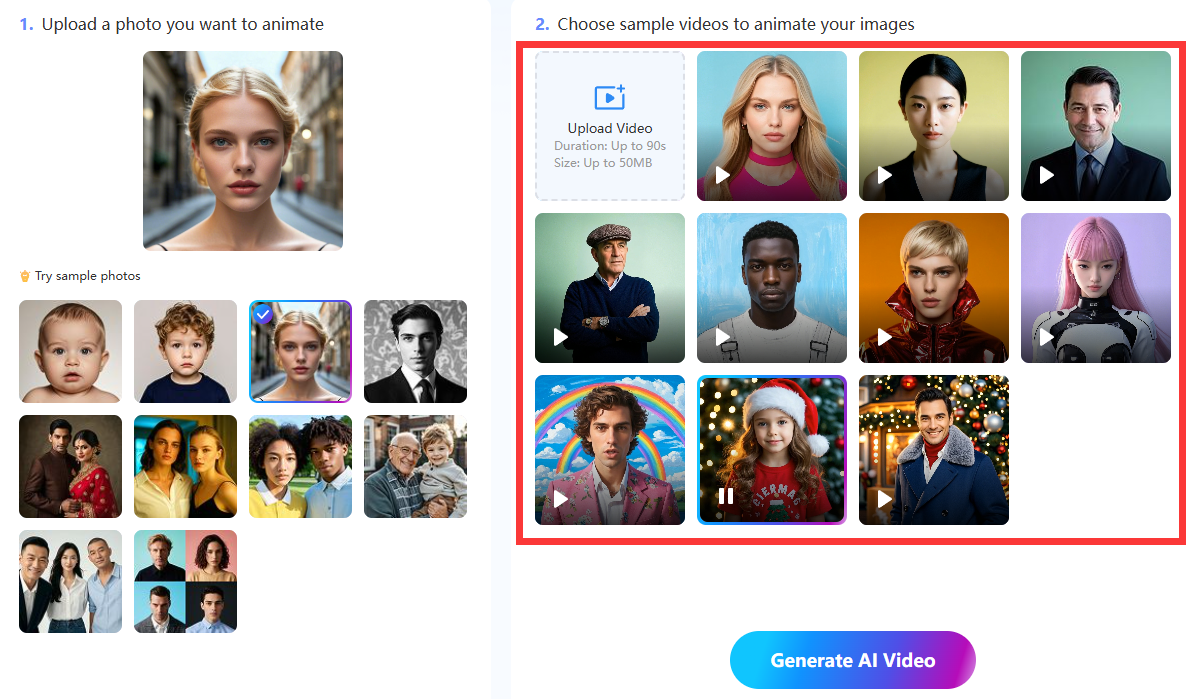
- Generate the AI Video
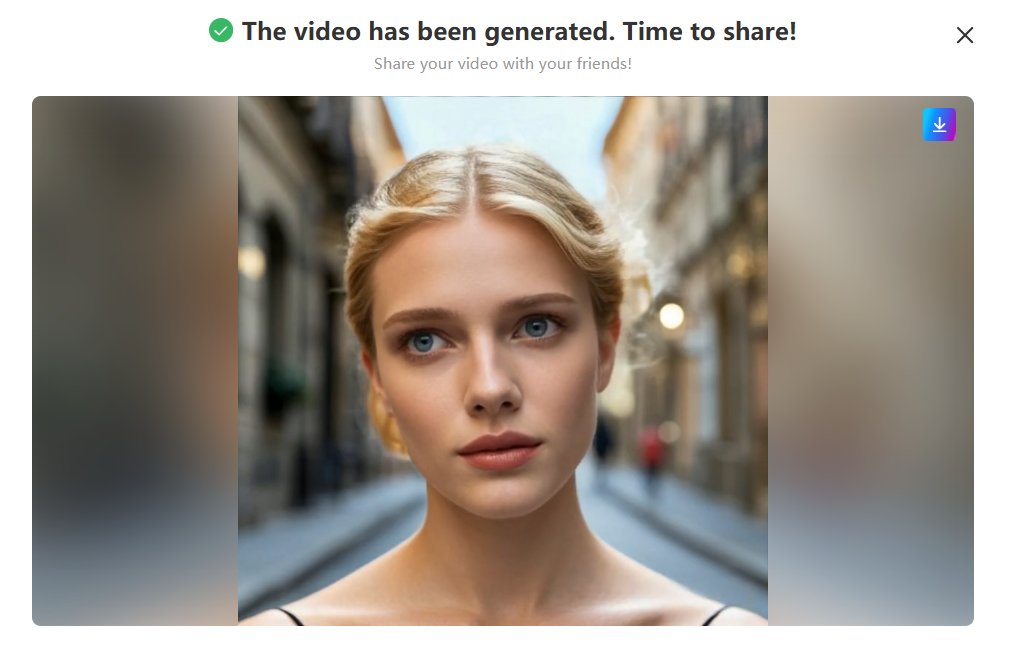
Lastly, click the “Generate AI Video” button to merge your static image and animation, creating your unique moving photo video. You can preview the moving picture to ensure it matches your requirements. If it does, download the video file and post it on the relevant social media platforms, such as Twitter, Facebook, and Instagram.
Tips to Enhance Your Moving Photos
Do you want to make your moving photos look as good as possible? Much of what goes into preparing professional moving photos revolves around the original static images themselves. You need to capture and enhance your static images to their maximum potential before uploading them to Mango AI for conversion into moving pictures. Here are some tips on how to enhance your pictures in this way:
- Capture the Full Frontal Face
One of the most critical steps is to capture a photo of the subject’s full frontal face. It should not be a picture taken at an angle or on the side, as the animation won’t work well that way. The subject, whether a person, animal, or cartoon, should look directly forward at the camera.
- Use High-Resolution Images
For optimal results, please upload high-resolution images to Mango AI. Some examples of high-resolution include 1080p and 4K pictures. The AI technology will retain the same resolution in these images when creating your moving photos.
- Maintain Neutral Expressions in Your Images
Please ensure that the subjects of your portraits or images have neutral facial expressions without any smiles, frowns, or other signs of emotion. The Mango AI technology works best with pictures without expressions because it is easier to layer a new animated movement over them.
- Avoid Obstructive Objects
Avoid using images with subjects who wear obstructive objects on their faces or heads, such as sunglasses or hats. You should only be able to see their full face and head without any objects on them.
Conclusion
Mango AI makes it easy to create a moving picture online for free. Only two steps are required to transform still images into dynamic moving photos that are funny, engaging, and creative. These AI moving pictures are perfect for impressing your guests, followers, customers, family members, or friends with interesting content.
Turn Still Pictures into Captivating Videos with Mango AI