
Many companies and organizations struggle to train their new and existing employees. Since today’s generation has short attention spans, employers need to deliver training that is informative, interesting, and interactive. That is where AI technology can be effective. An AI dialog video generator is one of the most effective tools for training employees in this manner. It combines artificial intelligence, animation, and natural language processing technologies into one comprehensive AI tool. In this article, I will show you how to create AI talking videos for engaging employee training within minutes.
Can AI Make Two Avatars Talk with Each Other?
An AI talking video tool enables each avatar to speak and converse with one another in a realistic-sounding, AI-generated voice. The video features at least two human or animal avatars. Just input the text dialogue for each avatar’s part of the conversation. Then, when you generate the AI talking video, the avatars will talk to each other by verbally saying the text that you input.
The AI dialog video may consist of a back-and-forth conversation to simulate realistic workplace interactions for educational purposes. Employers find this technology useful to produce all kinds of training scenarios to educate employees, such as the following:
- Sales and negotiations training
- Customer service and support training
- Safety and compliance training
- Workplace conflict resolution training
There is no limit to what you can teach your employees with a conversational AI video generator.
Why Do You Need to Create AI Dialog Videos for Employee Training?
Think about the traditional employee training videos. They usually feature a boring slideshow presentation or one person talking to the camera, both of which put people to sleep.
AI dialog videos are more effective in training employees because they are engaging, creative, and relevant to real-world workplace situations and issues. Below is an overview of why an AI talking video is ideal for training modern employees:
- Increased Engagement – Observing two avatars interactively speaking to one another will increase employee engagement. The storytelling aspect of such conversations easily captures a person’s attention.
- Scenario-Based Learning – Simulate realistic workplace scenarios with your AI talking video to train employees on what to do in different situations. By witnessing conversations about these situations, employees will learn how to make more informed decisions when they encounter them in real life.
- Reach Foreign Workers – The multilingual AI support available allows you to create AI training videos that are understandable in over 120 foreign languages. So, if you have employees who speak a native language other than English, it is easy to create an AI dialog in that language.
- Cost-Efficiency – Creating AI talking videos is much more cost-efficient than hiring actors and production crews to record live-action training videos. Your company will save significantly more money by utilizing an online conversational AI video generator tool to create its training videos.
Step-by-Step Guide on Making Two Avatars Dialogue
Mango AI has launched a conversational AI video generator to make two avatars talk engagingly. It only requires the following five easy steps to create an AI dialog video:
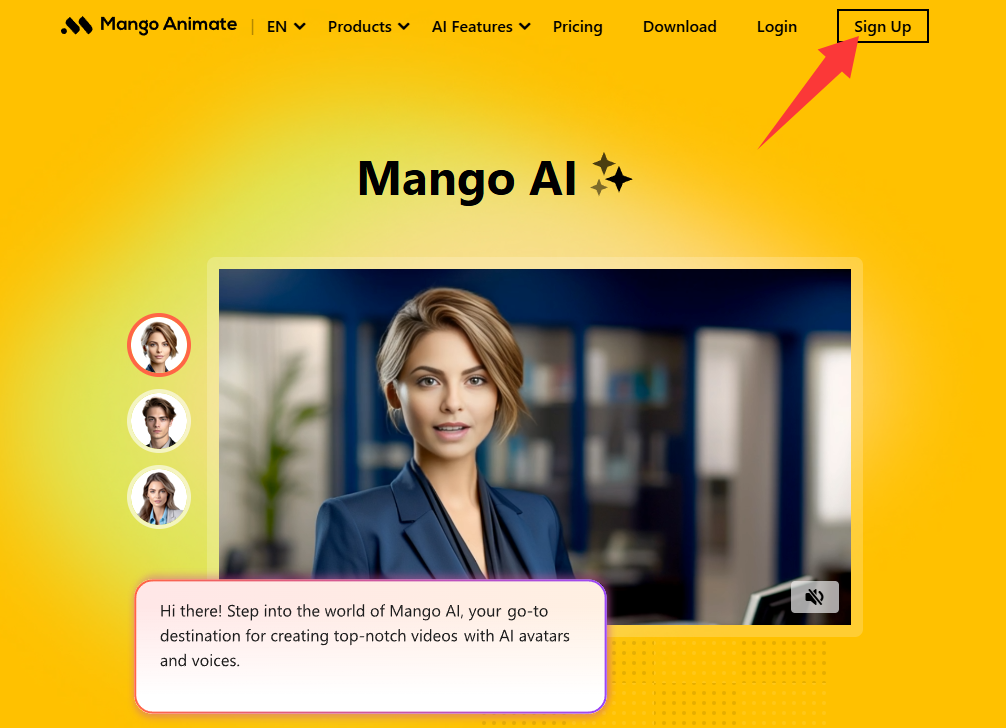
1. Create a Mango Animate account
The first step is to create a Mango Animate account if you do not already have one. Visit the Mango Animate account signup page to create a new account in less than 30 seconds. Look at your email for confirmation of the account.
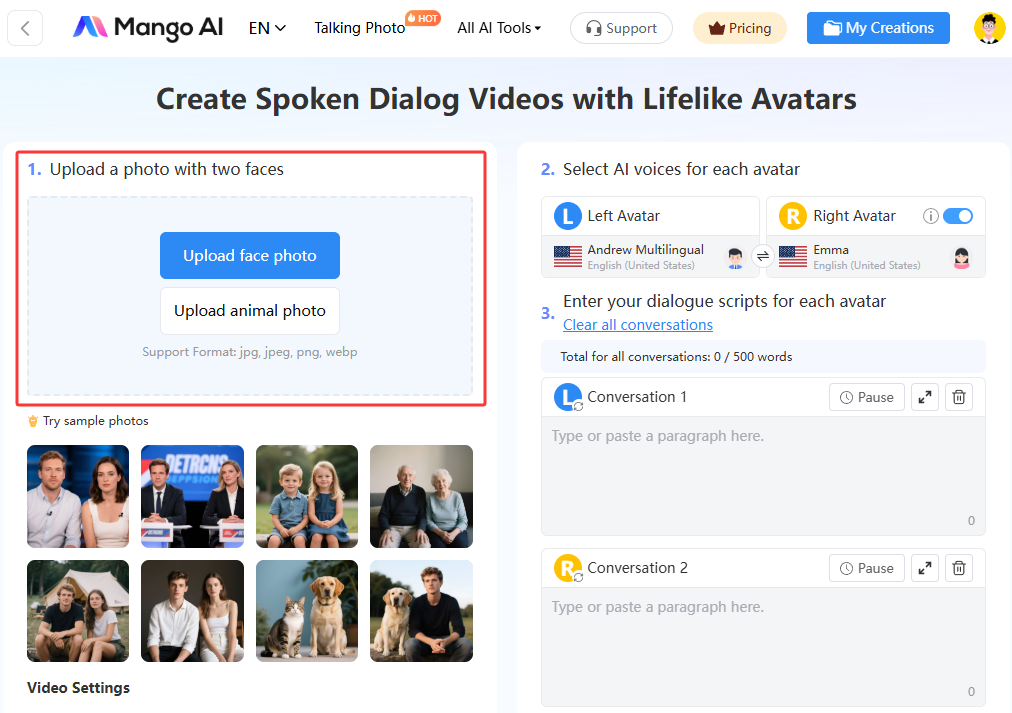
2. Upload a photo with two faces
Visit the Mango AI Avatar Dialogue online creator page. Begin by uploading a photo that features at least two faces of people, animals, or a combination of both. Ensure they are forward-looking faces to achieve the best results.
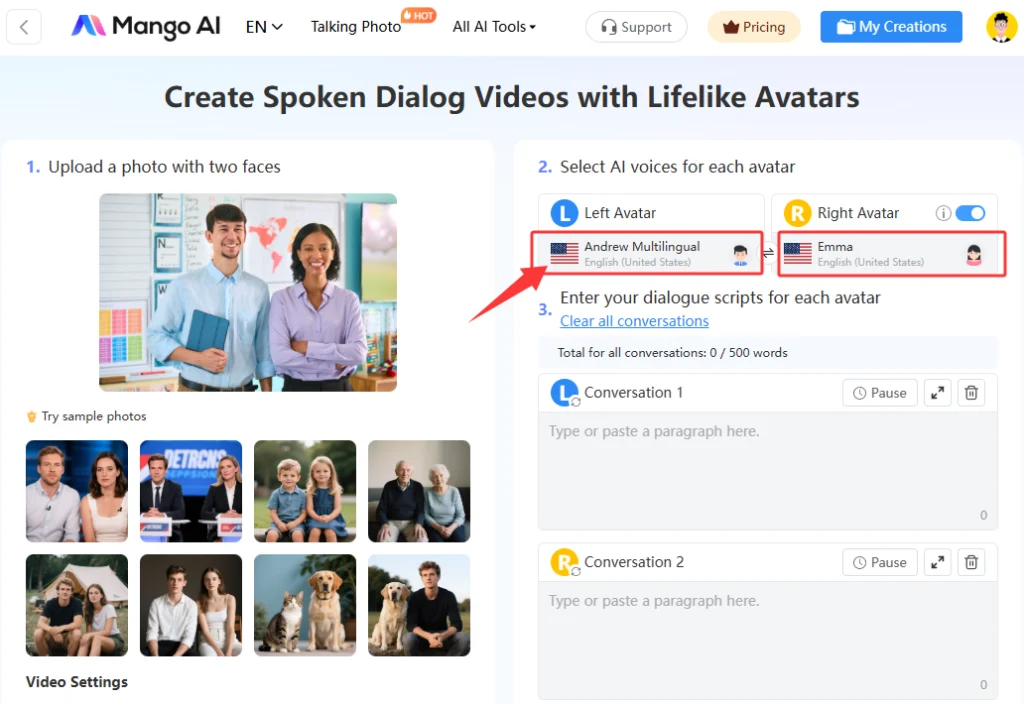
3. Choose AI voices for avatars
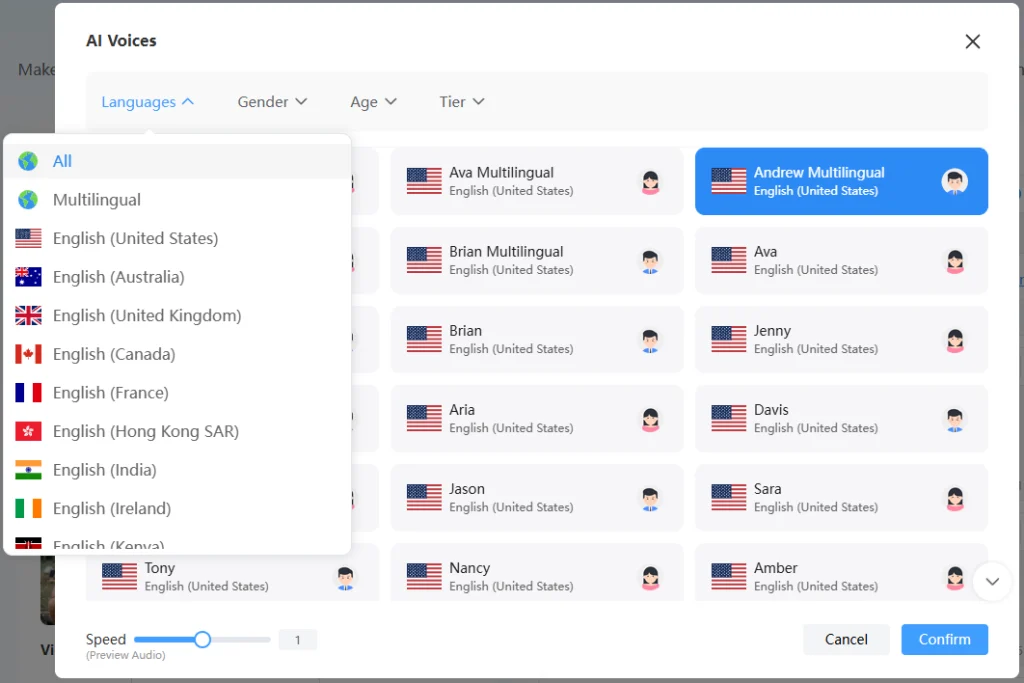
Select the AI voices you want for the Left Avatar and Right Avatar. Mango AI gives you hundreds of AI voice options in different languages, nationalities, genders, and ages. Choose the most appropriate AI voice to realistically simulate the AI dialog you would like to create for employee training.
4. Input dialogue scripts
Paste or type the text of the dialogue into the corresponding conversation box for each avatar. If you need to add more back-and-forth conversation, click the “Add Conversation” button to input more text dialogue for your avatars.
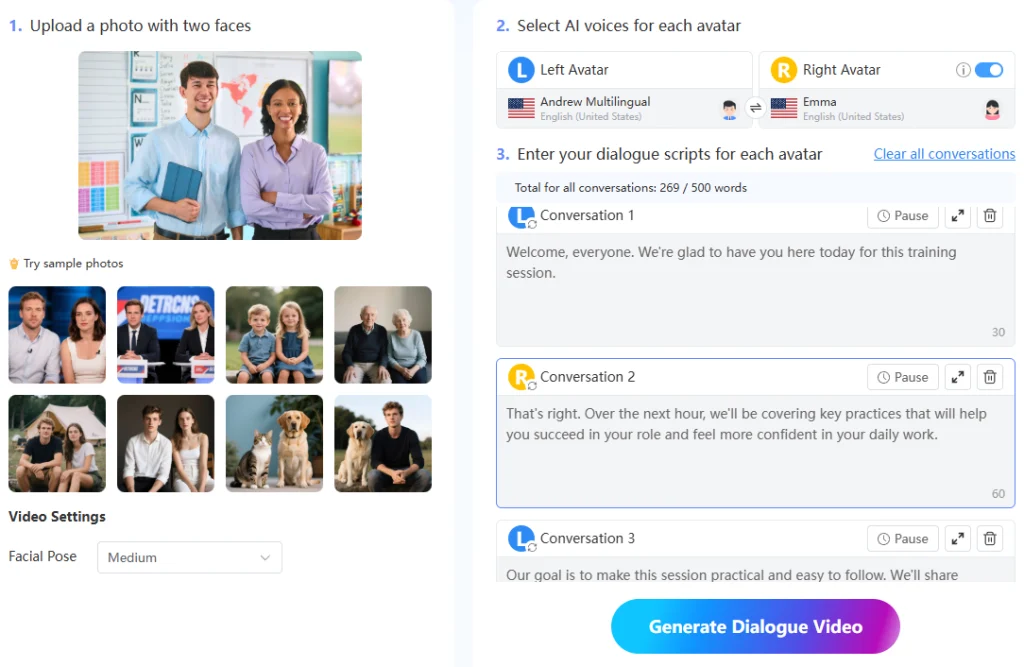
5. Generate an AI talking video
Click the “Generate Dialogue Video” button when you finish. The AI talking creator only needs a few minutes to animate your photo by adding moving faces and lips that synchronize with AI-generated dialog based on your input text.
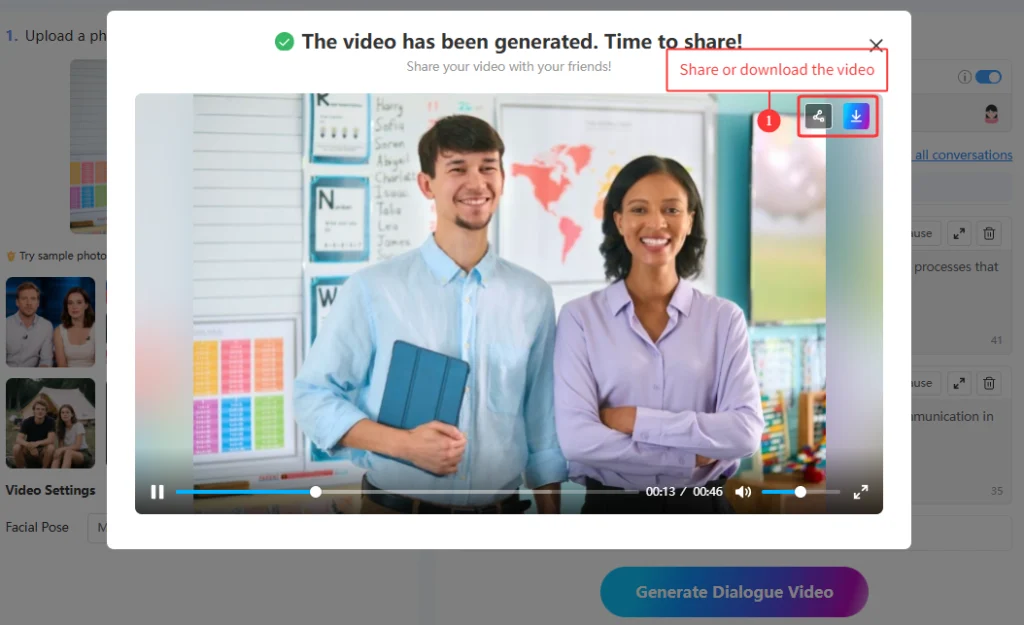
Mango AI: #1 AI Dialog Video Maker to Create Dual-Avatar Conversations
Mango AI is the preferred AI talking video maker for creating dual-avatar conversations. It has all the best features to make the AI dialog video creation process fast and easy. These features include:
1. Sample photos:
You don’t need to upload your own photo. Mango AI allows you to select from a library of sample photos to use for your AI talking video creation. The choices include two adults, two children, two senior adults, a cat & dog, and a dog & person.
2. Facial pose adjustment:
Set the facial pose as None, Small, Medium, or Big. The higher setting will create a more robust facial animated movement in the final video.
3. Lifelike AI voices:
Mango AI offers hundreds of realistic AI voices for the AI dialog of each conversation. You can choose an AI voice of a specific country, gender, age, and language.
4. Multilingual support:
There is support for over 120 languages, such as Arabic, French, Portuguese, and Urdu. You will find at least one AI voice that naturally speaks in any of these languages. The English language has the most AI voice options.
5. Easy sharing:
Easily share your AI-generated training videos with your employees by sending them the links or QR codes via email and text messaging apps.
6. Seamless embedding:
Seamlessly embed your AI talking videos into your learning management system, website, or training portal.
Conclusion
A conversational AI video generator is the most efficient and effective way to create AI talking videos for employee training simulations. Everyone, from managers and executives to HR professionals, can easily create AI dialog training videos with a user-friendly tool like Mango AI. It just takes 5 simple steps to produce an interactive video, no technical expertise needed. Mango AI is perfect for anyone, even those without video editing skills, to create captivating content. Without further ado, try it out and elevate employee training to new heights!
Create AI Talking Videos for Employee Training with Mango AI