
Most people prefer video tutorials for learning, with 83% choosing video over text or audio. Looking for the best way to create high-quality tutorials? Tutorial video software brings the solution. Powered by AI, tutorial video software is capable of creating high-quality how-to videos in minutes. Check out these top picks for tutorial video software: Mango AI, Animoto, Vmaker, Mootion, Invideo, BigMotion, and Steve AI. As you read, think about which features matter most for your tutorials, and pick the one that boosts engagement for your training projects.
Top 7 Tutorial Video Software Powered by AI Technology
1. Mango AI
If you want to make tutorials that truly stand out, Mango AI gives you a fresh approach to video tutorial creation. This AI-powered platform is designed to make your tutorial creation effortless and engaging, even without professional video skills. You can easily transform static images into talking photos, turn text into animated stories, and bring characters to life with talking avatars, all with simple clicks.
To explore more creativity in your video tutorials, you can take a closer look at the following key features:
- Talking Photo – Turn any photo into a lifelike talking image to deliver messages in a more personal way.
- Talking Avatar – Animate avatars with lip-sync and expressive gestures, making tutorials feel interactive and dynamic.
- Avatar Dialogue – Create conversational scenes between multiple avatars for engaging instructional storytelling.
- Video Translator – Instantly translate your videos into different languages, expanding your tutorial’s reach worldwide.
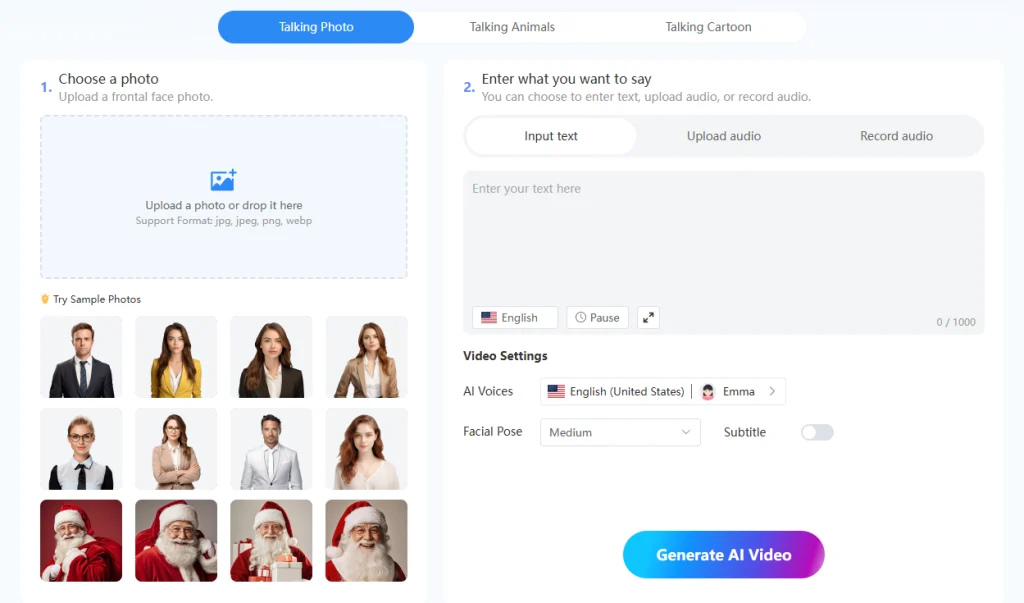
Whether you’re crafting online courses, employee training, or educational content, Mango AI empowers you to create memorable, interactive tutorials that boost engagement and make learning enjoyable.
Best Use Cases:
Mango AI works best for educators, trainers, and businesses who want to create engaging hr training tutorials, product walkthroughs, or explainer videos. Students have used Mango AI to make presentations that stand out and earn better grades. If you need a video tutorial builder for step-by-step instructions, interactive lessons, or multilingual content, Mango AI is the best tutorial video maker for you.
Tip: Try Mango AI if you want a video tutorial creator that makes tutorials fun and interactive.
2. Animoto
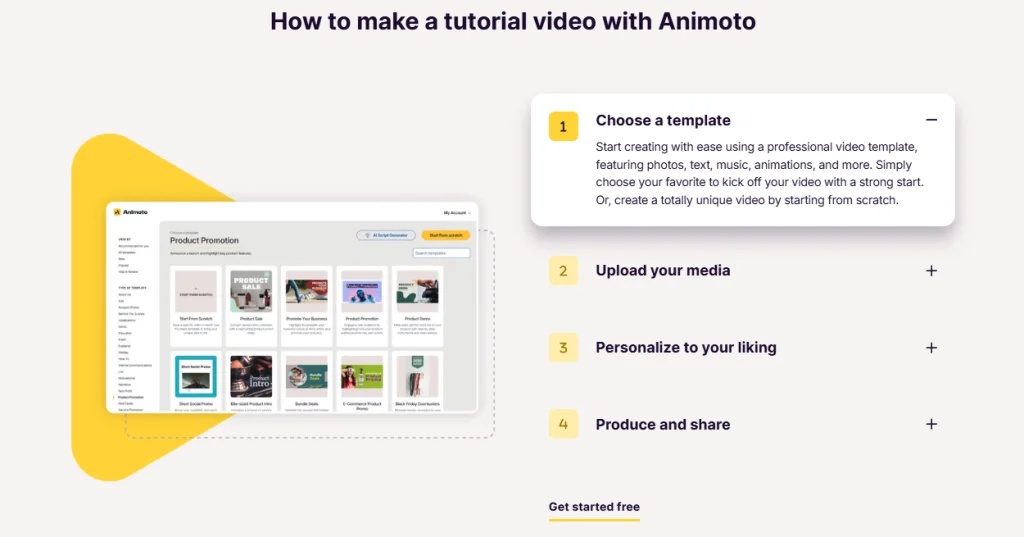
Animoto stands out as a tutorial video software that makes video tutorial creation feel effortless. By selecting from a variety of templates, you can customize your videos with photos, text, music, and animations. The drag-and-drop interface simplifies the process, making it accessible even for beginners. Animoto’s tutorial video maker is ideal for creating engaging how-to videos, product demonstrations, and educational content. You can start with a template and personalize it to suit their specific needs, ensuring a professional-looking result without the need for advanced video editing skills.
Key Features:
Drag-and-drop video builder
Automated pre-built storyboards for fast results
Huge music and visual style library
Custom branding options
Cloud-based sharing and storage
Best Use Cases:
Animoto works best for teachers, marketers, and anyone who wants to make tutorials quickly. If you want the best tutorial video maker for slideshows, product demos, or quick explainer videos, Animoto is a strong choice. You can use it for creating video tutorials that need fast turnaround and easy sharing.
3. Vmaker
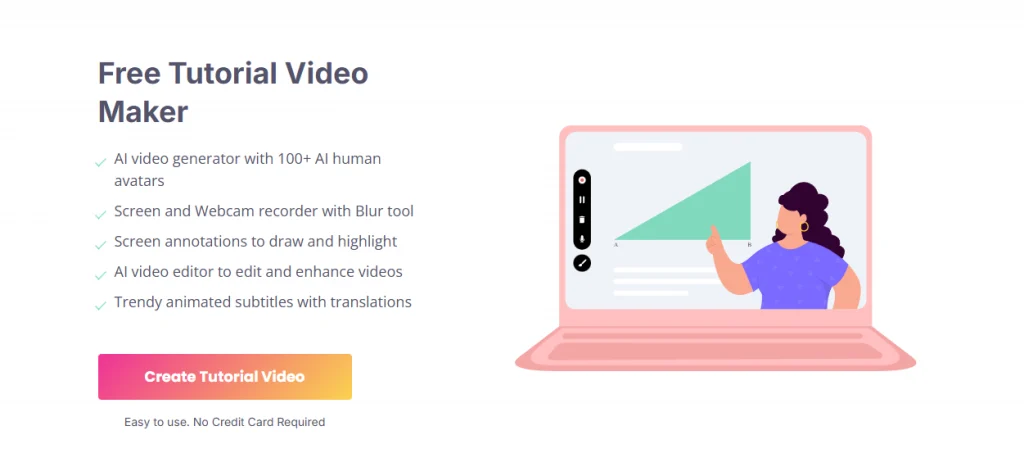
Vmaker is an all-in-one tutorial video creation platform that combines screen recording, webcam capture, and AI-powered avatars. You are able to record their screen and webcam simultaneously, annotate videos in real-time, and utilize AI avatars to present content. This flexibility helps you explain complex ideas with clear visuals and personal touches. The platform supports over 150 languages for subtitles and offers a range of customization options, including virtual backgrounds and mouse emphasis. Vmaker’s intuitive interface and advanced features make it suitable for creating professional tutorial videos, employee training sessions, and instructional content.
Vmaker stands out with its unique set of features designed for creating video tutorials:
- High-quality recording with HD resolution for crisp visuals
Unlimited recordings, so you never have to worry about hitting a limit
User-friendly interface that lets you start recording in seconds
AI-powered editing tools that help you polish your videos quickly
Quick video creation process, perfect for busy schedules
You can also schedule recordings, blur backgrounds, and use custom branding. These features make Vmaker a top pick for anyone who wants the best tutorial video maker for interactive tutorial software needs.
Best Use Cases:
Vmaker works well for teachers, trainers, and business professionals who want to create tutorials, product demos, or onboarding videos. You can use it for creating video tutorials that require screen sharing, webcam input, or both. Vmaker also helps you increase engagement with easy sharing and interactive features.
4. Mootion
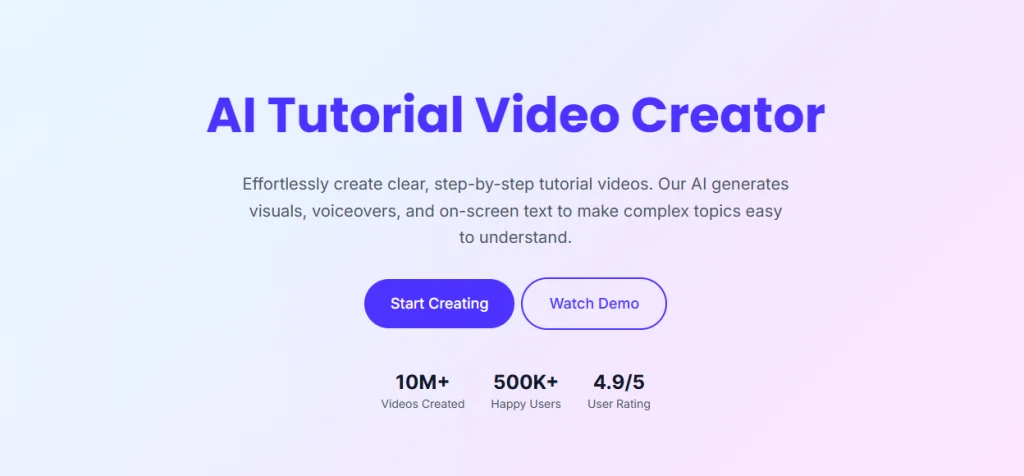
Mootion, an AI-driven tutorial video creator, gives you a fresh way to create tutorials that feel both fast and professional. It simplifies the process of turning text or documents into professional-quality videos. You can input your content, and Mootion’s AI generates visuals, voiceovers, and on-screen text to create engaging tutorial videos. The interface feels simple, so you can focus on your message instead of getting lost in complicated menus. Mootion helps you make tutorials that grab attention and keep your viewers engaged.
Key Features:
Generates a complete 3-minute tutorial in under 2 minutes.
Intuitive interface makes professional video tutorial creation easy for everyone.
Offers a wide range of templates for different tutorial styles.
Cloud-based platform lets you access your projects from anywhere.
Flexible export options for sharing tutorials on any platform.
Best Use Cases:
Mootion works best if you want to create tutorials quickly and share them with a wide audience. Teachers, trainers, and business owners use it for onboarding, product walkthroughs, and explainer videos.
5. Invideo
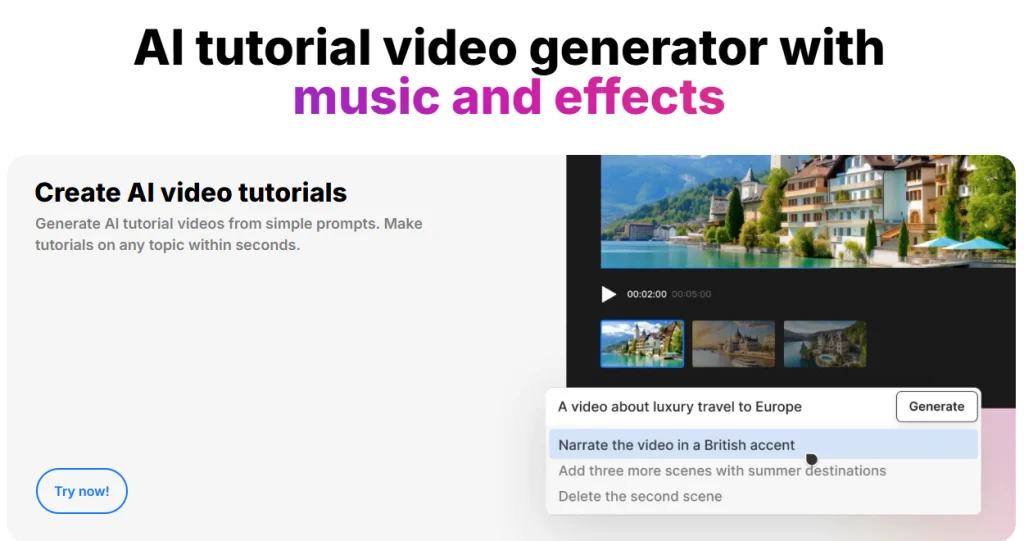
Invideo is a versatile video editing platform that offers a comprehensive set of tools for creating tutorial videos. Its drag-and-drop editor lets you build tutorials from scratch or transform your ideas into polished videos in minutes. If you want to turn a script or even a blog post into a video, Invideo helps make tutorial videos in over 50 languages in any style. There is a wide range of templates, transitions, filters, and music for you to enhance your videos. This tutorial video software also provides features like text overlays, voiceovers, and stock footage integration, allowing for the creation of professional-quality tutorial videos suitable for various purposes.
Key Features:
- 6,000+ ready-made templates: Designed for various tutorial styles and topics to match your brand identity.
- Fast and creative workflow: Combines speed with flexibility, letting you produce tutorials quickly without sacrificing quality.
- Text-to-video tool: Automatically transforms scripts into videos with matching scenes, transitions, and background music.
- Seamless social sharing: Publish videos directly to social media platforms to reach your audience instantly.
Best Use Cases:
Invideo works best for creating online courses, product demonstrations, educational content, explainer videos, or quick how-tos. The platform helps you keep your audience interested and makes video tutorial creation feel simple. Try Invideo when you want your tutorials to stand out and reach more people.
6. BigMotion
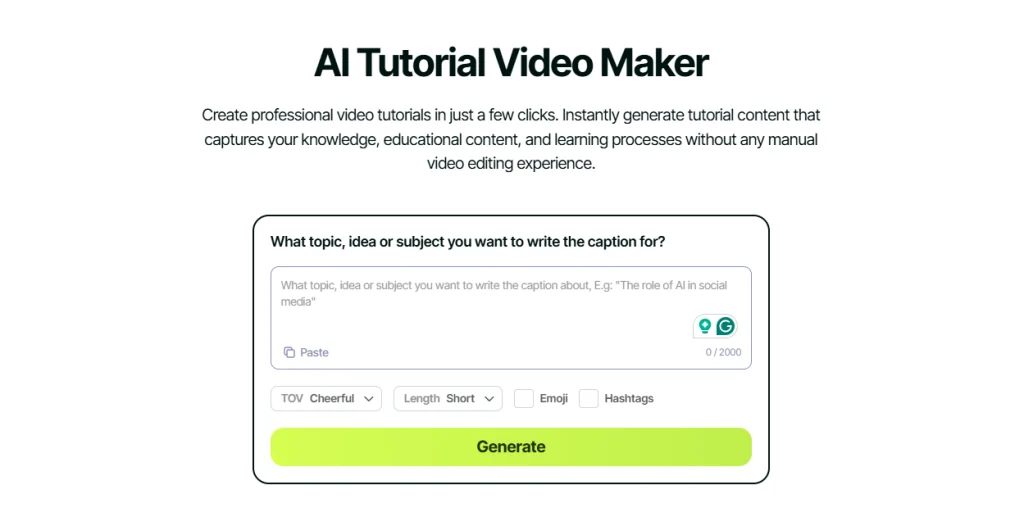
Big Motion is an AI-powered tutorial video maker that automates the video creation process. You are able to input their script, select a style, and let Big Motion generate a video complete with visuals, voiceovers, captions, and music. The platform offers various customization options, allowing you to fine-tune elements like tone, visuals, and background music to align with your desired outcome. Big Motion’s automation streamlines the video production process, making it an efficient tool for creating engaging tutorial videos without the need for extensive editing.
BigMotion stands out because it automates almost every step. You don’t just get a basic video; you get a polished tutorial with AI-selected images, natural-sounding narration, and synced captions. The platform also picks background music that fits your topic. You can customize scripts, visuals, and voices, so every tutorial matches your style. Here’s a quick look at what sets BigMotion apart:
Visuals: AI matches images to your script.
Voiceover: Natural narration generated instantly.
Captions: Synced automatically for better engagement.
Music: Professional tracks set the right mood.
Best Use Cases:
BigMotion works best for educators and businesses that need to produce tutorials regularly. You can use it for onboarding, product demos, or explainer videos. BigMotion is also a great choice if you want interactive tutorial software that streamlines creating video tutorials. Try it when you need to scale up your video tutorial software strategy.
7. Steve AI
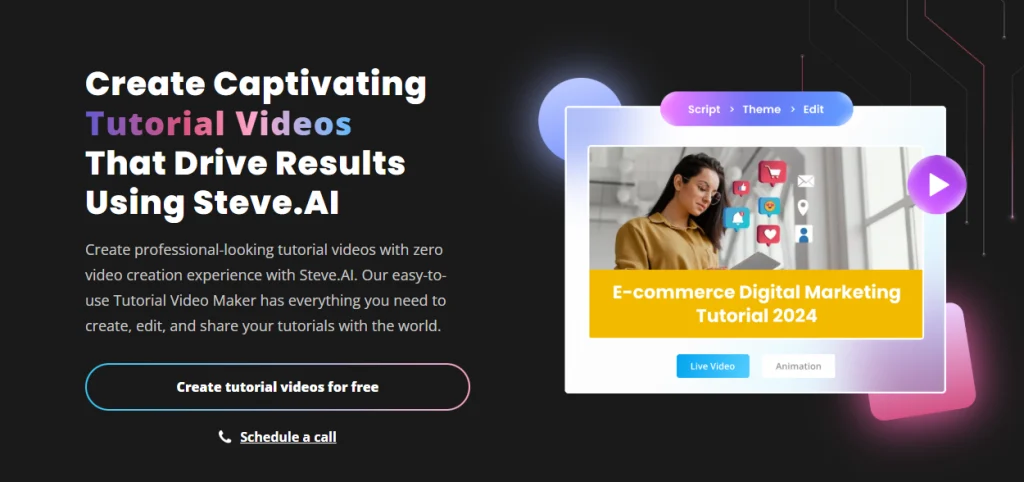
Steve AI is an innovative video creation platform that leverages AI to transform scripts into engaging tutorial videos. You can input content, and Steve AI’s AI engine generates scenes, animations, and voiceovers to bring the tutorial to life. The platform offers a library of over 300 animations, customizable templates, and a user-friendly interface, making it accessible for both beginners and experienced creators. Steve AI uses advanced automation, so you spend less time editing and more time sharing your knowledge. You can create tutorials on your phone, tablet, or computer. Steve AI helps you reach your audience wherever they are.
Steve AI stands out in the tutorial video software market because of its smart automation and creative flexibility. Here’s a look at what makes it unique:
You create tutorials faster than ever.
The platform helps you make faceless tutorials, perfect for privacy or remote work.
You get scene-level control, so every part of your tutorial matches your vision.
Steve AI’s mobile-first design lets you work anywhere.
Best Use Cases:
Steve AI works best for educators, marketers, and creators who want to make tutorials without cameras or studios. You can use it for explainer videos, onboarding, or interactive tutorial software projects.
Comparison Table
You might feel overwhelmed by all the choices for tutorial video software. To help you decide, here’s a quick comparison of the top 7 options. This table highlights what makes each tool unique, how much you can expect to pay, and where each one shines when it comes to tutorials and engagement.
| Software | Standout Feature | Best Use Cases |
| Mango AI | Talking avatars, conversational avatar videos, video translation | Interactive tutorials, multilingual content, creative lessons |
| Animoto | Automated storyboards, huge music library | Quick slideshows, marketing and classroom recaps |
| Vmaker | Unlimited HD recording, AI editing | Screen tutorials, product demos, onboarding |
| Mootion | AI-powered fast video creation | Fast tutorials, explainer videos, team training |
| Invideo | 6000+ templates, text to video | Social media tutorials, explainer videos, marketing content |
| BigMotion | AI script to video, instant voiceover | Bulk tutorials, onboarding, regular content |
| Steve AI | multi-voice, mobile-first design | YouTube tutorials, remote learning, faceless explainer videos |
Tip: Think about your main goal for tutorials. Do you want speed, creative control, or easy sharing? This table helps you match your needs to the right video tutorial software.
You can see how each platform brings something special to the table. Whether you want to boost engagement with interactive features or need to create tutorials in bulk, there’s a tool here for you.
Conclusion
Creating engaging tutorials doesn’t have to be complicated. The right tutorial video software—be it AI-powered tools like Mango AI or versatile editors like InVideo—can help you transform ideas into captivating, easy-to-follow learning experiences. Whether you’re an educator, marketer, or trainer, these seven platforms give you everything you need to make professional, interactive tutorials that keep your audience watching and learning. Choose the one that fits your style, and start turning your knowledge into powerful visual stories today.
Create Interactive Tutorial Videos with Mango AI